AI Translate
Instant multilingual workflows for Grav Admin
AI Translate brings professional-grade translation tools directly into Grav Admin. Add one-click translation buttons to your fields, use industry-leading DeepL and Google Translate, or reuse the AI providers you already manage with AI Pro, and deliver consistent multilingual content. Smart detection, caching, and result-chunking keep large pages accurate while staying inside the editing experience your team already knows.
Everything you need. Nothing you don’t.
Over 10 distinct features and integrations, out of the box.
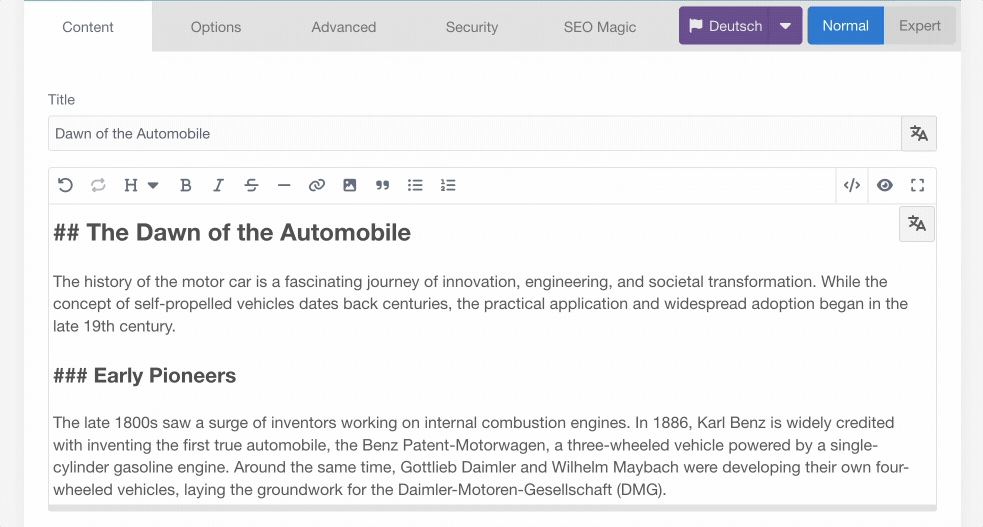
Translate Without Leaving The Field
Translation buttons live beside every supported field, so editors can generate localized content while they type—no copy/paste or context switching required.
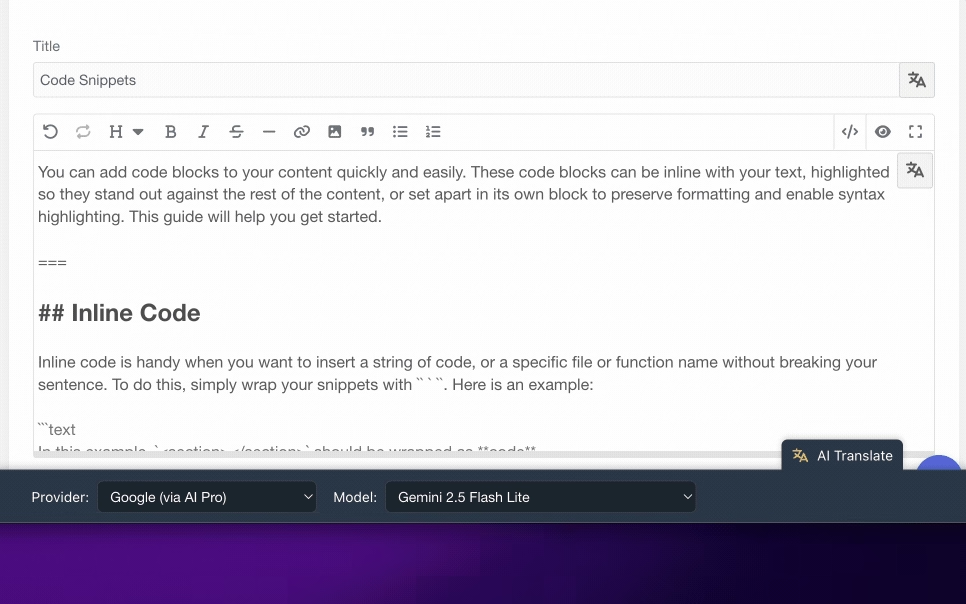
Switch Providers On Demand
The Translation Tuner panel surfaces all available DeepL and AI Pro providers, model lists, and runtime status so teams can choose the best engine for each job in seconds.
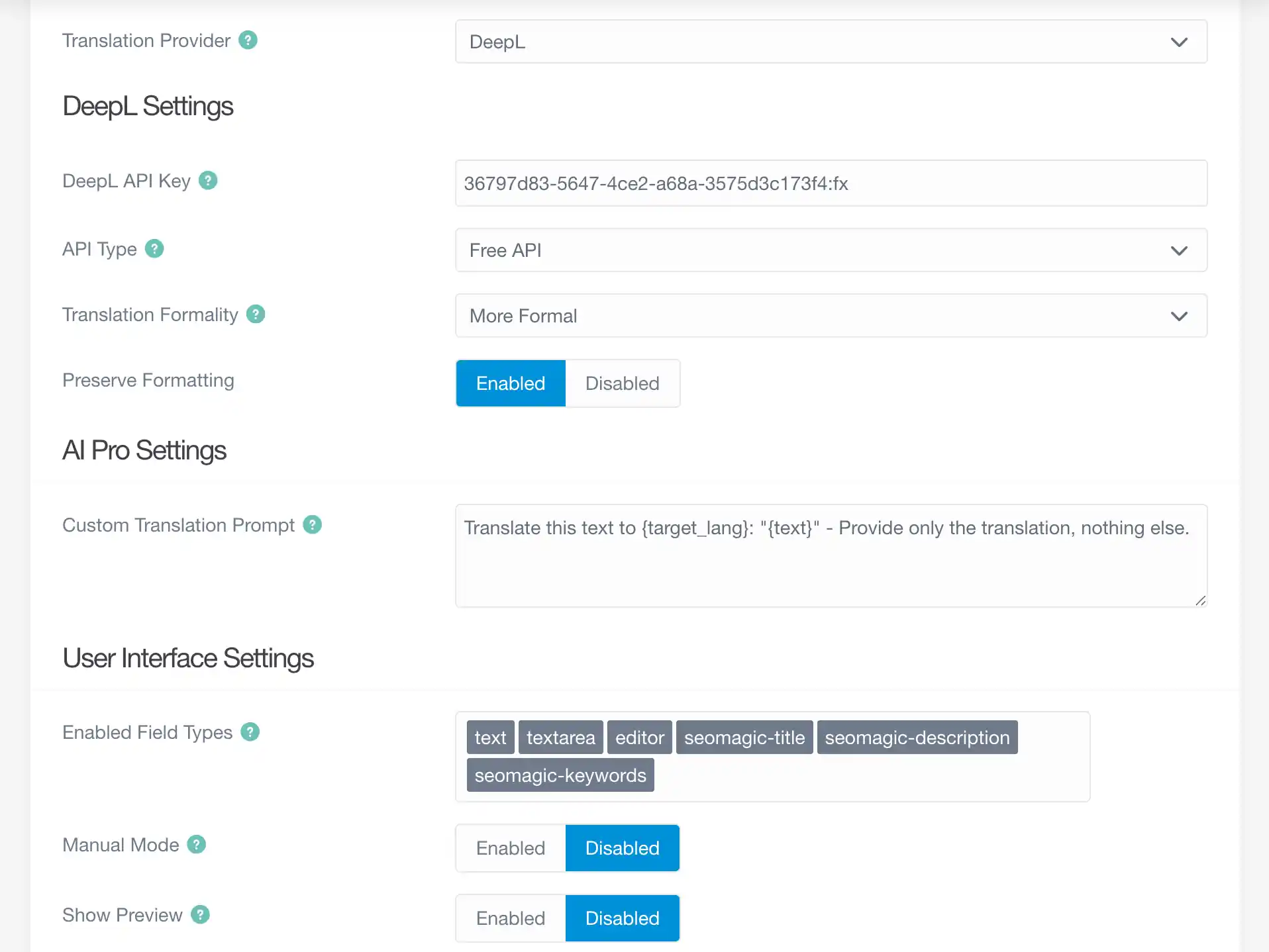
Highly Configurable
Full control over where the AI translate functionality appears in your page forms. Also customize the built-in translation prompt to suit your needs.
Frequently Asked Questions
Common questions about AI Translate and how it fits alongside AI Pro
Do I need AI Pro to use AI Translate?
No. AI Translate ships with a full DeepL integration, including support for formality controls and regional variants. When AI Pro is present, you can reuse any configured provider (even custom ones) without duplicating API keys or prompts.
Can editors choose different models for each translation?
Yes. The Translation Tuner panel lists every enabled AI Pro provider and their available models. Editors can switch providers, pin a preferred model, and the plugin updates the configuration immediately—perfect for mixing lightweight models for drafts with premium models for publication.
How does AI Translate handle large or repeated content?
The plugin automatically chunks oversized passages, adds context overlap, then recombines results so headings, shortcodes, and Markdown survive intact. Completed translations are cached in Grav, so revisiting the same content or running batch processes avoids duplicate API calls.