Skip to content
Grav 2.1 is out: every page speaks Markdown. Read the announcement →
Premium / SEO Magic
Premium Plugin · v7.0.16

SEO Magic

Powerful SEO Tools and Scanner

An essential tool for getting to grips with SEO on your site. Builds on top of Grav's features to automatically generate SEO-friendly OpenGraph tags for beautiful embedding. Fast site crawling and analysis of all pages with per-page customization of all elements, as well as SEO Report that can help you isolate problem-areas in your SEO strategy.

Grav 1.7+

Everything you need. Nothing you don’t.

Over 22 distinct features and integrations, out of the box.

01
⭐ New - New SEO Magic dashboard with paginated site-wide report and quick access to problematic pages
02
⭐ New - Faster performance with asynchronous batch processing
03
Automatically generate meta and OpenGraph tags for embedding on other sites
04
Automatic generation of unique page screenshots via WebShot service for meta image used in embeds
05
Generate Twitter and Facebook specific OpenGraph tags
06
Page-level SEO Reporting
07
new Site-wide SEO Report for all pages
08
new Broken-link checker via Admin or CLI
09
Global level configuration settings with page-level overrides for maximum flexibility
10
Automatically add robots meta tag if a robots.txt file is not found
11
High performance architecture that crawls and pre-processes SEO page data asynchronously
12
Automatically generate descriptions and keywords used for meta tags
13
Fully Multi-language compatible
14
Support for PHP.Science Textrank algorithm for generating descriptions with support for English, French, German, Italian, Spanish, Norwegian, Russian, and Indonesian languages
15
Ability to add, or replace custom keywords to generated keywords
16
Ability to define custom CSS selectors to target HTML tags used to generate automatic content
17
Custom User Agent string to allow you to remove data crawls from analytics
18
Utilizes Grav's sitemap plugin to crawl and generate SEO data
19
High-performance parallel multi-connection crawling generates results fast!
20
Easy access to data generation via CLI command and Admin plugin configuration, plus quick-tray
21
Flexible meta image options including WebShot, Page-image, Page-attribute, Automatic
22
Comprehensive page-level SEO Report covers: Metadata, CSS Stylesheets, JavaScript, Header tag usage, Semantic HTML, bad HTML, content images, content links, and provides a summary of the keyword usages in content
OpenGraph Preview

OpenGraph Preview

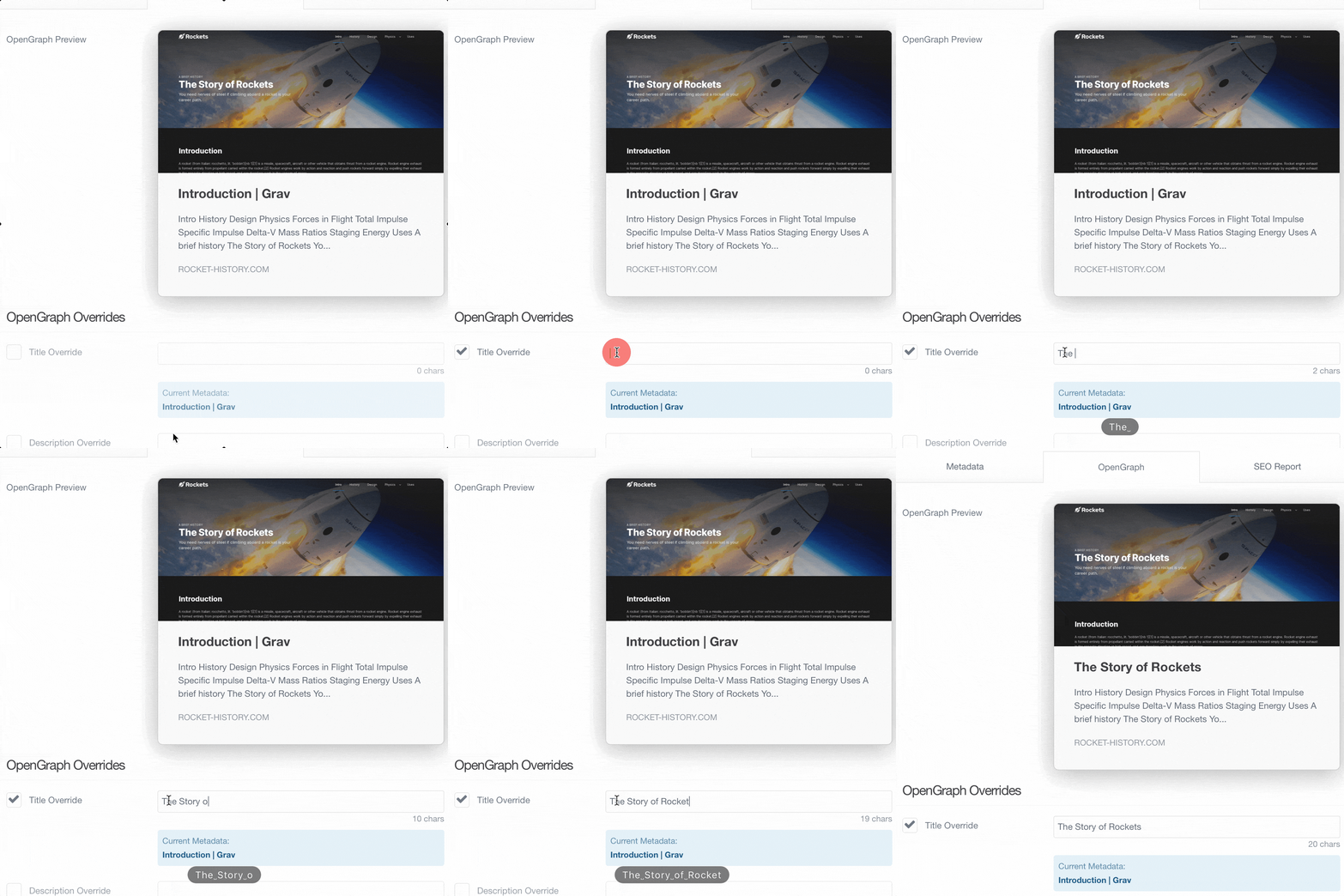
See a dynamic representation of your OpenGraph card as seen when embedded in other sites and applications such as Facebook, Twitter, Slack, Discord, MS Teams, etc. SEO Magic provides the ability to use the existing HTML title, or a custom title and description.

What's Your Score?

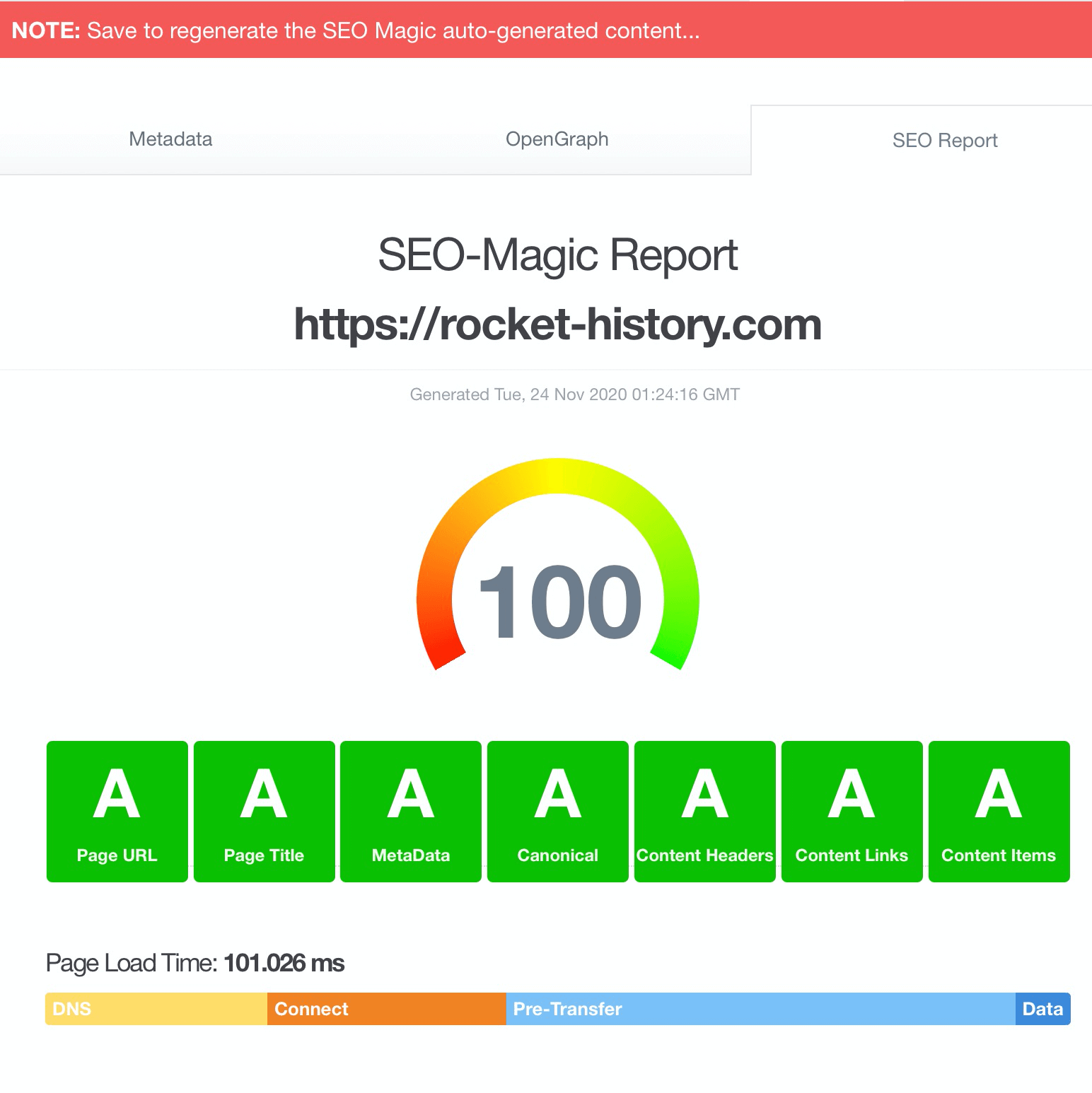
The SEO Magic Report is automatically generated and can help you address issues and optimize your content to ensure strong SEO performance. The report is based on SEO best-practices and helps you identify short falls in Metadata, CSS Stylesheets, JavaScript, Header tag usage, Semantic HTML, bad HTML, content images, content links. The report also provides a summary of the keyword usages in content and even a debug log of your page crawl.
What's Your Score?
Site Reporting

Site Reporting

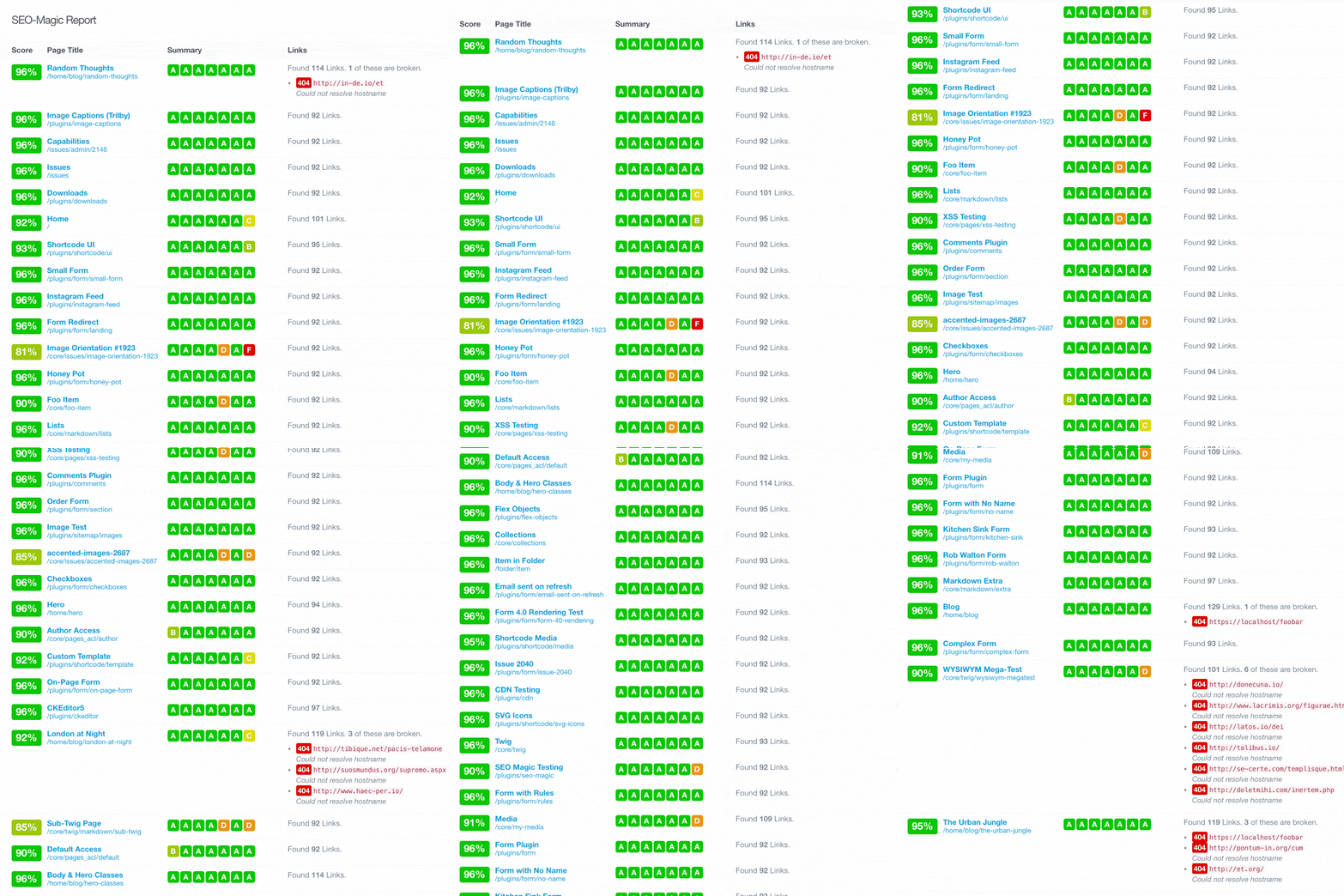
SEO Magic now provides a easy-to-read site-wide report, utilizing the Grav Admin Reports, to obtain a high-level view of your SEO for all pages. You can quickly link to any problematic page and address any of the issues identified. See the total page score, a summary of section scores and any broken links.

Simple and Efficient Link Checking

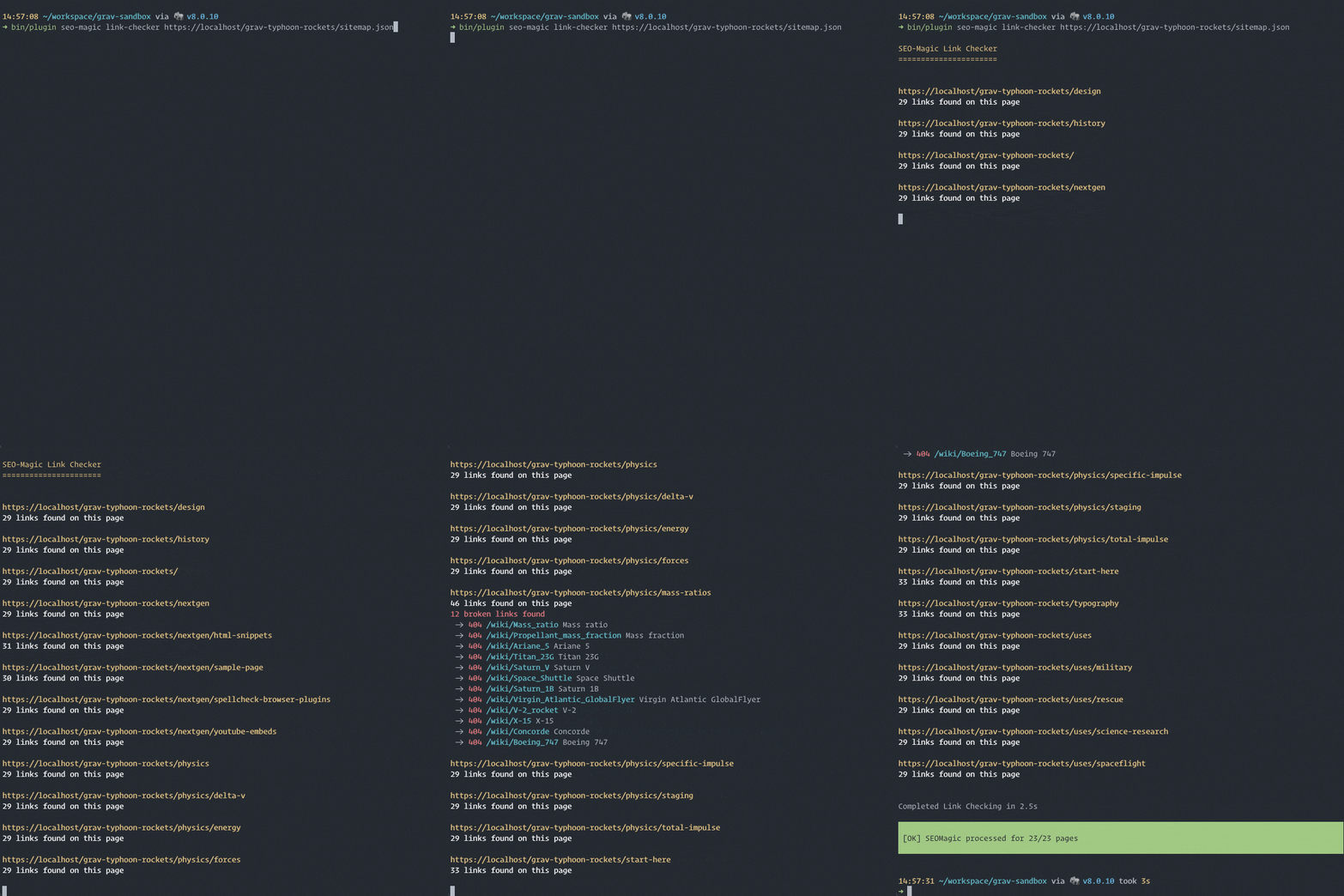
Another new feature is the much-requested link-checker. It can be run as part of the SEO Magic data generation, or directly via a simple to use CLI Command. The results show up in the page and site reports, but can also be easily integrated with the Grav Scheduler to provide a periodic report of your site's broken link status. Broken links are a major contributor to poor SEO results, so it's key to address these to ensure best results.
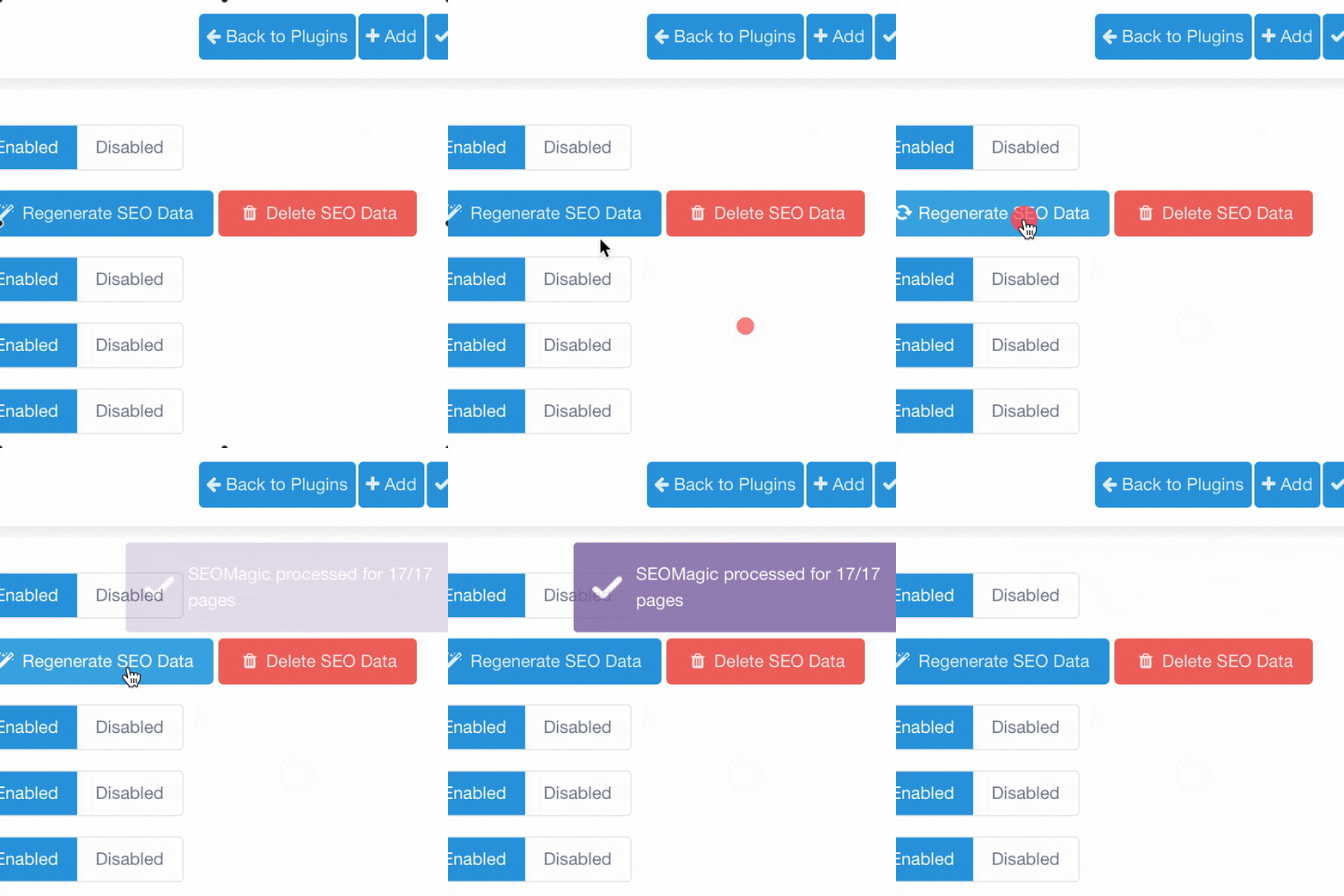
Simple and Efficient Link Checking
High-Performance Crawling

High-Performance Crawling

SEO Magic is powered by asychronous data crawling that ensures maximum performance for your site because this work doesn't need to be done on-page-load. This crawling process is also heavily optimized using multiple parallel connections to quickly and efficiently crawl your website. This also has the side-benefit of pre-populating your site's cache.

Full Control

SEO Magic has flexible configuration options that set your preferences site-wide. When you navigate to a page you will have access to a dedicated SEO Magic tab that allows you to override the settings for that page as well as directly access the SEO Report for that page.
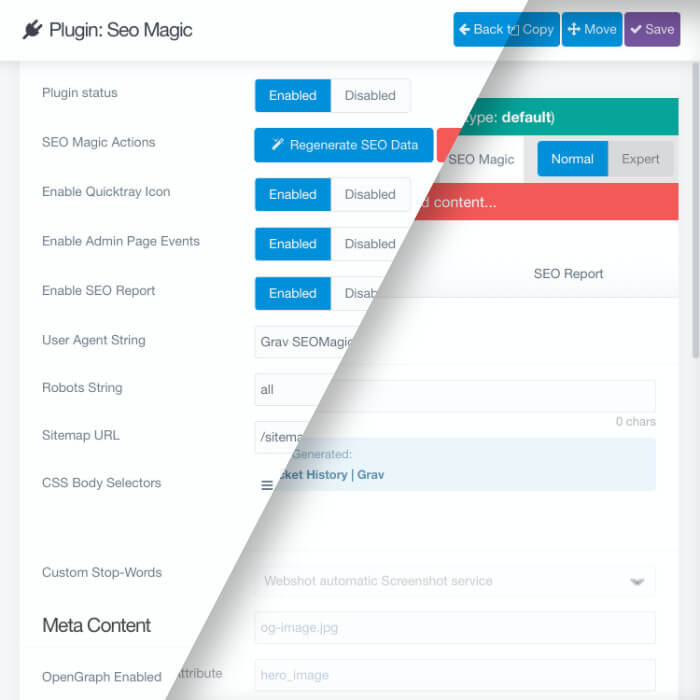
Full Control

Sample SEO Report

This is the kind of detail you can expect to find in the report you will be able to access and review for every page on our site.
https://rocket-history.com

Frequently Asked Questions

The most commonly asked questions about the SEO Magic plugin

What is coming soon for SEO Magic?

We have lots of great features planned for upcoming releases of SEO magic. Once purchased, you will be able to update SEO Magic whenever you like to get access to the new functionality. Below is a working list of things we plan on bringing to SEO Magic in the near future:

  • Site-wide broken-link report
  • Multi-language is currently working with generated data and changing languages but requires saving the page. Future improvements will focus on the crawler that collects the multi-language data.
  • Move to lang strings for translation support
  • Support for admin themes
  • Per page summary report with resolution steps
  • Keyword density score
  • Quick CLI-based summary report
  • Additional SEO impacting elements taken into account in the report
  • Improve printability of the report, perhaps a PDF version for clients
  • More configuration option for WebShot page screenshot snapshot service
  • Global report option. This will generate a high level report of your entire site
  • Improved scoring algorithm
  • Quick Score View in flex pages context menu
  • Lazy-loading or other performance improvements when generating a report
Does SEO Magic have multi-language support?

Yes in version 3.0 we added full multi-language support and the ability to translate language strings

Can I provide a translation for SEO Magic settings?

Yes, please start a new Discussion on the Premium Issues GitHub Project and tag it with the Translations category. Then please attach the translated YAML file.

Can I print the SEO Report?

Due to limitations in the Grav admin, printing via the browser is not currently possible. We plan on developing a solution to solve this in an upcoming release.

How does the SEO Score get calculated?

We have compiled an extensive list of SEO best-practices and the closer you come to following all the best practices, the closer to 100% your score will be. This is not an absolute score that guarantees SEO ranking, it just is based on automated test we can do following various best practices. Every search engine has it's own proprietary SEO ranking logic, and it's carefully guarded for obvious reasons. If you have a strong SEO Report score, along with solid content, and quality in-bound and out-bound links, you should be in great shape SEO-wise!

$75 Buy Now

SEO Magic Changelog

v7.0.16

6 days ago

    • Your page's real <title> now counts for more in the SEO score, as it is the headline people actually see in search results
    • The Metadata section of the SEO report no longer grades a page on a <meta name="title"> tag, which no search engine has ever read. Thanks @paulmassen (grav-premium-issues#621)
    • That tag was worth more than half of the Metadata score, so a page with a perfectly good <title> was being marked down to an F simply for leaving it out
    • The tag is still listed in the report for information, with a note explaining that search engines ignore it and that your <title> is what counts

v7.0.15

1 week ago

    • Fixed a fatal error on the frontend when a page's custom keywords were saved as a plain line of text instead of a list, which happened when the keywords were set in the new admin
    • Custom keywords, custom stopwords, ignored routes, link-checker patterns and the organization's social profiles are all read the same way now, so any of them typed in as a plain comma-separated line works wherever it is used
    • An empty link-checker allow list no longer treats every link as allowed, which had been quietly switching off broken-link reporting
    • The keywords field in the new admin shows the keywords again on pages whose keywords were saved by the classic admin

v7.0.14

1 week ago

    • The Organization logo in the structured data can be a full URL again. A URL was being handed to the resource locator, which threw on the scheme and took the whole site down with it; a stream such as theme://images/logo.png now resolves to its public URL rather than a filesystem path
    • A site-relative images.default_image such as /user/themes/mytheme/images/og.png is served from the install root; it used to be looked up as a filesystem path and the social image came back 404. The same web path was also handed to is_file() on every page render, which under open_basedir is a warning that Grav turns into an error, so the whole site returned 500

v7.0.13

2 weeks ago

    • og:type is website for every page that is not a post, where a post is a page with an authored date in its frontmatter. Product, listing and legal pages were all being marked article. A page names its own with seo-magic.opengraph.type, and opengraph.type in the plugin config forces one answer site-wide
    • og:locale is emitted as language_TERRITORY (en_US, not en), as the protocol specifies, with the same normalisation applied to og:locale:alternate. Set it explicitly with opengraph.locale in config or seo-magic.opengraph.locale on a page

v7.0.12

3 weeks ago

    • Fixed the home page never finding its own crawl data, so it rendered with a bare title and the site-wide description
    • Fixed generated descriptions and keywords staying empty until the cache/seo-magic folder was deleted by hand
    • Fixed a fatal error on 404 pages when a theme calls seomagic_title(), seomagic_description() or seomagic_keywords()

v7.0.11

4 weeks ago

    • The three scheduled tasks (process, link checker and queue) now run on the schedule you set for them, and appear in the Scheduler under names you can recognise. They were being registered with the schedule in the wrong place, so each one had no schedule of its own, was listed under a meaningless string of letters, and never actually ran

v7.0.10

1 month ago

    • The width and height given for your social card image are now measured from the image itself, instead of repeating the size set in the plugin options. Those options describe the size the plugin aims for, but only images it resizes itself ever reach it: a webshot screenshot or a default_image is passed straight through at whatever size it arrives at. Sites set to 1200x630 could be telling Facebook, LinkedIn and X one size while serving another, and cards were laid out against numbers the image did not keep. When an image has not been measured yet, the width and height are now left out rather than guessed, and appear once the image has been fetched once.
    • A default_image written as a path on your own site, such as /user/themes/mytheme/images/og.jpg, is now found on disk and measured. Only a full web address was being resolved before, so those sites got no width or height at all.
    • The secure address of the social card image is now sent as og:image:secure_url, the name the Open Graph protocol actually defines. It was previously sent as og:image:secure, which scrapers ignore.

v7.0.9

1 month ago

    • Added SoftwareApplication structured data for sites whose subject is a piece of software, such as an app, a CMS or a library. Search and answer engines build the candidate set for category queries largely from typed nodes like this, so prose describing the product is not enough on its own. Off by default, and home-page-only when enabled, with per-page overrides so a product landing page can describe itself separately.
    • The process and link-checker commands no longer refuse to run when you give them the full web address of a sitemap, which already tells them where the site is.
    • When a command does need to be told where the site is, it now suggests running it with --env if this install has environment configurations, instead of only offering to change user/config/system.yaml.

v7.0.8

2 months ago

    • Fixed saving a page in Admin failing with "Failed to save entry: Encoding JSON failed" on sites whose content uses accented characters, such as Italian, Spanish and Portuguese. The generated summary was being cut to length by byte rather than by character, which could slice an accented character in half and leave text that could not be stored.

v7.0.7

2 months ago

    • Saving a page in Admin now returns straight away and regenerates its SEO data in the background, instead of making you wait for the page and every link on it to be fetched (grav-premium-issues#610).
    • Links to your own pages are now checked against Grav's own routes rather than fetched one by one, which is dramatically faster and counts several route aliases for the same page only once.
    • The internal and external link concurrency settings now genuinely check links side by side, and are available in the plugin options.
    • Email, phone and in-page anchor links are no longer fetched as if they were web addresses, and the report now shows them as nothing to check.
    • The scheduler can now pick up any page whose SEO data is still pending, and the full site crawl and link check are configurable in the plugin options.
    • Broken links to your own pages are now reported as broken instead of always coming back as working.
    • The process and link-checker commands, and the scheduled jobs that run them, no longer report "no pages to process" on a site full of pages.
    • Running those commands without a site address configured now says so, instead of quietly fetching every page from http://localhost and storing the results as broken.