First i'm pretty new in informatic and I chose Grav for my first CMS. I tried to manage how Grav work but i'm in front of a wall. I'm in intership and I have to create a website, for this I'd like to create a menu like this one : https://gyazo.com/ae47600fc80eaffdf8161b5bb05611d8
The idea is : when your mouse scroll pass over the button "Menu", it's showing up in the center of your page.
So my question is : Is it possible to create this type of menu with Grav CMS ?
If yes do you have some advice to give me in order to realise it ?
@nicjedi I've another question to ask ! I've looked some theme in navigation.html.twig. The code is "twig" langage ? I can't truly understand the code !
@BirdOne
Twig is a "template script language", a mix of similar PHP functionality inside a standard HTML file.
You can found the reference and a simple documentation here https://twig.symfony.com/
@nicjedi Thanks a lot for your help and your time. :)
If don't missunerdstand the documentation : Twig language is PHP but with simplification ? I already know basics about HTML but I guess I need to learn the basics about PHP to able to understand ? :)
Since last time I tried to look in other to retake some parts. The problem is : I don't get anything what i'm seeing. I can't find a proper tutorial to explain me how to learn Twig point by point.
Anyway, I'd like to ask you if got some advice to build my menu and some tutorial/reference that could help me in my goal.
Thanks you a lot (and sorry if my english is broken) !
Sorry I've returned home from office too late. I think that @jhabdas done a great work to help you.
Unfortunately the menù style you want to implement is quite an hard work in design terms. get a look to the code of the original site of the screenshot you posted initially to understand how it's made
Is it though? A quick example from CodePen: https://codepen.io/NeatDesigns/pen/JyGGoL/. Just some basic HTML and CSS for a menu that you hover to get submenus, with translucent backgrounds.
Like your in initial image, @BirdOne, you actually only need HTML and CSS to recreate it. Grav does not prevent you from using either, and Twig just makes available some logic to make it easier. For the backgrounds you just need to use the CSS-property background-color with the rgba-value: rgba(255, 255, 128, .5); - which sets the opacity of the color.
This can also be done with gradients or more advanced backgrounds in CSS. Another alternative would be to make sure that the content - the links - and the background are in two different elements within the submenus, so you can apply an opacity-property to the background element (but not the foreground element).
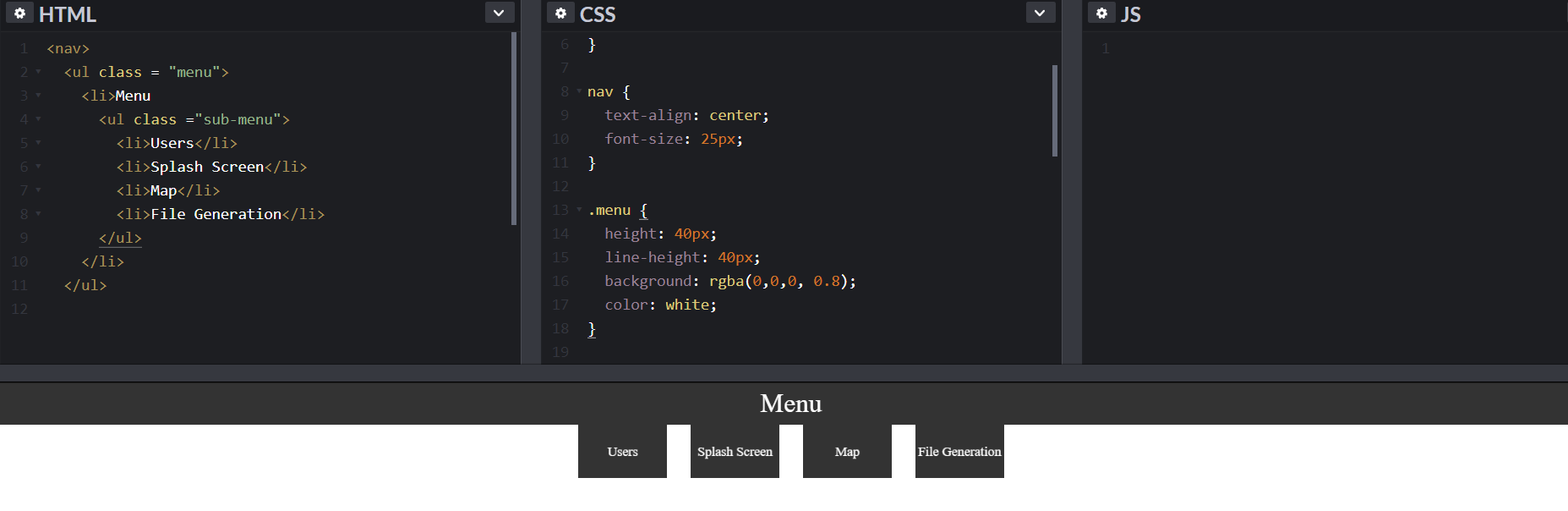
I'm starting to understand how to create my menu. This is what I get for now :
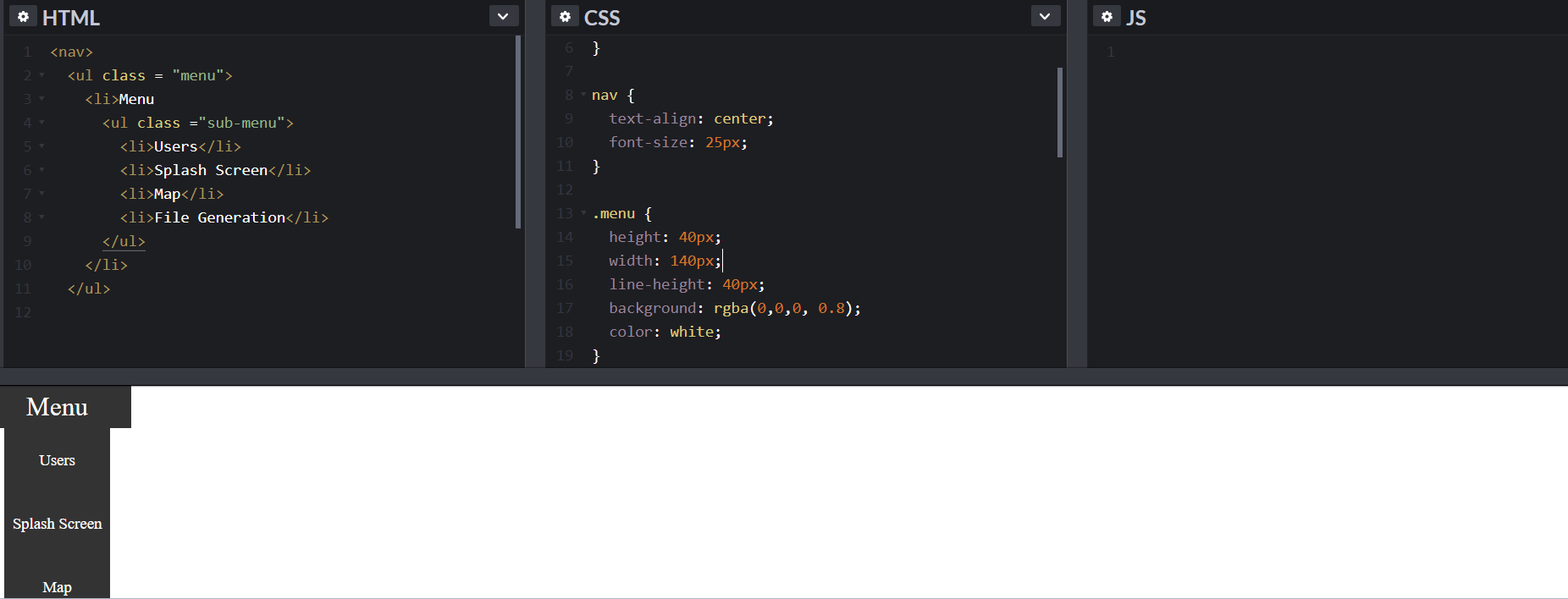
The problem is when i'm adding "width: 140px;" to reduce the menu's background i'm having this :
Do you have somes ideas to fix my problem pls @OleVik @nicjedi @jhabdas ? I tried to look for some fonction like "background-size" or others things like this but I can't fix my probleme.
Just keep at it. Work the inclusive design tutorial provided earlier to ensure whatever you produce is accessible to the widest possible audience—then make it look nice on the screen on mobile, then on larger format screens. Expect several iterations as you learn and make incremental improvements along the way.
To nail the design you're looking for I'd recommend experimenting with <dl> with one <dt> for each column and <dd> elements to list out each of the items with anchors. Use CSS Grids to wrangle the visual structure. If you find yourself wanting to nest lists you're overthinking the problem.
Focus on the content structure first—it's the most important.