Skip to content
Grav 2.0 is officially stable. Read the announcement →

Community guidelines

Please keep discussions civil and on-topic. Repeated violations may lead to a temporary ban.

General

Breadcrumbs not showing on a modular page

Started by Marco Cevoli 8 years ago · 5 replies · 1056 views
8 years ago

Hi,

I have a few modular pages on my site. On those pages the breadcrumb menu is not shown, regardless if you put "show_breadcrumbs: true" on the main page or on the subpages or on both.

Am I doing anything wrong?

It seems I'm not the only one having this issue. A similar issue on GitHub hasn't received answers in about a year: https://github.com/getgrav/grav-plugin-breadcrumbs/issues/9

Thanks in advance.
8 years ago

@marcocevoli I may have overlooked it, but in the modular template of Quark and 'Open Publishing' I cannot find 'partials/breadcrumbs.html.twig' being included anywhere...

And what is not included, will not be displayed...

The issue you are referring to on GitHub is a custom modular with 'partials/breadcrumbs.html.twig' being included.

When I include breadcrumbs into a modular, I can reproduce the issue. It is caused by css which causes modules to overlays the breadcrumb, leaving only a tiny margin for the home icon only.

8 years ago

Thanks. This goes probably beyond my limited skills with twigs and themes, so I'll leave it to the theme owner(s).
🙂

8 years ago

What you could do as a quick-fix....

  • Copy /user/themes/quark-open-publishing/templates/modular.html.twig into /user/themes/mytheme/templates/
  • Copy {% include 'partials/breadcrumbs.html.twig' %} in above template right below {% block body %}
  • In /user/themes/mytheme/css/custom.css add:
    CSS
    #breadcrumbs {
    position: relative;
    z-index: 1;
    }
    

    The breadcrumbs should now be visible, although it could use some extra styling...

Since the styling of Quark is quite ungraspable to me, I would like to ask @paulhibbitts if there is a better way of fixing this.

👍 2
8 years ago

Hi @pamtbaau, my work with the inherited Quark Open Publishing theme is mostly about support for Git Sync and 'chromeless' content display with minimal CSS tweaks - your solution looks reasonable to me🙂

8 years ago

@marcocevoli I think you may forget about my post #4...

Have a look at the top 'feature' module of the page you are having difficulties with. In the standard QOP skeleton it will be /user/pages/03.modular-page/02.highlights/features.md.

In the frontmatter of that page is the following field defined: 'class: offset-box'.
If you comment that line out, breadcrumbs will be visible.

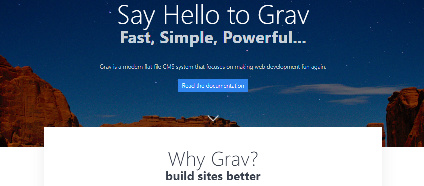
The 'offset-box' has the effect of moving the content of the '/templates/modular/features.html.twig' template upwards. When moved upwards, it partly (-3rem) overlays the element above it.

Normally it would nicely overlay the hero-image. In your case it overlays the breadcrumb...

image|424x186

👍 1
last edited 08/25/18 by pamtbaau

Suggested topics

Topic Participants Replies Views Activity
General · by Jerry Hunt, 4 days ago
2 91 13 hours ago
General · by pamtbaau, 19 hours ago
1 61 18 hours ago
General · by Andy Miller, 1 day ago
0 47 1 day ago
General · by Marcel, 12 months ago
6 354 5 days ago
General · by Duc , 6 days ago
3 44 5 days ago