Skip to content
Grav 2.0 is officially stable. Read the announcement →

Community guidelines

Please keep discussions civil and on-topic. Repeated violations may lead to a temporary ban.

General

Different articles for language versions of the site

Solved by pamtbaau View solution

Started by Natalia Bazilenco 3 years ago · 11 replies · 382 views
3 years ago

Hello, please help - I can't configure the display of different articles for different language versions of the site

YAML
title: Home (for ru)
sitemap:
    changefreq: monthly
body_classes: 'header-dark header-transparent'
hero_classes: 'text-light title-h1h2 overlay-dark-gradient hero-large parallax'
hero_image: DJI_0027.jpg
custom: 'new thing'
blog_url: /blog
show_sidebar: true
show_breadcrumbs: true
show_pagination: true
content:
    items:
        - '@self.children'
    limit: 6
    order:
        by: date
        dir: desc
    pagination: true
    url_taxonomy_filters: true
feed:
    description: 'Sample Blog Description'
    limit: 10
pagination: true
published: true
3 years ago

Did you go though the docs? You need to add supported languages and name your MD files accordingly

3 years ago

Yes, I did. And added another language in the settings. Created a file blog.en.md
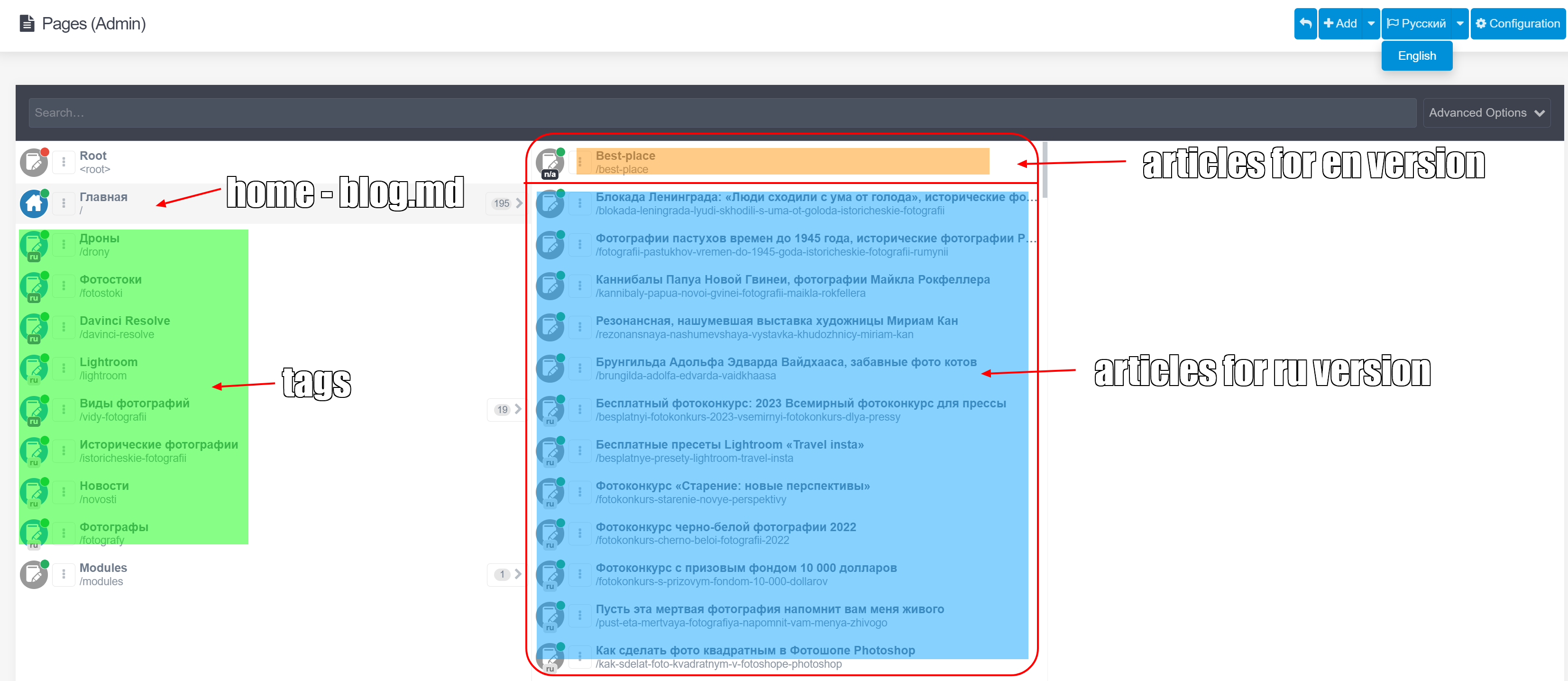
But on english version show posts from russian version and posts from english version.
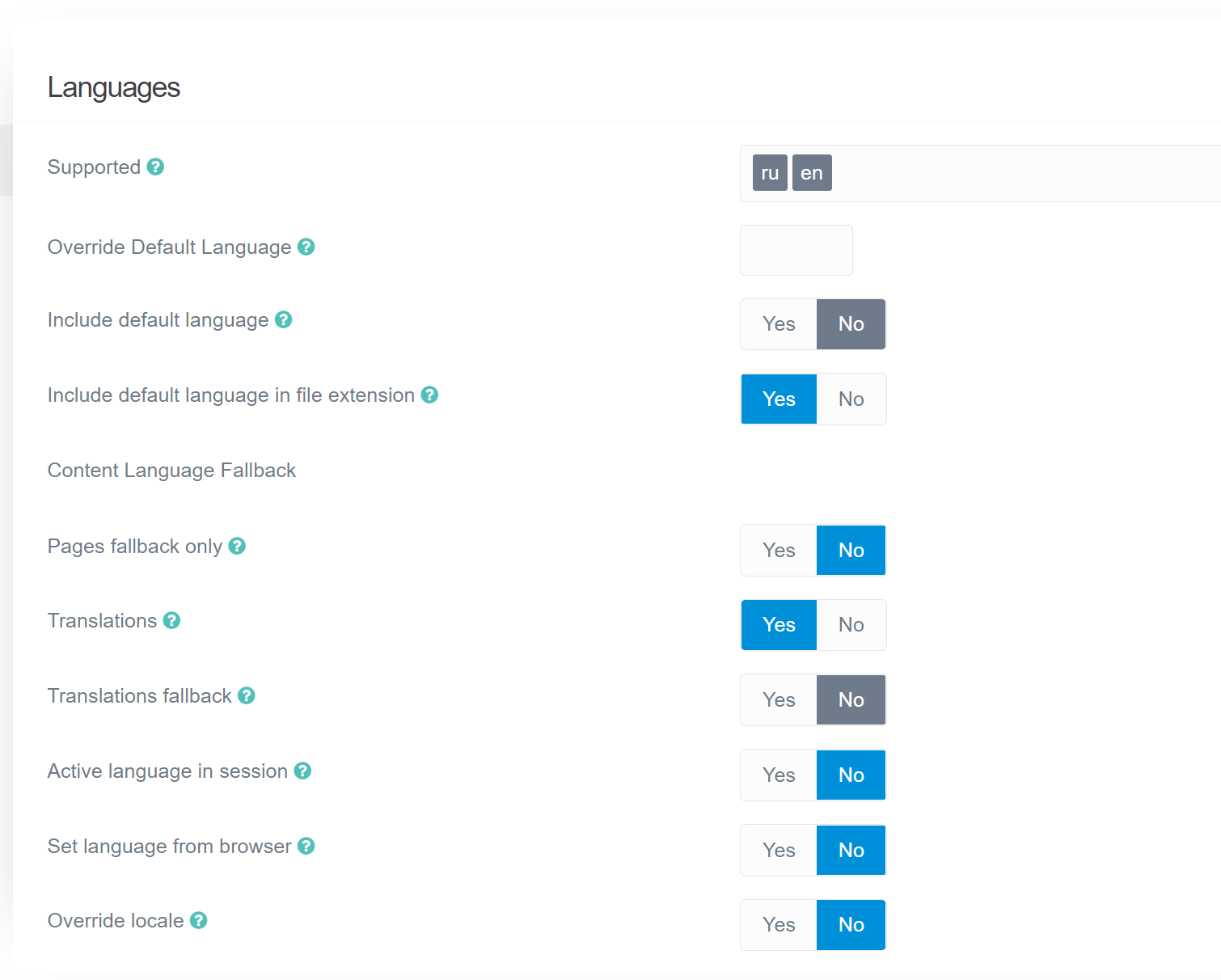
My settings
Opera Снимок_2023-01-28_204451_nataliabazilenco.com|622x500

last edited 01/28/23 by Natalia Bazilenco
3 years ago

What's your pages structure? Could you share a diagram for a part of it?

3 years ago

And how does your /pages folder-file structure look like? I'm a bit confused about your screenshot showing both languages on the same list, even though you have RU selected

3 years ago

@NataliaB, Please help the community help you... Screenshots are easily created but a bad experience for the reader.

Using $ tree user/pages | clip.exe and removing non-relevant parts might give a better view of the page tree.

E.g.

TXT
user/pages/
├── 01.home
│   └── default.md
├── 02.typography
│   └── default.md
└── images
last edited 01/29/23 by pamtbaau
3 years ago

I'm not sure if this is correct or not, but the result is

TXT
user/pages/
└───01.blog
    │   blog.en.md
    │   blog.md
    │   DJI_0027.jpg
    │   DJI_0027.jpg.meta.yaml
    └───10-sekretov-professionalnoi-fotosemki-na-smartfon
            item.ru.md
            images
3 years ago

@NataliaB, The page tree looks much better for the reader, but probably doesn't provide enough information related to the problem...

Please take a step back and reread all information you've shared so far. With the information provided, would you get a clear picture of the problem? Would you be able to reproduce your situation?

  • Your page tree should at least show blog-items in English and Russian. Only a single Russian blog-item is shown. That surely doesn't represent your page tree.
  • It is not clear which blog-items you are seeing when on Russian blog page and which blog-items you are seeing on English blog page.
  • You haven't explained what you are expecting to see on each language version of the blog page.

Please rethink and provide a clear description, combined with relevant data which will allow the reader to get a proper understanding of the issue.

Here is some further reading on How do I ask a good question?.

Please know that the intention of this reply is to help you help the community to provide you a proper answer and is not intended to flame you...

👍 2
last edited 01/29/23 by pamtbaau
3 years ago

Good. I'll try to explain again.
Site - default language: Russian. Added 200 articles in Russian. The main page displays all articles in Russian. mysite.com show all posts at russian language.

Now I decided to add articles in English. But do not translate existing articles from Russian into English. I want add other articles, other topics in English. When you visit the page mysite.com/en, articles in English should be displayed. But now show articles at russians.

How do I add articles for the English version step by step:
1) Click on Pages in menu
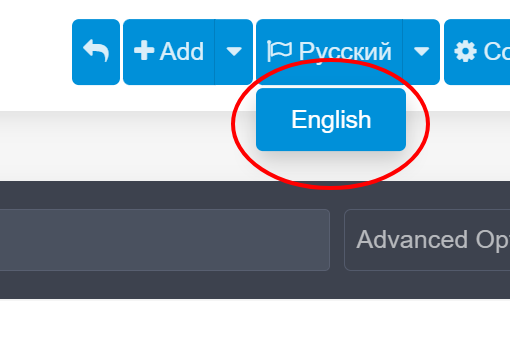
2) in the upper right corner I switch the blue button from Russian to English
Opera Снимок_2023-01-30_134355_nataliabazilenco.com|510x346
3) I am adding a page. Set the Parent page Home.
Page template - item -

Also:
when I are on a page mysite.com/en/admin/pages), the name of the main page of the blog is displayed in the list in English: Home and the bottom /en
But when you select a parent root in the list, the page name Home is shown in russians -Главная-
I don’t know if I managed to explain what the problem is and what I want to achieve. Made a video.
https://youtu.be/wPQbcjxXaNg
3 years ago Solution

@NataliaB, Have a look at the multi-language docs again and pay attention especially to the concept of "content_fallback".

👍 1
3 years ago

Wow, thanks. My mistake was that I added these values to the file site.yaml in the user/config

YAML
content_fallback:
    ru: ['ru'] 
    en: ['en'] 

I added this settings now into user/config/system.yaml and work!

Many, many thanks for your patience and your time!

Suggested topics

Topic Participants Replies Views Activity
General · by Jerry Hunt, 4 days ago
2 80 10 hours ago
General · by pamtbaau, 15 hours ago
1 51 15 hours ago
General · by Andy Miller, 1 day ago
0 45 1 day ago
General · by Marcel, 12 months ago
6 346 5 days ago
General · by Duc , 5 days ago
3 40 5 days ago