Skip to content
Grav 2.0 is officially stable. Read the announcement →

Community guidelines

Please keep discussions civil and on-topic. Repeated violations may lead to a temporary ban.

General

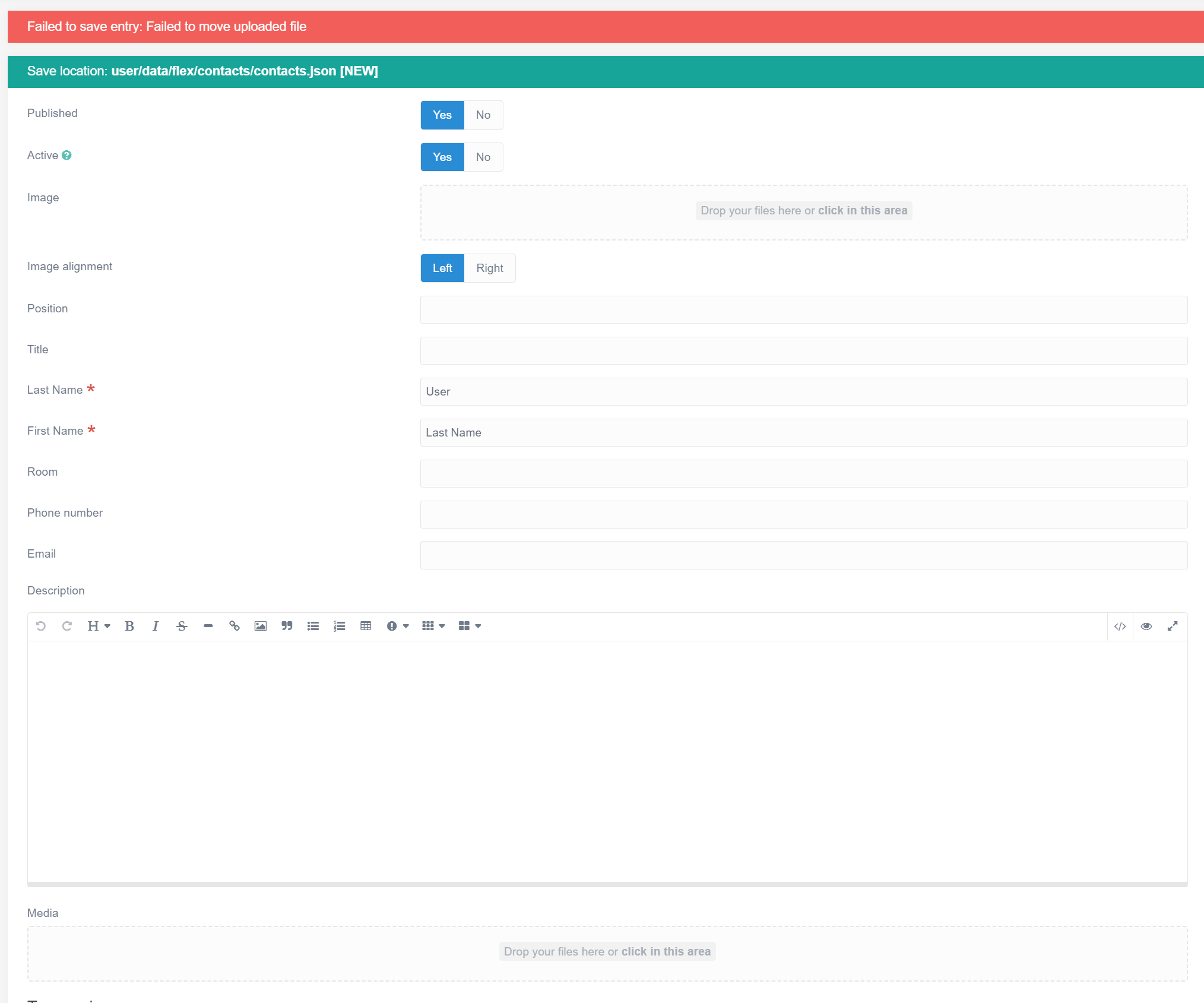
Failed to save entry: Failed to move uploaded file

Started by saeed 2 years ago · 9 replies · 322 views
2 years ago

Issue Summary:

I am encountering an error when trying to upload media files On my Contacts page. The error message is: Failed to save entry: Failed to move uploaded file.

Environment:
Operating System: Linux
Web Server:
Nginx
PHP Version:** 7.4 (FPM)

Grav Root Directory: /var/www/grav/grav-admin

PHP Configuration (php.ini):
file_uploads = On
upload_tmp_dir = /var/www/html

Actions Taken to Resolve the Issue

  1. Checked Directory Permission
    Ensured that the upload_tmp_dir directory (/var/www/html) and the target directory for uploads have the correct permissions and are writable by the web server.

2.PHP Configuration:

  • Verified the upload_tmp_dir setting in the php.ini file is correct and points to a writable directory (/var/www/html/tmp).
  • Confirmed that the file_uploads, upload_max_filesize, and post_max_size settings are correctly configured.
  • Restarted Services:
  • Restarted PHP-FPM and Nginx to apply configuration changes.
  • Created a phpinfo.php File:
  • Verified PHP configuration settings by creating and accessing a phpinfo.php file, confirming the correct upload_tmp_dir and other settings are loaded.
    1. Checked Grav Configuration:
      • Reviewed and confirmed settings in system.yaml and other relevant configuration files in Grav.
    2. Debugging Logs:
      • Checked Grav and PHP-FPM logs for any related error messages that could provide more context about the issue.

Additional Information

phpinfo() output related to file uploads:

  • upload_tmp_dir: /var/www/html/tmp
  • upload_max_filesize: 10M
  • post_max_size: 10M
  • file_uploads: On
    can someone help me resolve issue?
2 years ago

Don't remember now for sure, but I think I had some issues with flex objects and media too. Change contacts to be stored in folders instead of files. I think something doesn't work when there's no folder related to flex object to save file to.

Can't test this myself now, but I have a vague memory of having something similar

2 years ago

The problem is the <Media works on other pages! but just not works for my People pages!

2 years ago

Are you uploading an image to each contact or just to a normal page?

2 years ago

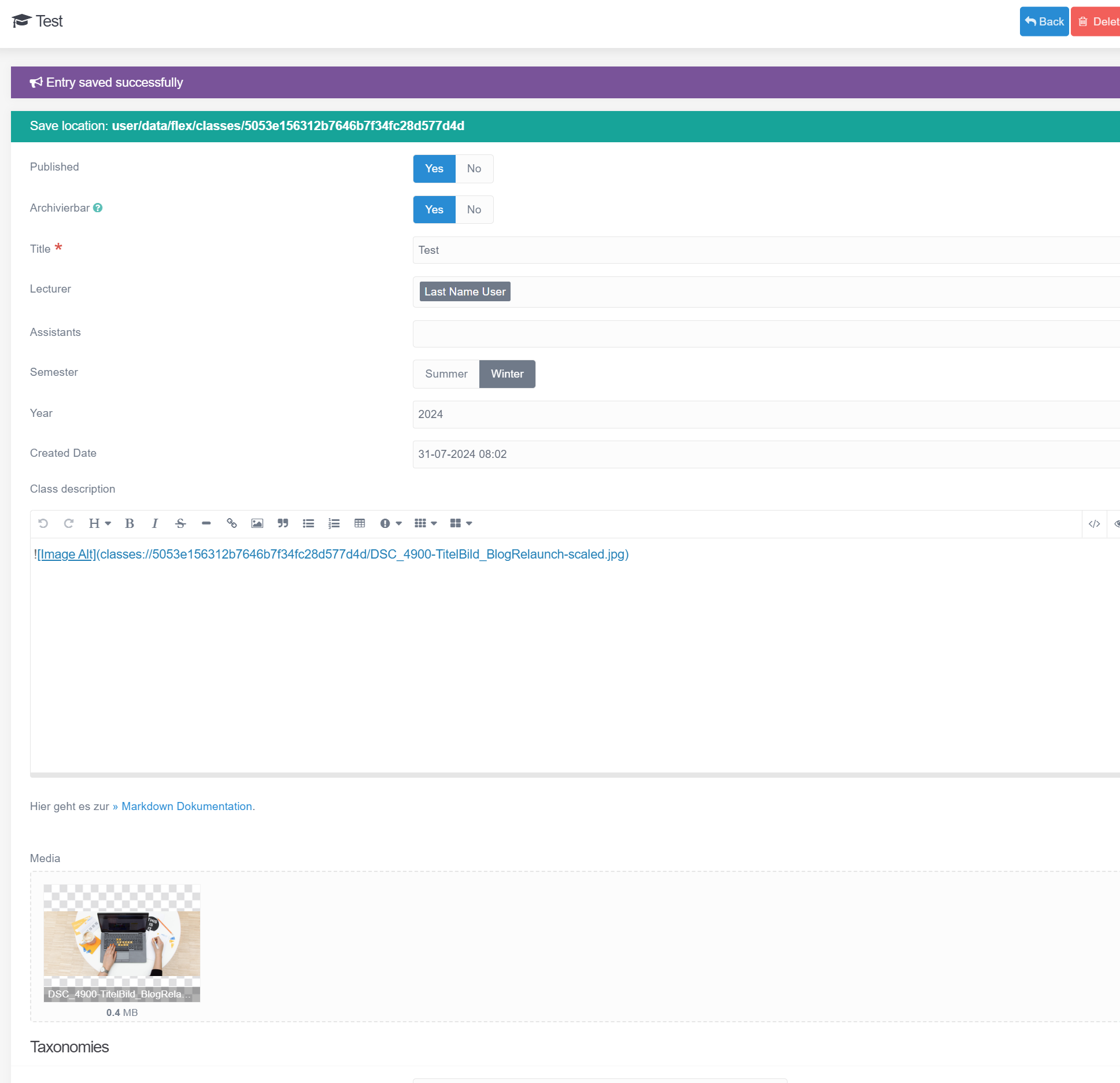
Screenshot 2024-07-31 095728|600x500
So as screenshots shows, there is part! Image (that works perfectly), and on the end of the page there is a Media!
that after uploading any file, and click on the save gives me this error.

but in this screenshot, (another page)
Screenshot 2024-07-31 100402|517x500
as you can see the file is uploaded and can be used in the Textarea without any problem

2 years ago

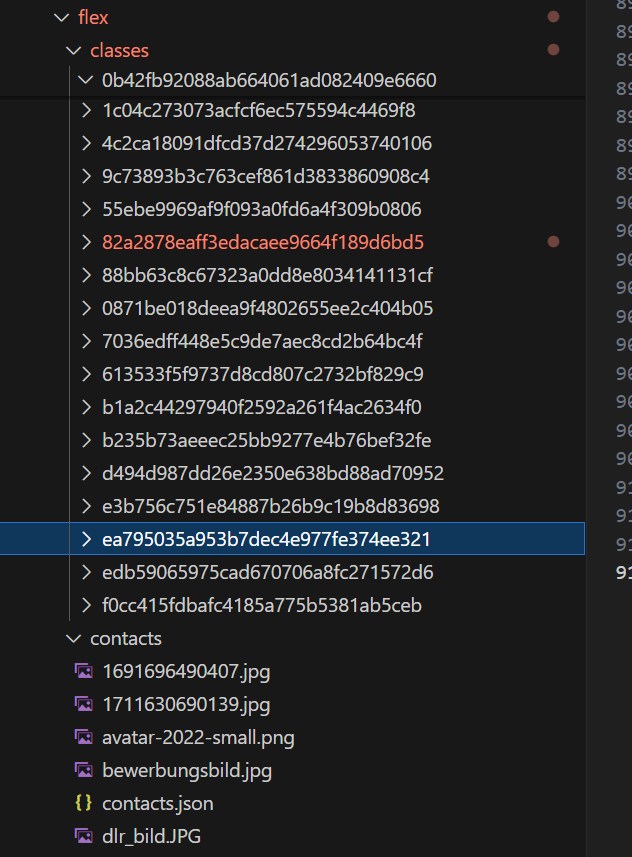
What's the Directories config in /admin/plugins/flex-objects? I see classes save location is a folder and contacts - as I mentioned previously - is a single JSON file

2 years ago

Screenshot 2024-07-31 104344|368x500
Exactly that I noticed right now! Classes are separate objects but Contacts are single JSON file!

I gave you an example of each object!
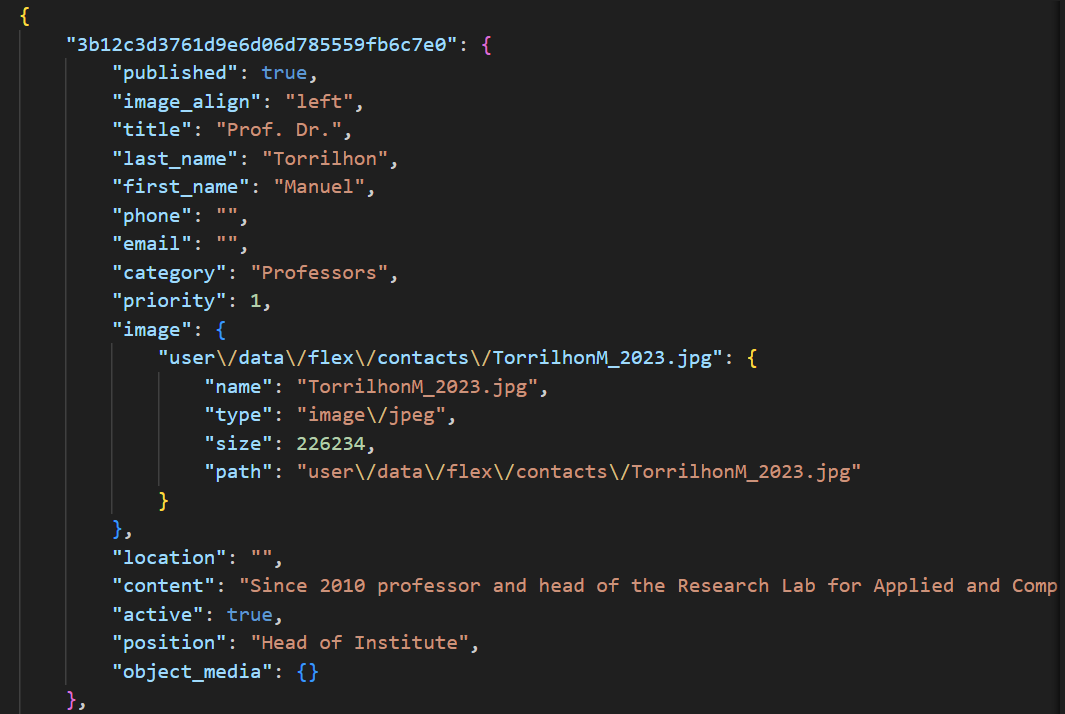
This is a one Record on the Contacts:: JSON file:
{
"3b12c3d3761d9e6d06d785559fb6c7e0": {
"published": true,
"image": {
"user\/data\/flex\/contacts\/TorrilhonM_2023.jpg": {
"name": "TorrilhonM_2023.jpg",
"type": "image\/jpeg",
"size": 226234,
"path": "user\/data\/flex\/contacts\/TorrilhonM_2023.jpg"
}
},
"active": true,
"object_media": {
"X-Wing-Fighter-from-Office-Supplies.jpeg": {
"name": "X-Wing-Fighter-from-Office-Supplies.jpeg",
"type": "image\/jpeg",
"size": 31138,
"path": "X-Wing-Fighter-from-Office-Supplies.jpeg"
},
"DSC_4900-TitelBild_BlogRelaunch-scaled.jpg": {
"name": "DSC_4900-TitelBild_BlogRelaunch-scaled.jpg",
"type": "image\/jpeg",
"size": 373881,
"path": "DSC_4900-TitelBild_BlogRelaunch-scaled.jpg"
}
}
},

and this is the classes Object:
{
"published": true,
"archiveable": true,
"title": "Mathematical Modelling with PDEs",
"semester": "Summer",
"year": 2024,
"content": "![Non-Equilibrium Gas Dynamics](classes:\/\/82a2878eaff3edacaee9664f189d6bd5\/TeaserPDE.jpg?",
"category": "Lecture",
"object_media": {
"LectureNotes_2018_SimonMaertens.pdf": {
"name": "LectureNotes_2018_SimonMaertens.pdf",
"type": "application\/pdf",
"size": 536582,
"path": "LectureNotes_2018_SimonMaertens.pdf"
},
"TeaserPDE.jpg": {
"name": "TeaserPDE.jpg",
"type": "image\/jpeg",
"size": 280251,
"path": "TeaserPDE.jpg"
}
},
}

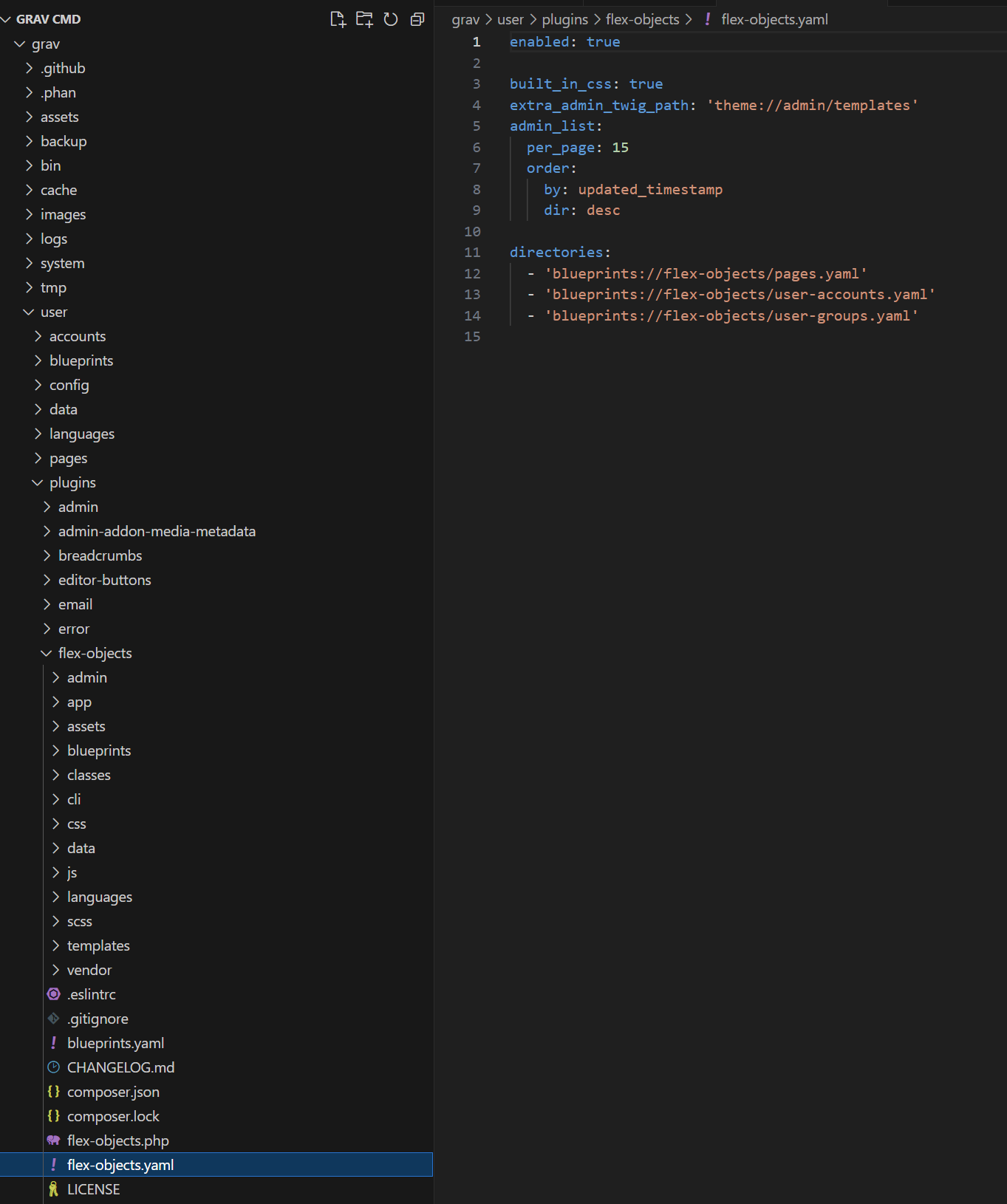
and do you meant this directories in Plugins/flex-objects ?
Screenshot 2024-07-31 110006|418x500

2 years ago
  1. Please read through this pinned post and format your code. I honestly didn't even try to read the unformatted code parts
  2. You can probably add contacts to that YAML config, but I was pointing to Admin url
2 years ago

I apologize for the unformatted code parts,
I just realize that.

For the directories configuration in the Flex Objects plugin, my setup is as follows:

Classes (for example): The save location is set to a folder, so each class has its own dedicated folder.
Contacts: The save location is set to a single JSON file, meaning all contacts are stored in one file without individual folders.

I found out that I have to change this Storage in Contacts.yaml from

TXT
# Storage class, use single file storage (does not support images and assets)
      #class: 'Grav\Framework\Flex\Storage\SimpleStorage'
      #options:
        #formatter:
          # File formatter class, in this case the file is stored in markdown
          #class: 'Grav\Framework\File\Formatter\JsonFormatter'
        # JSON file where all the objects will be stored
        #folder: user-data://flex/contacts/contacts.json

to:

YAML
    # Storage class
    storage:
      class: 'Grav\Framework\Flex\Storage\FolderStorage'
      options:
        folder: user-data://flex/contacts

and i separated each object to a folder and with own item.json

For Example: this Object in contacts.json

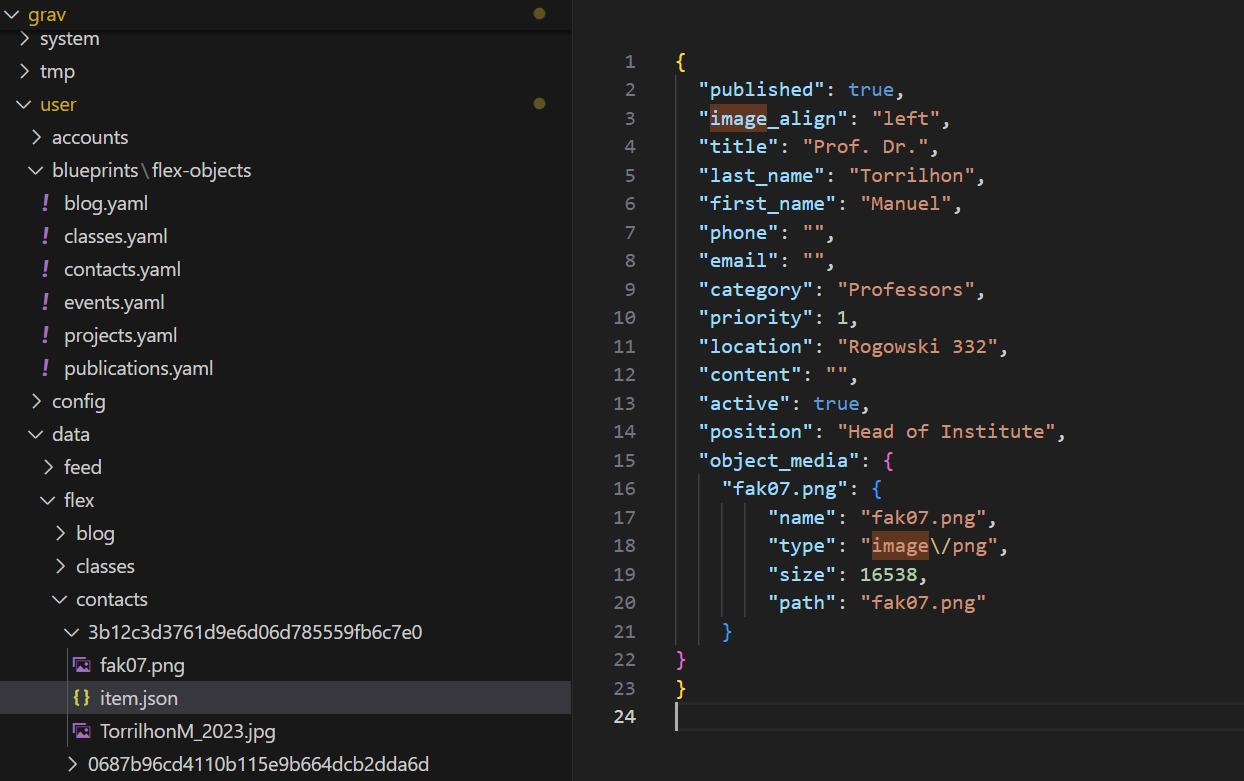
Screenshot 2024-08-01 124450|690x462

to a separated file :

Screenshot 2024-08-01 124326|690x433

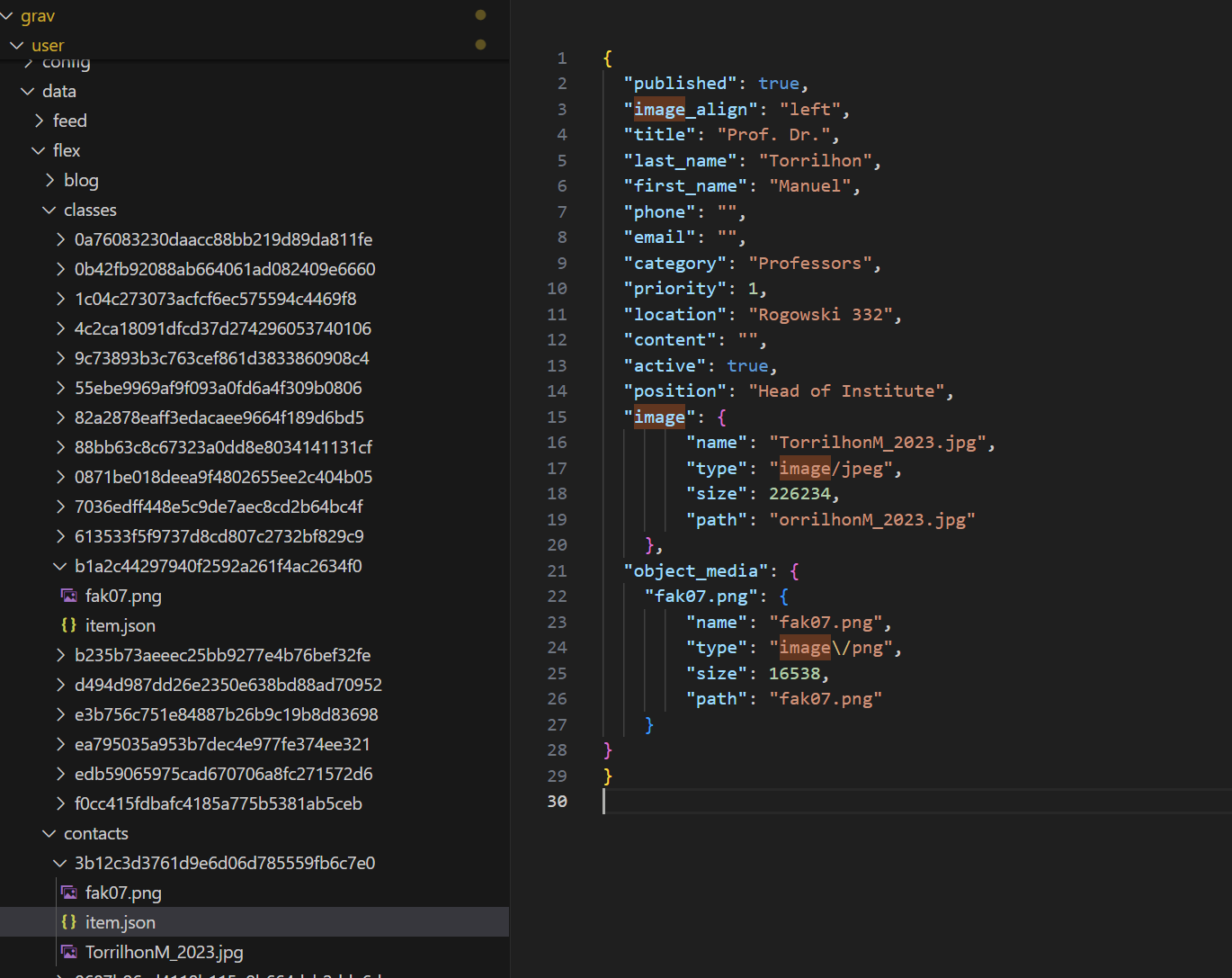
But when add an image like the screenshot, to object manually!

Screenshot 2024-08-01 124809|630x500

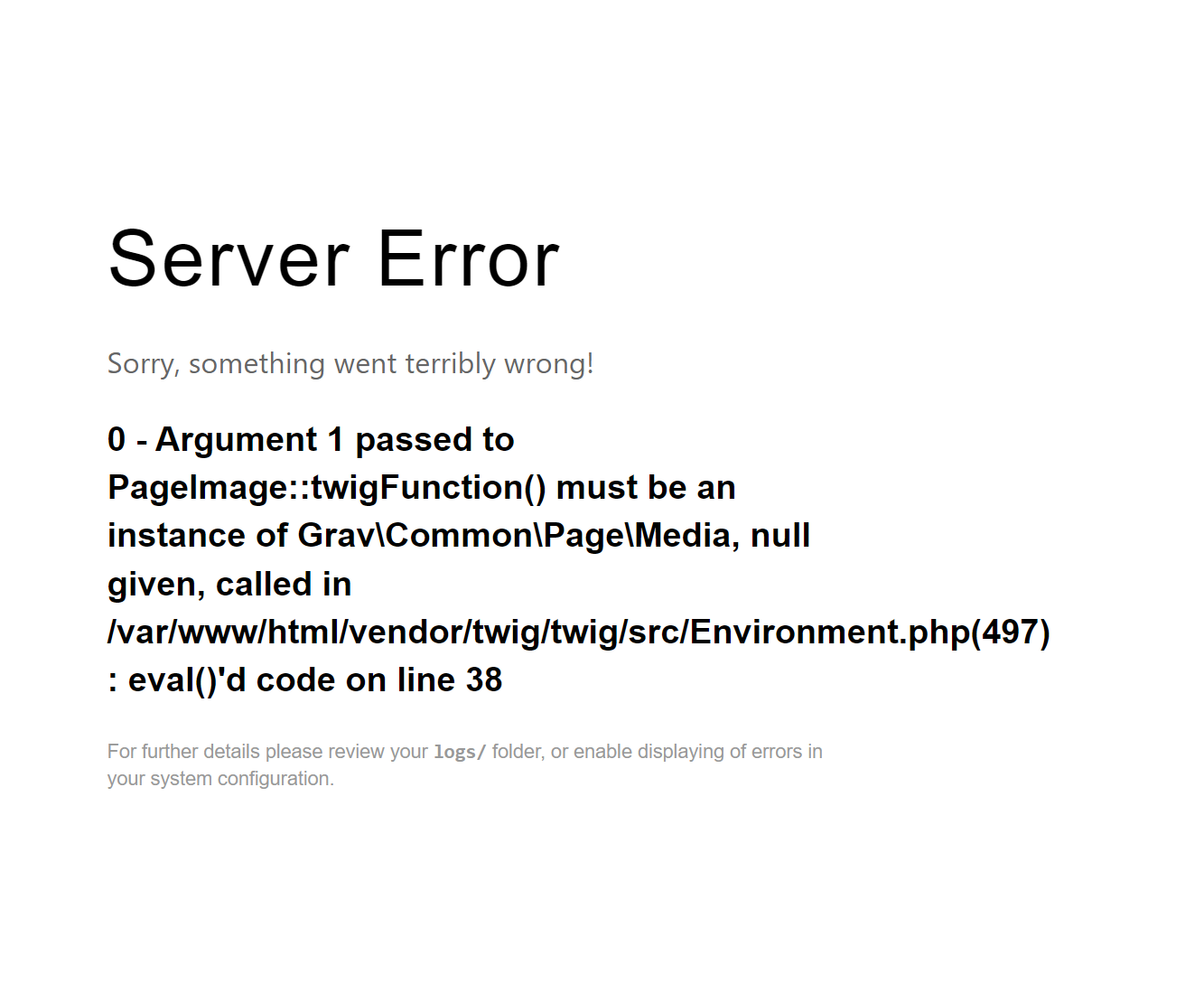
i get an Error:
Screenshot 2024-08-01 124852|612x500

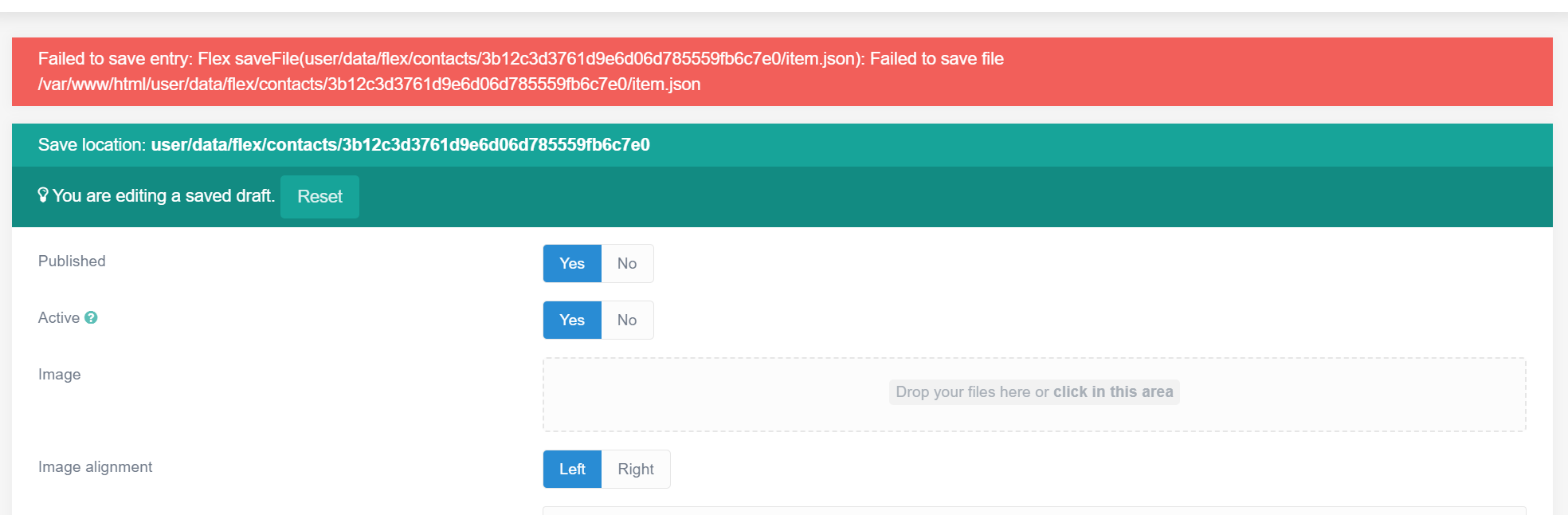
and when i do it from admin panel I get this err:
Screenshot 2024-08-01 125046|690x226

2 years ago

Did you manually create contacts folder? Maybe permissions issue. Or try to find how contacts are different from classes

Suggested topics

Topic Participants Replies Views Activity
General · by Jerry Hunt, 4 days ago
2 74 6 hours ago
General · by pamtbaau, 11 hours ago
1 47 11 hours ago
General · by Andy Miller, 23 hours ago
0 43 23 hours ago
General · by Marcel, 12 months ago
6 346 5 days ago
General · by Duc , 5 days ago
3 39 5 days ago