Skip to content
Grav 2.0 is officially stable. Read the announcement →
General

FontAwesome 5 Free doesn't show in mobile devices

Solved by Pedro M View solution

Started by Pedro M 5 years ago · 4 replies · 961 views
5 years ago

Hi.
I am having trouble implementing some fontawesome fonts in my template. It is very rare, but in the desktop version of the page the font is shown, however in the mobile version (not in Chrome Inspector, but on a real device), this font is not shown.

So that you can see an example, you can visit http://future.juanvillen.es, and see the icon that appears on the back-to-top. The same happens with shortcode-core plugin (with notices box)
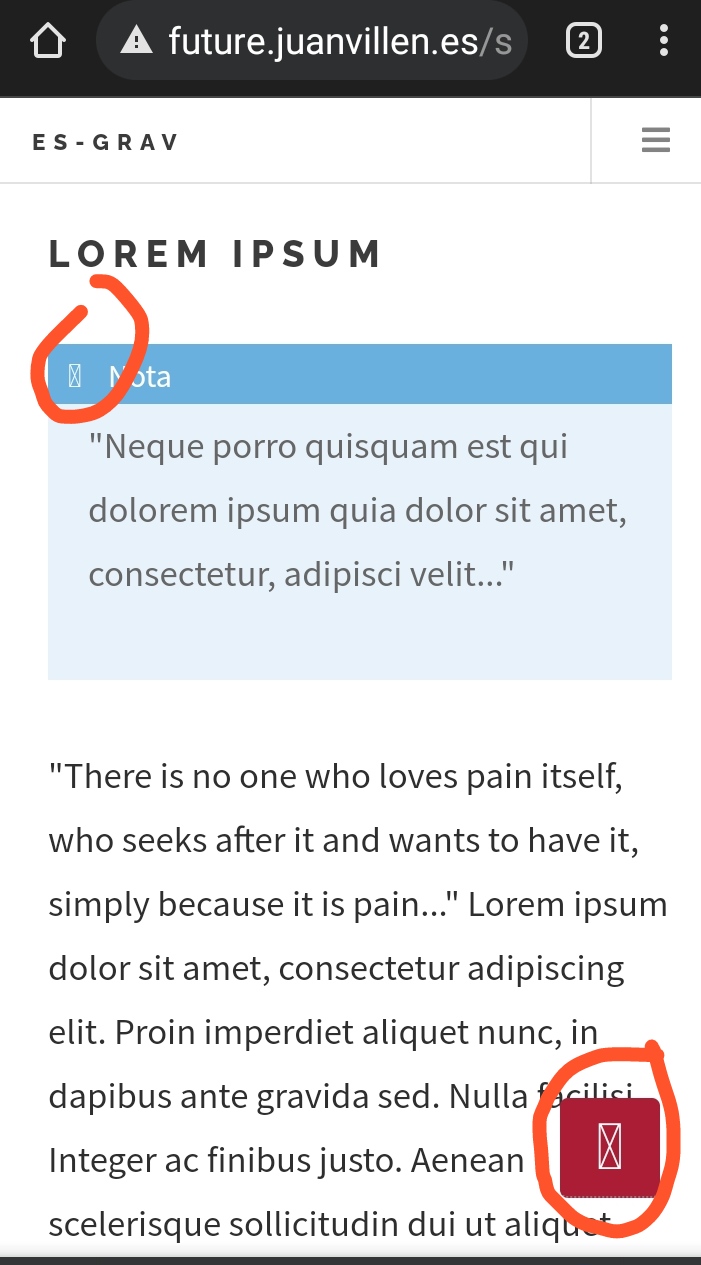
IMG_20211129_105921|277x500

Does anyone know what is happening?
Thanks so much.

5 years ago

It also does not work on Mac Chrome desktop
image|690x462

Do you have your font imported properly and available SVGs?
I didn't really bother to look for it, as included assets are a bit of a mess (CSS in head, JS in body)

5 years ago

Hi.

The fontawesome.min.css file is imported directly from main.css with @import url (fontawesome.min.css); and the fonts are in the webfonts folder (image is attached).
In fontawesome.min.css these fonts are imported:

CSS
@ font-face {
   font-family: "Font Awesome 5 Free";
   font-style: normal;
   font-weight: 400;
   font-display: block;
   src: url (../ webfonts / fa-regular-400.eot);
   src: url (../ webfonts / fa-regular-400.eot? #iefix) format ("embedded-opentype"),
     url (../ webfonts / fa-regular-400.woff2) format ("woff2"),
     url (../ webfonts / fa-regular-400.woff) format ("woff"),
     url (../ webfonts / fa-regular-400.ttf) format ("truetype"),
     url (../ webfonts / fa-regular-400.svg # fontawesome) format ("svg");
} 

Do I also need to include the FontAwesome JS files?

5 years ago

Not sure actually. It seems like some icons are just missing. Or all icons are not showing up?

5 years ago Solution

Finally, I have decided to use the \<i> tag with the appropriate fontawesome class for the up arrow. For some unknown reason, it doesn't work when I enter the following in the style sheet:

CSS
#back-to-top::after {
     content: "\f077";
     font-family: 'Font Awesome 5 Free';}

The final code in HTML looks like this:

HTML
<a id="back-to-top" href="#"> Back to top <i class = "fas fa-chevron-up"> </i> </a>

Suggested topics

Topic Participants Replies Views Activity
General · by Jerry Hunt, 4 days ago
2 131 23 hours ago
General · by pamtbaau, 1 day ago
1 91 1 day ago
General · by Andy Miller, 2 days ago
0 75 2 days ago
General · by Marcel, 12 months ago
6 386 5 days ago
General · by Duc , 6 days ago
3 71 6 days ago