Skip to content
Grav 2.0 is officially stable. Read the announcement →
General

Fontawesome not displayed wit Assets pipeline enabled

Solved by pamtbaau View solution

Started by Pedro M 3 years ago · 3 replies · 365 views
3 years ago

Use @import 'fontawesome-all.min.css'; in main.css appears to be incompatible with Grav's CSS pipeline option. Using this option greatly improves lighthouse performance and testing, but when I activate it, in the Editorial theme (which calls Fontawesome fonts with the @import option), these fonts do not appear.
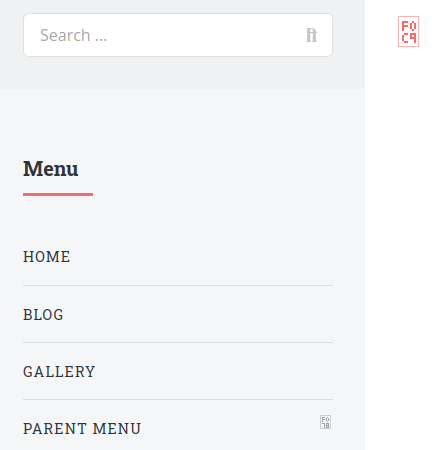
grav_assets_pipeline|432x450

The only option I have to use the CSS pipeline option is to add the sources in base.html.twig, like any other assets:

TWIG
{% do assets.addCss('theme://assets/css/fontawesome-all.min.css') %}

Is this a Grav bug or am I doing something wrong in the site settings?

3 years ago

I finally think I found a solution to this problem, which involves modifying the Pipeline.php file inside system/src/Grav/Common/Assets:

I added these lines before line 273:

PHP
// Check if it's an @import statement, and if so, don't modify it
            if (strpos($matches[0], '@import') !== false) {
                return $matches[0];
            }

This way, lines in CSS files containing @import are not removed when CSS piping is performed.

@rhuk, could you do some tests and confirm for me that this fixes the problem for good?

3 years ago

Thanks so much @pamtbaau.

Good job, as always.

Now all that remains is for the PR to be integrated into the next version of Grav (there is a long list of PRs and pending issues)

Suggested topics

Topic Participants Replies Views Activity
General · by Jerry Hunt, 4 days ago
2 133 1 day ago
General · by pamtbaau, 1 day ago
1 93 1 day ago
General · by Andy Miller, 2 days ago
0 77 2 days ago
General · by Marcel, 12 months ago
6 387 5 days ago
General · by Duc , 6 days ago
3 72 6 days ago