I have these two tags (view1 and view2), but I don't use them in articles.
1) How to remove them?
2) Where are they come from?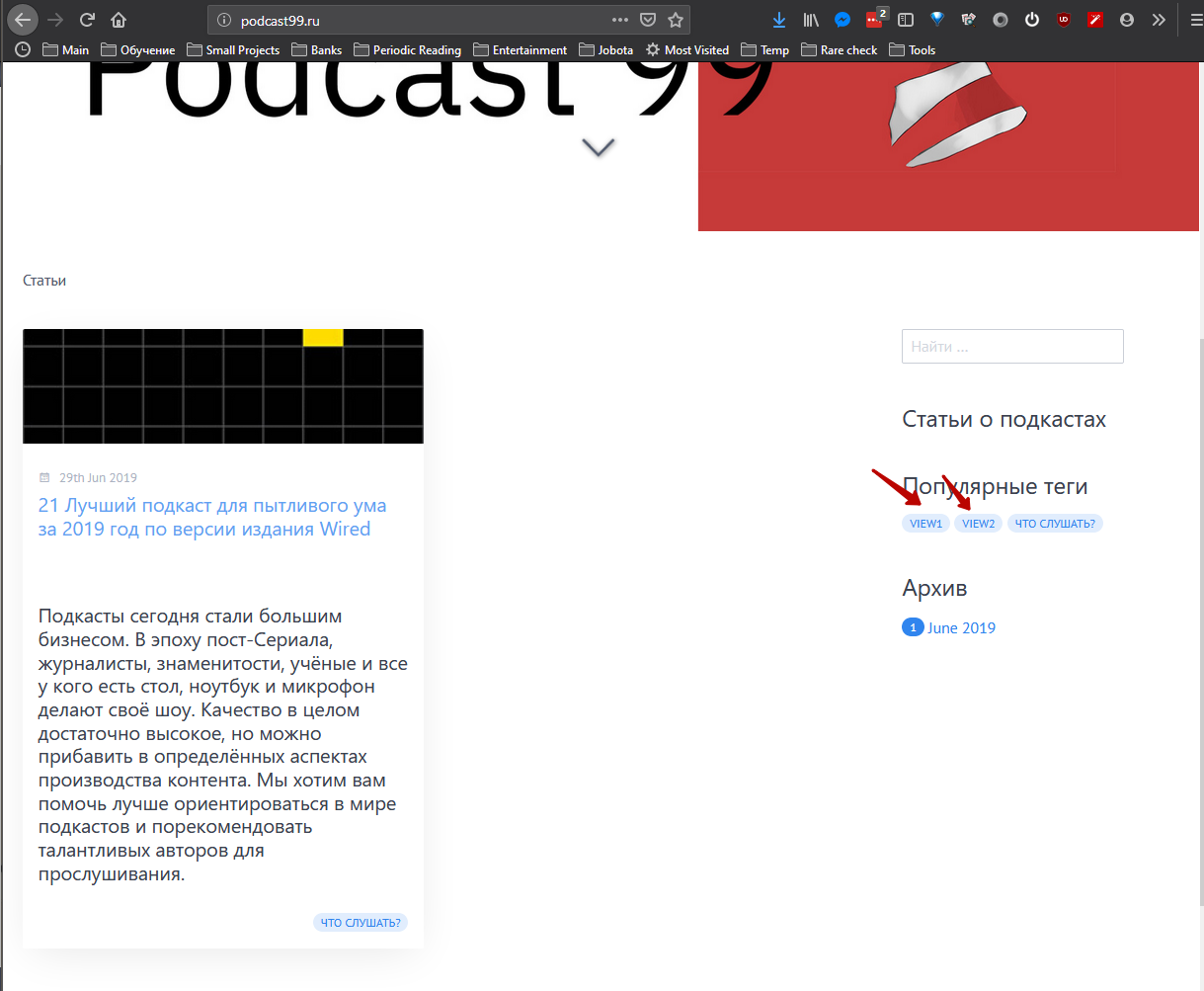
Solved by Paul Hibbitts View solution
I have these two tags (view1 and view2), but I don't use them in articles.
1) How to remove them?
2) Where are they come from?
Hello @jojoiso, it looks like this is the Quark Open Publishing Space skeleton? To remove those items, look for a page folder called 05.multi-section-page and remove it. Those taxonomy tags are included on pages within that folder to support different content views.
Please let me know if the above works for you.
Paul
ps - I just released a Quark Open Publishing theme update (1.9.1) that makes this step unneeded - the tags used for section pages will no longer be displayed on a Blog listing page
thank you, update have fixed this issue.
interesting that tags from unpublished articles have arrived, but it is not a problem.
Glad it worked! I'll look into that unpublished issue later this week to see if that can be addressed or not (it might be a Taxonomy Plugin issue).
UPDATE: I've confirmed this to be an issue with the Taxonomy Plugin, and will make an issue on it's GitHub repo. Looks like there is already a PR about this issue https://github.com/getgrav/grav-plugin-taxonomylist/pull/27
Log in to reply.
| Topic | Participants | Replies | Views | Activity |
|---|---|---|---|---|
| 4 | 181 | 2 days ago | ||
| 2 | 122 | 3 days ago | ||
| 1 | 100 | 1 week ago | ||
| 1 | 124 | 1 week ago | ||
| 0 | 248 | 3 weeks ago |