Skip to content
Grav 2.0 is officially stable. Read the announcement →

Community guidelines

Please keep discussions civil and on-topic. Repeated violations may lead to a temporary ban.

General

Menu: how to add the blog in the one page site skeleton

Started by Fabrizio Pivari 6 years ago · 9 replies · 1071 views
6 years ago

Do you want to move it from here https://www.pivari.com/grav to here https://www.pivari.com/

If yes I think you must install grav in the root which is the https://www.pivari.com/ not in a sub root or folder which is https://www.pivari.com/grav

6 years ago

My English is not very good and it's not simple to me explain what I need.

I've installed "one page site" and I like it very much but I need also blog.
I've installed also the blog and I can see it at https://pivari.com/grav/blog
Now I want to add Blog in the home Menu.
Can you help me?

Thanks

fp

6 years ago

@pivari - A occhio sei italiano?

Il Blog lo puoi aggiungere alla "one page site", non serve un altra copia di Grav.

Andando su https://pivari.com dovresti vedere la 'one page site' - e da li dovresti entrare sul blog che diventa https://pivari.com/blog

La struttura delle cartelle potrebbe essere:

Home:

  • Highlight
  • Easy Content
  • Feature
    Blog:
  • Articolo-quel-che-e
  • Articolo-un-altro
  • eccetera

Quando sei sulla homepage il menu mostra le sottosezioni della pagina stessa, quindi potresti mettere una sottosezione che riporta al blog, magari con gli ultimi tre articoli.

Non so se mi sono spiegato, spero sia utile.
👍 2
6 years ago

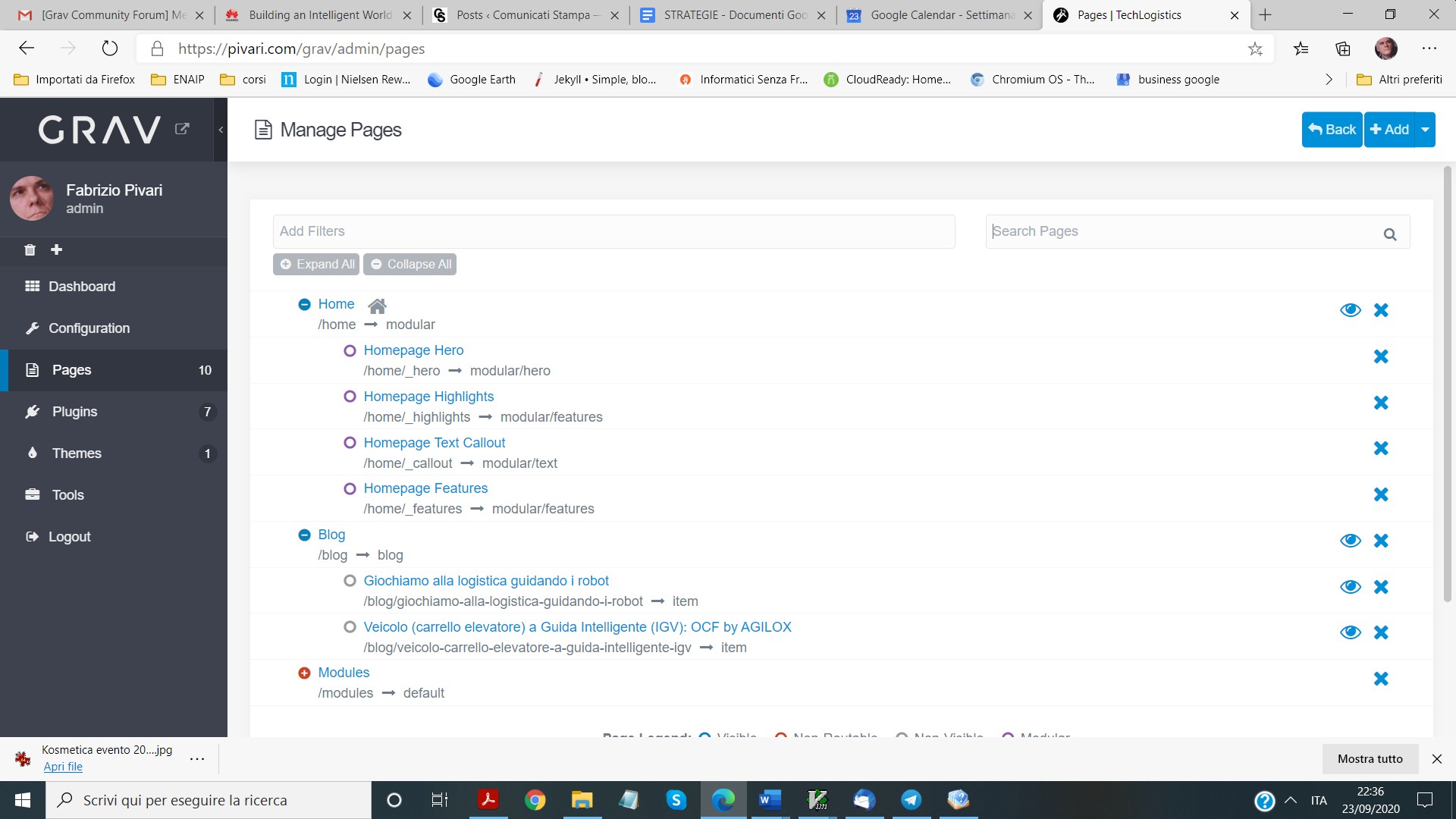
I've introduced a screenshot of the pages. In the menu I can't see Blog. Where am I wrong?
screenshoot pages|690x388

6 years ago

That looks correct.

So, you just need to move the folder into the public_html root, instead of in its own grav folder, modify the modular page sections for your needs (and include a link out to the blog) and you're in business.

👍 1
6 years ago

REgarding the top menu, my understanding of the default behaviour is that, on a modular home page the menu lists the modules, not the website structure. When the site is viewed on a mobile, the menu lists the site structure (so you'll see "home" and "blog")

You can modify this behaviour but it's just as useful to create a "blog" module that lists the last 3, 6, whatever posts and that can be the gateway into the blog for desktop websites. And you'll get a "blog" menu item in the desktop menu too.

👍 1
6 years ago

Hello,

I'm not sure I've understood how to solve the problem. I usually use wp and it's not so simple to understand grav.

fp

6 years ago

Hi @pivari, if you want to have the menu always show "Home" and "Blog" just add

onpage_menu: false

to the header of your modular.md page (the home page that has the modular sections listed underneath it, like so:

YAML
---
title: Home
onpage_menu: false
content:
    items: '@self.modular'
    limit: 5
    order:
        by: folder
        dir: asc
    pagination: true
    url_taxonomy_filters: true
👍 1
6 years ago

I've tried to set like you show me.
Now I can see Home and Blog but I can't see the voices to jump insede the page like before

fp

Suggested topics

Topic Participants Replies Views Activity
General · by Jerry Hunt, 4 days ago
2 82 12 hours ago
General · by pamtbaau, 17 hours ago
1 55 16 hours ago
General · by Andy Miller, 1 day ago
0 45 1 day ago
General · by Marcel, 12 months ago
6 348 5 days ago
General · by Duc , 5 days ago
3 43 5 days ago