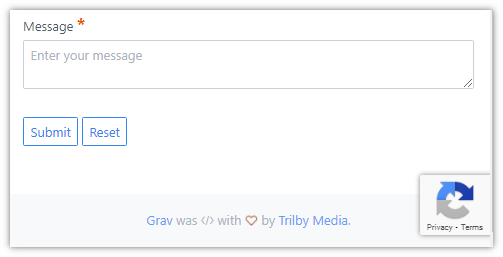
Do I have to somehow 'require' recaptcha for it to work? I have 'version: 2-checkbox' showing up on my site, but I'm able to submit the form without checking it. Version 3 doesn't appear to be working either. I'm still getting lots of spam.
The form shows the following in the lower right corner:
When submitting the form, the debugger shows that ReCaptcha successfully verified that I'm human...
Version 3 doesn’t appear to be working either. I’m still getting lots of spam.
May I assume you're assuming v3 isn't working because you're still getting spam?
Unfortunately ReCaptcha doesn't protect a form from all types of spam...
Captcha is an acronym for "Completely Automated Public Turing test to tell Computers and Humans Apart”. The verification returns a score whereby a low score denotes a bot. Grav's form uses a hardcoded threshold of 0.5. Every bot and human having a score higher then .5 will be marked as human.
I'm afraid there are enough humans in the world willing to manually fill-in forms for a few pennies. And also bots become more clever over time...
Spam can also be detected by analysing the content of the form. You could create a plugin which handles the 'onFormProcessed' event and use regex to analyse the content of the form.
I can successfully submit the form without checking "I'm not a robot". This tells me it's not working at all. I followed all the config/examples from the docs but it doesn't seem to be working. Do I have to 'process: captcha: true' on the form to process server side too? This looked optional from the docs...
Yes, I must admit I don't really understand the docs:
The above code will validate the Captcha in the frontend and prevent form submission if not correct. To also validate the captcha server-side, add the captcha process action to your forms: