I installed Via composer and hit a bunch of issues, but now I am stuck at this error:
TXT
Undefined constant "Grav\Plugin\Problems\GRAV_SYSTEM_PATH"
I installed Via composer and hit a bunch of issues, but now I am stuck at this error:
Undefined constant "Grav\Plugin\Problems\GRAV_SYSTEM_PATH"
I assume installing via Composer will not install required plugins. Try executing step 3 from GH install tutorial
Install the plugin and theme dependencies by using the Grav CLI application
bin/grav:BASHcd ~/webroot/grav bin/grav installThis will automatically clone the required dependencies from GitHub directly into this Grav installation.
@Karmalakas,
I assume installing via Composer will not install required plugins.
That's an incorrect assumption...
After running $ composer create-project getgrav/grav ./site-tmp, Grav is installed correctly on my machine and http://localhost/grav/site-tmp is showing the site.
@mikejones3,
I cannot reproduce the issue. Not when using composer, and not when cloning Github.
If you have issues with file permissions, please check the Permissions Troubleshooting documentation. Also, you could look at the Hosting Guides documentation that has specific instructions for various hosting environments
So I actually ran the permissions script. Before this issue I could access at all. I ran the permissions script then got to this error.
not sure if this helps:
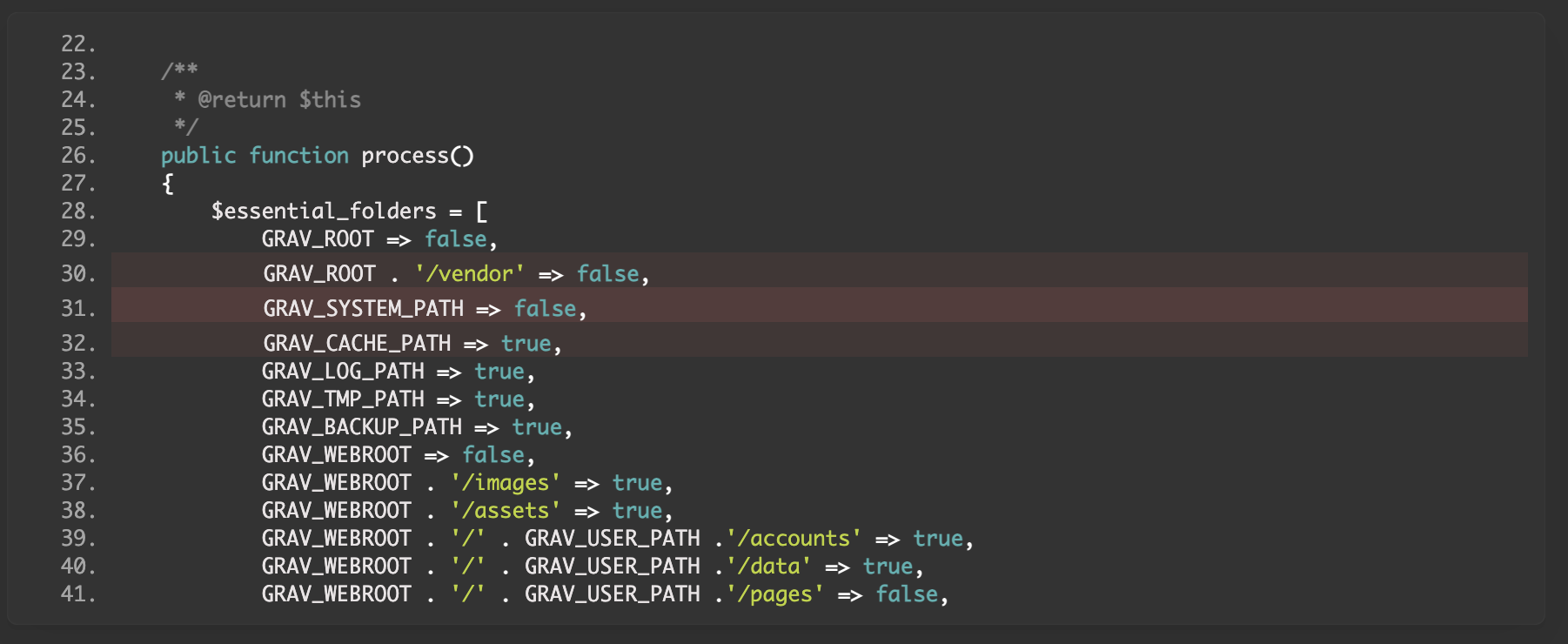
It looks like you solved some of the "bunch of issues" after installing using composer. That attitude is fine however it may lead nowhere and it should not be needed. As @pamtbaau pointed out Grav installs fine.
So the problem lies in your local dev environment and that is something which is hard to debug for the folks here in this forum.
Do you have a specific need to install via composer? Have you tried installing from zip or by git clone?
@bleutzinn:
Do you have a specific need to install via composer? Have you tried installing from zip or by git clone?
I had tried via zip before on a different server build. I re-built this server from scratch, and just started with composer. Maybe I will try nuking the composer install and try via git again.
Regarding the initial error upon installing with composer this issue looks similar and might provide some clues.
In that issue at some point the OP describes having changed two path constants. I would like to stress that such a thing isn't necessary to install Grav. If one thinks such measures are needed then it is just a signal something is off with the server.
@mikejones3, The issue also suggests...
it seems that clearing OPcache by restarting PHP-FPM, which I randomly thought of, actually did the job.
Log in to reply.
| Topic | Participants | Replies | Views | Activity |
|---|---|---|---|---|
| 1 | 126 | 1 week ago | ||
| 8 | 402 | 2 weeks ago | ||
| 8 | 969 | 3 months ago | ||
| 0 | 628 | 10 months ago | ||
| 0 | 670 | 11 months ago |