@matt777, Grav makes extensive use of caching relevant information (eg. config info) in the /cache folder. This folder might contain config information for the current domain. Moving this folder to a new domain might result in unexpected results.
This /cache folder can also become quite big which might cause a large Zip if copying the entire Grav folder.
As explained in the post you are referring to, creating a fresh install on your new domain and copying the /user folder from the old domain into the new location should do the job.
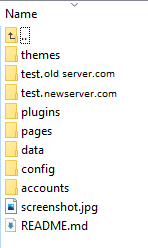
There is one explicit location where domain related information could be stored: /user/env. See https://learn.getgrav.org/17/advanced/environment-config.
Using environment configuration, you can override the default configs in /user/config, by using domain specific config files, eg. user/env/olddomain/config/system.yaml.
Grav will automatically pick the configs inside the folder matching the current domain name, if available.
After moving your installation from olddomian to newdomain, you will have to rename folder olddomain into newdomain.