Skip to content
Grav 2.0 is officially stable. Read the announcement →

Community guidelines

Please keep discussions civil and on-topic. Repeated violations may lead to a temporary ban.

Plugins

Add-page-by-form in modular pages

Solved by Thomas Foy View solution

Started by Pedro M 6 years ago · 2 replies · 776 views
6 years ago

Hi.

In Deliver Theme I can configure a contact page with modular template and form, and other modules inside.
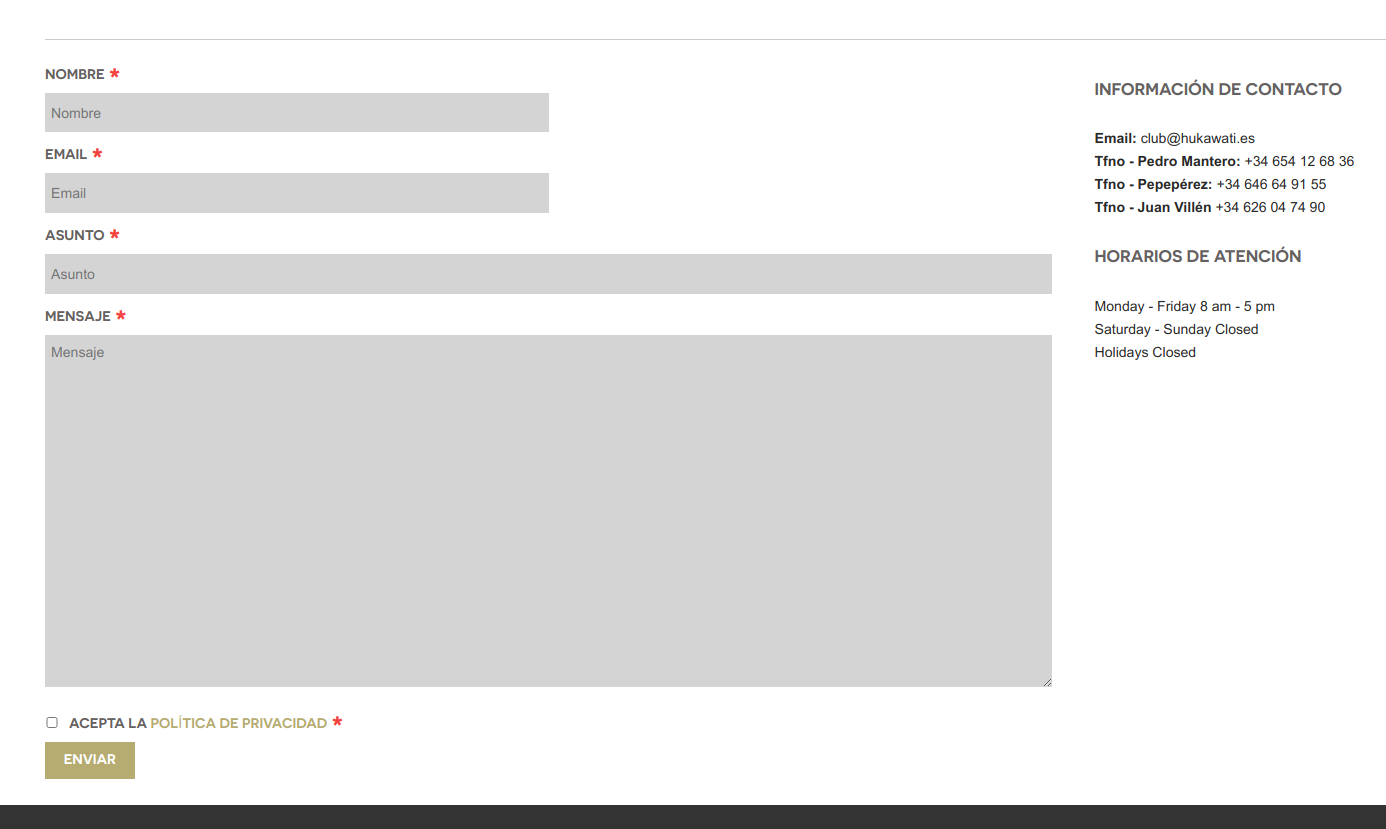
Selection_027|690x412

This is the first lines of modular_alt.md in contact page:

YAML
---
title: Contacto
bg_img: blog-header3.jpg
body_classes: 'modular header-lite fullwidth'
onpage_menu: false
bg_color: '#B4B093'
form:
    name: contact-form
    action: /contacto

I'd like to configure the form provide by add-page-by-form plugin in the same way, but I can't do it properly. Page format is wrong (margin and padding lost)
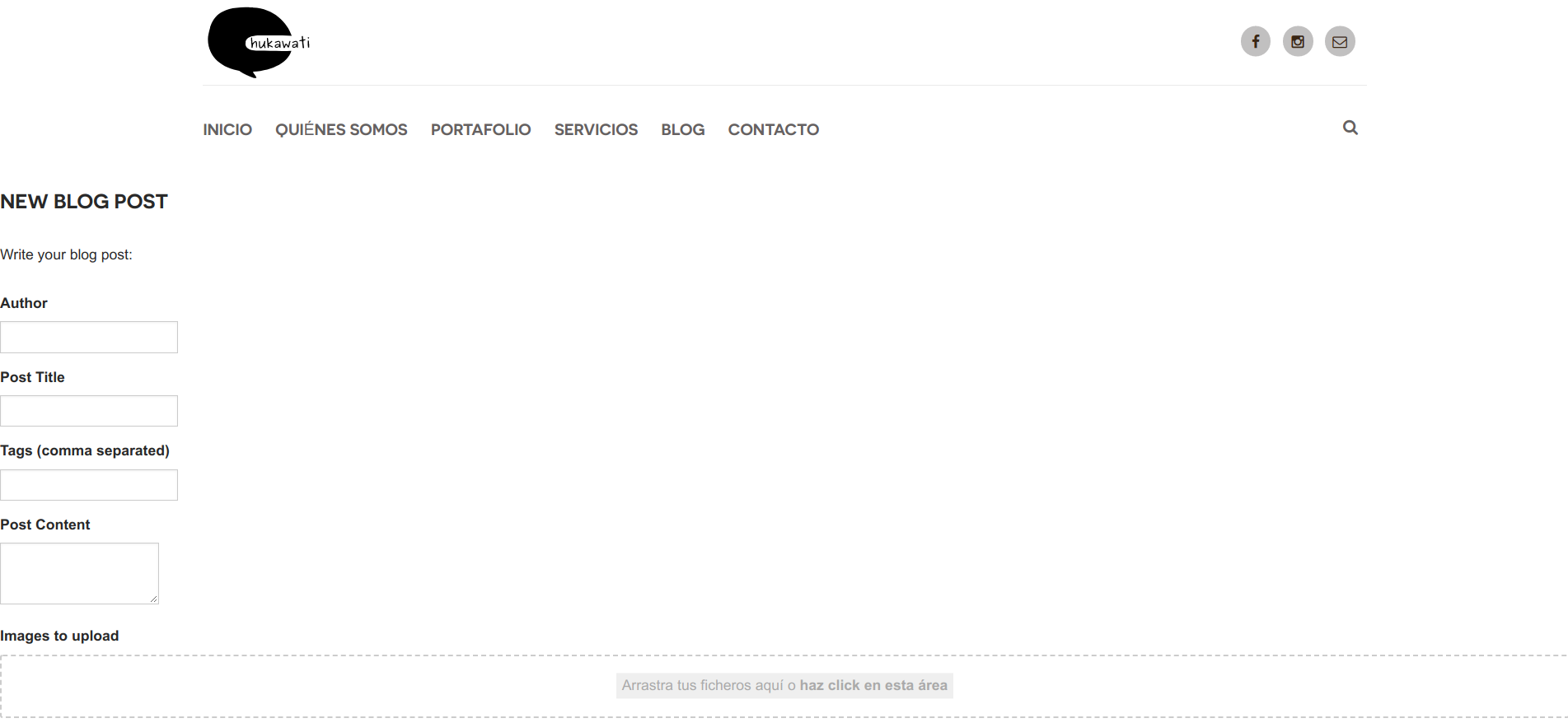
Selection_026|690x318 .

This is the first lines in modular_alt.md (in newpost page):

YAML
---
title: 'Add Blog Post'
body_classes: 'modular header-lite fullwidth'
visible: false
template: form
pageconfig:
    parent: /blog
    include_username: true
    overwrite_mode: true
pagefrontmatter:
    template: item
    title: 'My new Blog post'
    taxonomy:
        category: blog
        tag:
            - journal
            - guest
form:
    name: add_page.blogpost

I've followed all steps in the plugin README in Github, but I don't know what I have to change to do it work fine.

Thanks in advance for your suggestions

6 years ago Solution

pmoreno,

If you want the second form to look like the first form, you will need to copy the css that the first form uses and apply it to the second. Try something like this to start with.

input[type="color"],
input[type="date"],
input[type="datetime"],
input[type="datetime-local"],
input[type="email"],
input[type="month"],
input[type="number"],
input[type="password"],
input[type="search"],
input[type="tel"],
input[type="text"],
input[type="time"],
input[type="url"],
input[type="week"],
input:not([type]) {
border: 0 none;
background: rgba(41, 41, 41, 0.2);
box-shadow: none;
width: 100%;
line-height: 2rem;
}

textarea {
min-width: 80%;
min-height: 25rem;
background: rgba(41, 41, 41, 0.2) !important;
}

👍 1
5 years ago

Hi

Finallly, I've solved the form styles in add-page-by-form plugin with this code in custom.css:

CSS
#add-page-blogpost label {
  margin-left: 5%;
  margin-right: 5%;}
#add-page-blogpost .dropzone {
  margin-left: 5%;
  margin-right: 5%;
  min-width: 80%;
}
#add-page-blogpost input {
  background: rgba(41, 41, 41, 0.2);
  border: 0 none;
  box-shadow: none;
  min-width: 50%;
  line-height: 2rem;
  margin-left: 5%;
  margin-right: 5%;
}
#add-page-blogpost .buttons {
  padding-top: 5%; 
  padding-bottom: 5%;
}
#add-page-blogpost textarea {
min-width: 80%;
min-height: 25rem;
background: rgba(41, 41, 41, 0.2) !important;
margin-left: 5%;
margin-right: 5%;
}
@media only all and (max-width: 47.938em) {
  #add-page-blogpost input {
  width: 80%;
    }
}

You have to add #id of form, to styles take effect.

Thanks @tom0360 for your suggestions.

👍 1

Suggested topics

Topic Participants Replies Views Activity
Plugins · by Rene, 1 week ago
2 46 1 week ago
Plugins · by Xavier, 4 weeks ago
2 55 4 weeks ago
Plugins · by Luka Prinčič, 7 years ago
3 1181 1 month ago
Plugins · by Sebastian van de Meer, 1 month ago
1 49 1 month ago
Plugins · by PIERROT Alain, 2 months ago
3 73 2 months ago