Hi @Kit I was wondering if it used in conjunction with the admin panel
/admin/config/system
for using and overriding controlling some of the display aspects, the one that jumps to mind will be,
default page count
where it reduces how many items are shown in the list
also under pages/advanced you will see a field for body classes, which injects this in to templates, is states for quark at present, so you might just want see if your template supports it
Its quite specific question on Gravs inner workings and might be worth asking on the discord server https://chat.getgrav.org/ or logging the question on the getgrav github page, where the developers hang out.
@Kit, I'm sure you've tried to create a clear and succinct as possible question. I've read the question several times over the past 7 days, but I'm afraid I still do not understand the questions/issue, nor the desired goal...
Would you mind providing a tad more information to clarify the issue and explaining what you are trying to achieve?
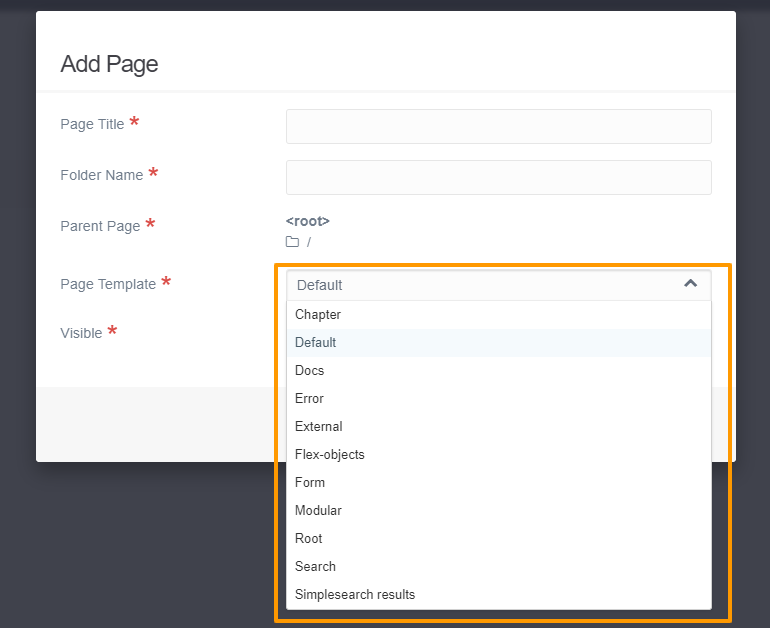
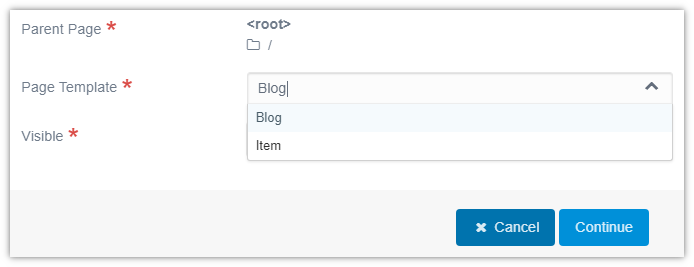
Issue: When Admin user creates a new page, a (possibly) large list of templates is shown in the Add Page modal. This might be confusing to the user.
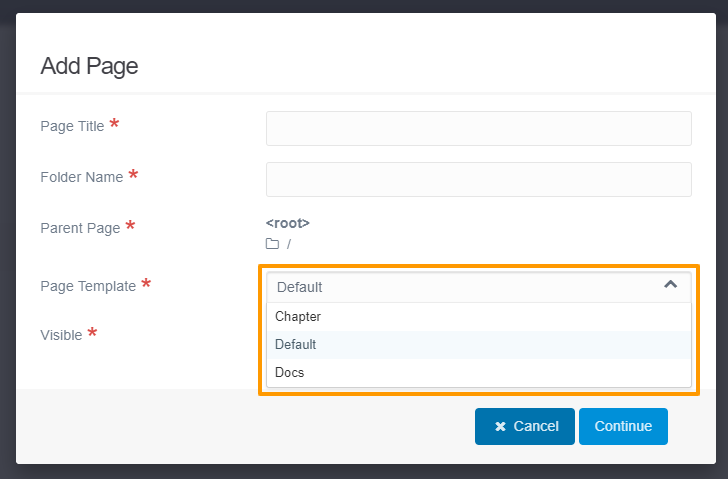
Goal: When Admin user creates a new page, show a brief list of templates where the content of the list depends on a configuration setting.
Note:
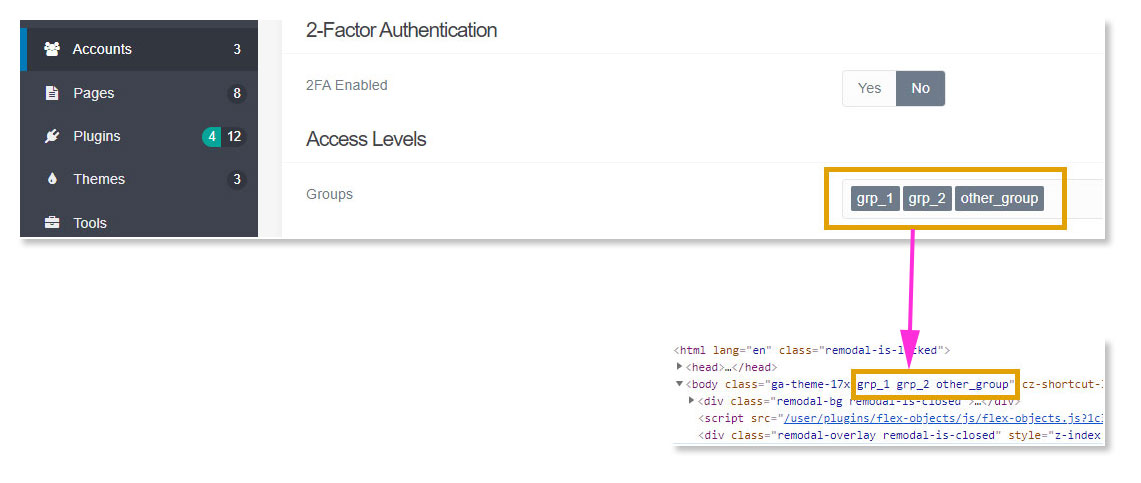
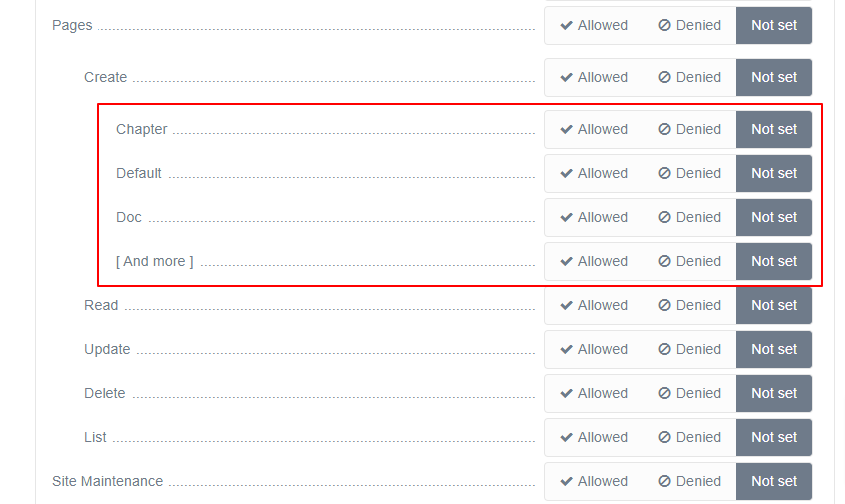
I don't like the (mis)use of the Groups field for this, since it is being used for setting access permissions on pages. I therefor chose a different approach.
I don't like the idea of adding group-names in css/scss files as class selectors, nor the idea of adding coloured borders around the template select field. I skipped this.
Having said that, I've taken the following route to implement the goal as formulated by myself. And that might not be your goal...
Prototype:
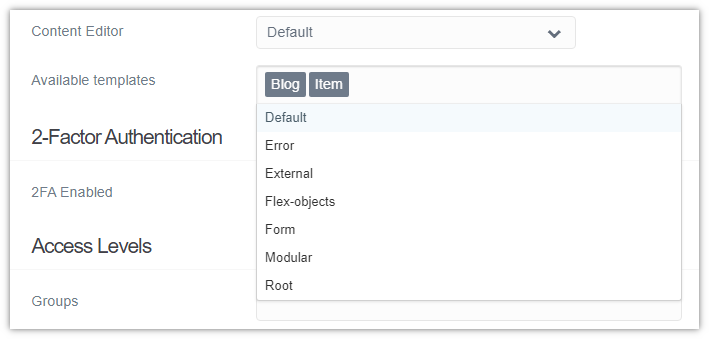
Add a 'template' field to the User blueprint
Create file /user/blueprints/user/account.yaml to override existing blueprint and add field 'Templates`.
Add the following:
fields:templates:ordering@:-2security@:admin.supertype:selectmultiple:truesize:largelabel:Available templatesdata-options@:'\Grav\Common\Page\Pages::pageTypes'data-default@:'\Grav\Plugin\Admin\Admin::getLastPageName'classes:fancyhelp:Create simple list of templates to be used by uservalidate:type:commalist
TXT
Create new plugin to alter the template list in modal Add Page:
$ bin/plugin devtools new-plugin
In generated plugin update function onPluginsInitialized as follows:
PHP
if($this->isAdmin()){$this->enable([// Put your main events here'onAdminPageTypes'=>['onAdminPageTypes',0],]);return;}
Create function onAdminPageTypes as follows:
PHP
publicfunctiononAdminPageTypes(Event$event){/**@varUser*/$user=$this->grav['user'];if(!$user->get('username')){return;}$allTypes=$event['types'];$templates=$user->get('templates',null);if(!$templates){// Show user list of all available templatesreturn;}$types=[];foreach(array_values($templates)as$template){$types[$template]=$allTypes[$template];}$event['types']=$types;}
Result:
The User config form:
Create new page: Add Page modal:
Notes:
No changes to Admin
No hardcoded group selectors in css/scss
A change of Available templates in User config, will only be effective after next login of user.
Once page has been created, field Page Template in tab Advanced will still show all available templates. But you didn't mention that field, so it should be ok...
Does it leave room for improvements? It sure does...
I have just tested it and it works perfectly, many thanks
And above all
No changes made to the administrator
No hard-coded group selectors in css/scss
I made some improvements to be able to use it on groups and all works.
Why are you going to tell me
Issue : I need to add an option for all users and I need to open them one by one.
If 1-6 users ok,
if more ... outch, I'm going to drink coffees ☕ and come back :D
Goal : To be able to add an option in "Add page" on several users at the same time