S
speeendo
Member
First Post Conversation Starter
11 posts
Hello!
I am about to start a website with grav for a friend. As they are not very tech savvy, I installed the tinymce plugin .
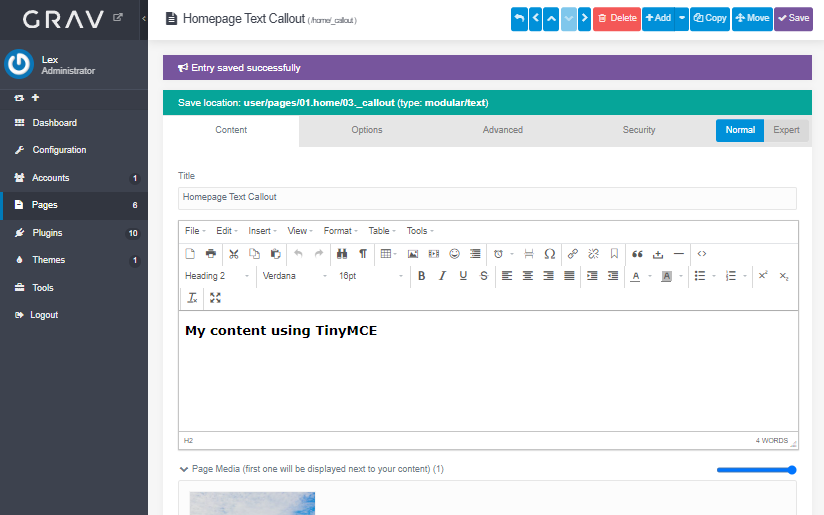
However, I experience a strange behavior: the tinymce editor is only reliably active in "Expert" mode but not in "Normal" mode.
E.g. I cannot make tinymce work in modular pages (in the modules) in normal mode
I already tried to play with some blueprints but I cannot seem to figure out what I am doing wrong.
Can you help me?
Thank you in advance!
last edited 03/09/24 by speeendo
P
pamtbaau
Legend
First Post Conversation Starter Well Liked
3196 posts
@speendo, Blueprints can indeed be extended to add/replace/remove fields. See Advanced Blueprint Features
Try the following to override blueprint /themes/akazie-wood/blueprints/modular/text.yaml :
Admin should now show TinyMCE as editor for modules using file text.md
last edited 03/12/24 by pamtbaau
P
pamtbaau
Legend
First Post Conversation Starter Well Liked
3196 posts
@speendo, Try the following to conditionally set the type of editor to be used:
Update blueprint /user/themes/myakazie/blueprints/modular/text.yaml :
e xtends@ :
t ype : t ext
c ontext : b lueprints://pages/modular
f orm :
f ields :
t abs :
f ields :
i nhalt :
f ields :
c ontent :
f ields :
c ontent :
d ata-type@ : ' \Grav\Theme\Myakazie::getEditorType '
Add the following to the class in /user/themes/myakazie/myakazie.php :
public static function getEditorType ( ) : string {
/** @var Config */
$ config = Grav :: instance ( ) [ ' config ' ] ;
$ useMceEditor = $ config -> get ( ' plugins.tinymce-editor.enabled ' , false ) ;
return $ useMceEditor ? ' tinymce ' : ' markdown ' ;
}
See Using Function Calls (data-*@)
last edited 03/17/24 by pamtbaau