Skip to content
Grav 2.0 is officially stable. Read the announcement →

Community guidelines

Please keep discussions civil and on-topic. Repeated violations may lead to a temporary ban.

Themes & Styling

Can't delete a page

Started by Harp 6 years ago · 9 replies · 909 views
6 years ago

Hello,
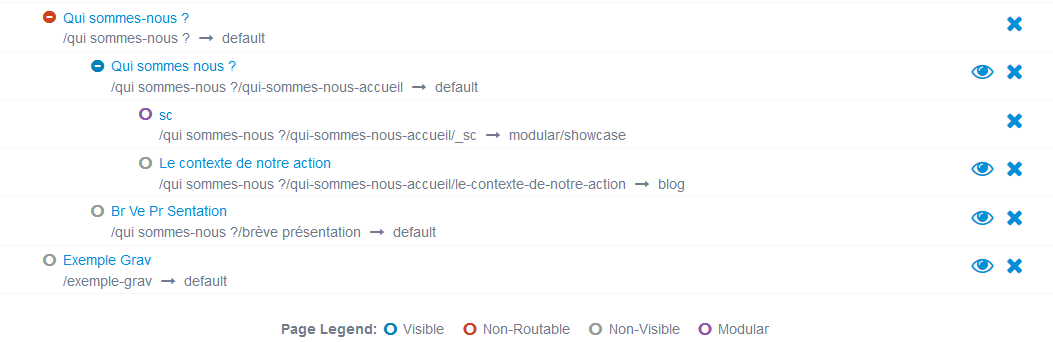
I am a new user of Grav. I created different pages and I would like to delete the red "non-rooted" page "Qui sommes-nous ?", but it does not work : a text pops up asking me to confirm, which I do, than a message says that it has actually been deleted, but it is not true.
Could you help me please ?

image|690x224

6 years ago

Hi Sophie, and welcome. I haven't tested this, but it may because there is content within the folder. You could try moving/deleting the content first?

6 years ago

Thanks for your answer and suggestion @dan-james. Unfortunately it does not work, I can't delete the content (I can't modify it without automatically creating a copy somewhere else as well !).

last edited 09/15/20 by Harp
6 years ago

Hi Sophie, this seems very strange - do you want to zip the folder and send it to me to check (if it's not data-sensitive)? Which version of Grav are you running? (1.6 or 1.7).

6 years ago

@sophie, I've just noticed the question mark on the title - I'd try changing that, it's good practice not to use question marks on page names and folder names. Try re-naming the folder to qui-somme-nous - you can still have the title as Qui somme nous? but neither the folder nor the url should contain a question mark. Let me know if it works,

6 years ago

@dan-james
I have no access to this folder (I am not hosting the website by myself) but I will try to get this.
I am using Grav 1.6.
Modifying the folder does not work as well : it creates automatically a new folder with the new name... (which I can delete and modify) But it doesn't change my problem with the first folder.
image|690x75

6 years ago

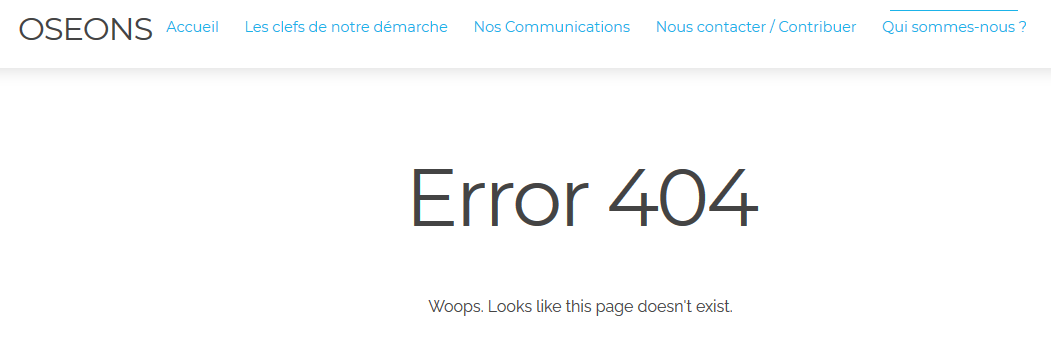
I forgot to say that on the website, the "Qui sommes nous?" page exists, but displays "Error 404". Without the possibility to modify it (automatically creating a new page or folder).
image|690x237

6 years ago

I've managed to reproduce your problem - I started from a clean install of 1.6, add two pages within the "typography" folder, then changed the title AND foldername to "typography?"

Now I can't delete it either - and it tells me it has when it hasn't.

I fixed it by opening the folder in visual studio - (but anything would do, including 'finder' in macOS) and changing the name of the folder back to 'typography'.

So you will need access to the folder to solve this - do you have it? Or can you ask the admin to remove the question mark from the folder of qui somme nous ?

6 years ago

Waouh, thank you so much !! I will ask my admin now :D

6 years ago

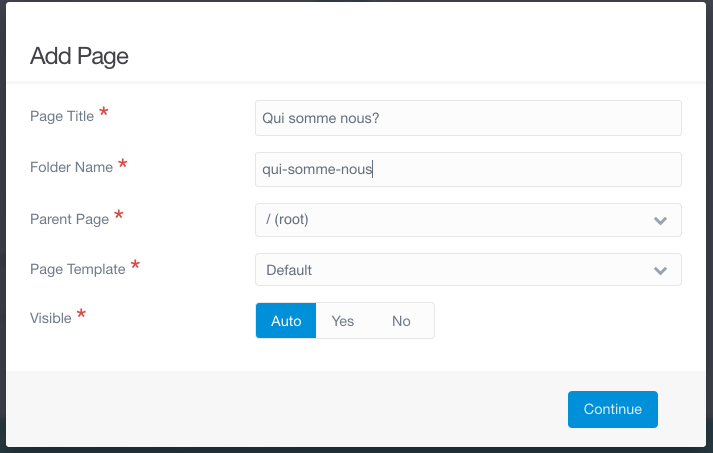
Hi Sophie, let me know if it works. GRAV doesn't normally let you create folder names with question marks - I tried and this is what I got:

Screen Shot 2020-09-15 at 14.42.32|690x438

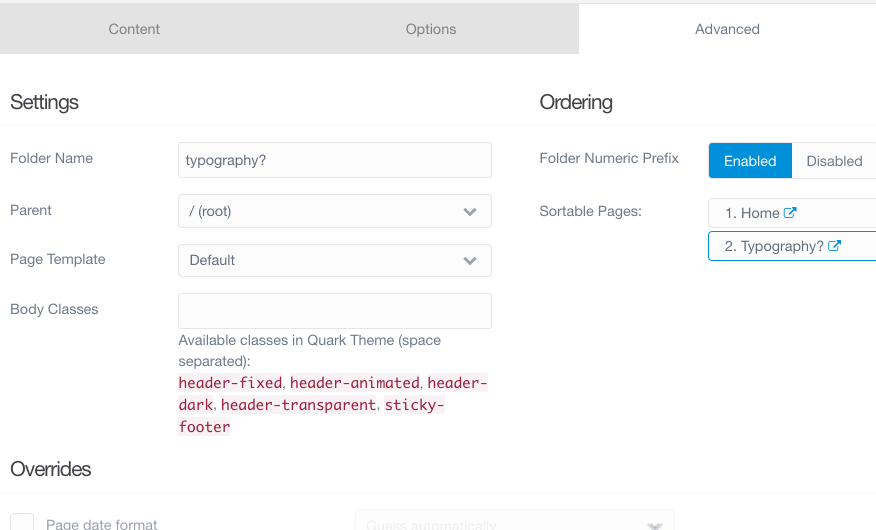
It doesn't add the question mark. But you can still go in after the page has been created and add a question mark - and break the system:

Screen Shot 2020-09-15 at 14.45.42|690x417

So I guess it's something to look out for. Perhaps it shouldn't be possible? @rhuk what do you think? Is this a bug?

Suggested topics

Topic Participants Replies Views Activity
Themes & Styling · by Pedro M, 2 months ago
4 193 2 months ago
Themes & Styling · by Ian, 2 months ago
3 91 2 months ago
Themes & Styling · by Norbert, 2 years ago
11 451 3 months ago
Themes & Styling · by Lukáš Findeis, 3 months ago
0 45 3 months ago
Themes & Styling · by Sebadamus, 4 months ago
5 125 3 months ago