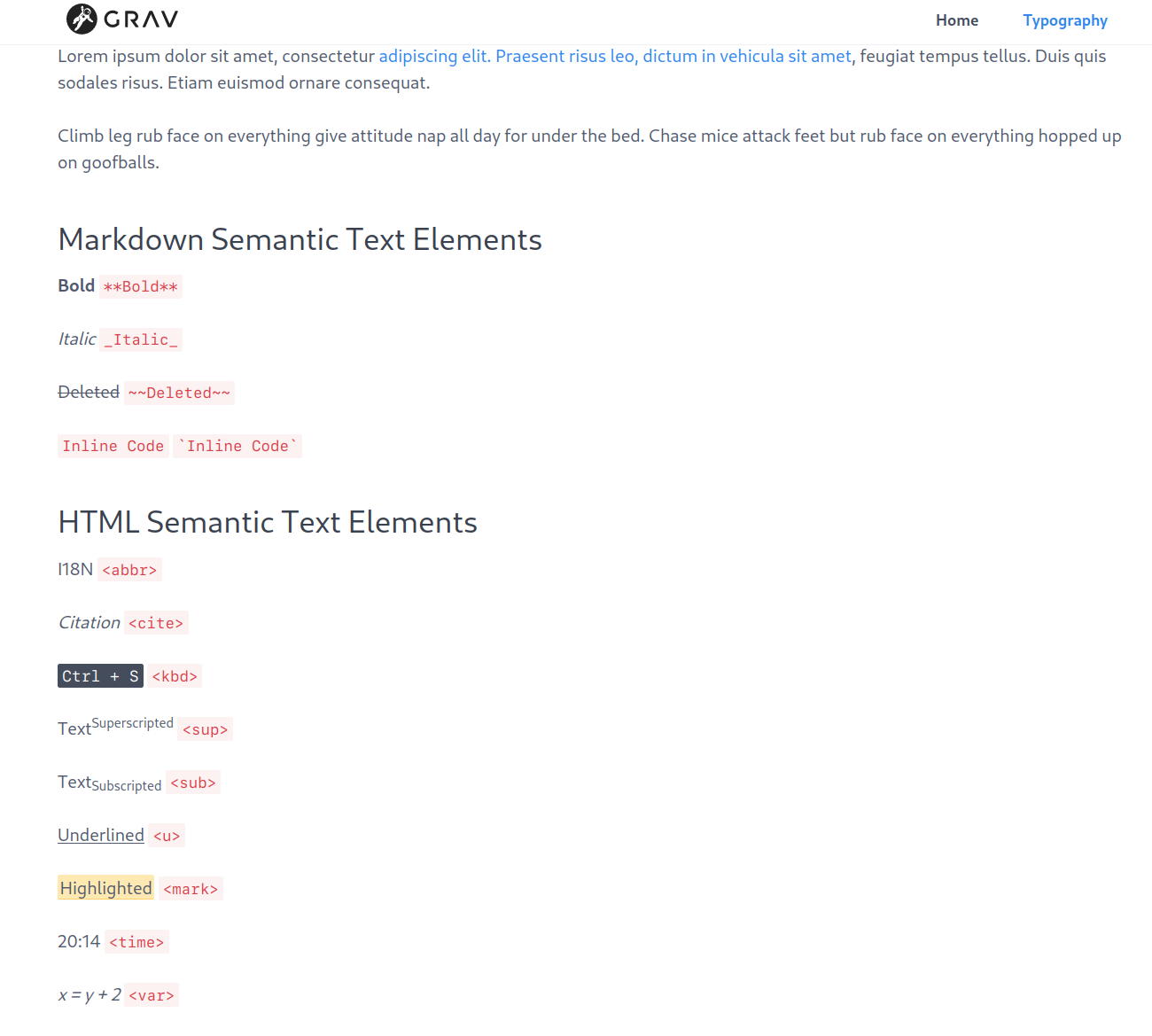
Hello. I have problem with change styling of inline code, typically example of inline code.
I'm using quark theme. I tried append this to the grav/user/themes/quark/css/custom.css:
I tried to changed css-compiled/spectre.css, and spectre.min.css
I tried to clean caches, restart nginx, restart server, but no success. The inline code has still red color, which is very different against standard code highlights for multilines.
Can you give me correct guide, how to change correctly inline code color and background? Thanks.
@raven2cz, I've tried to reproduce your issue, but can't...
I'm using a fresh install of Grav 1.1.18 + Admin.
Windows 10/WSL (Ubuntu 20.04, Apache, PHP 7.4.3), Chrome
Added the following css to '/user/themes/quark/css/custom.css':
CSS
code{color:blue;}
The <code> tags in '/typography' have changed into blue immediately.
By the way, this is not how it should be done... You should create an inherited theme and add '/css/custom.css' to your inherited theme. Any changes you make in Quarks folder will be overridden once Quark gets updated.
According to your description. I downloaded fresh install of grav+admin 1.7.18. I set custom.css and set your config.
But the 'inline code' is still red. Nothing change. I cannot agree with your result.
I tried to create my quark too, and configure it. But still it is red, not change.
If I tried to change shift+ctrl+i in firefox and find the element and change the css, it is changed, so element is called code.
Do you call some recompile of template? Or something else?
And what about php version, or some nginx settings, is it possible that it can have some influence to it?