Hello!
i have some issues with Learn 2 theme:
- I can't customize the CSS of this theme, even if i change any of the properties of the _custom.scss file.
- How can link the pages with the arrows?
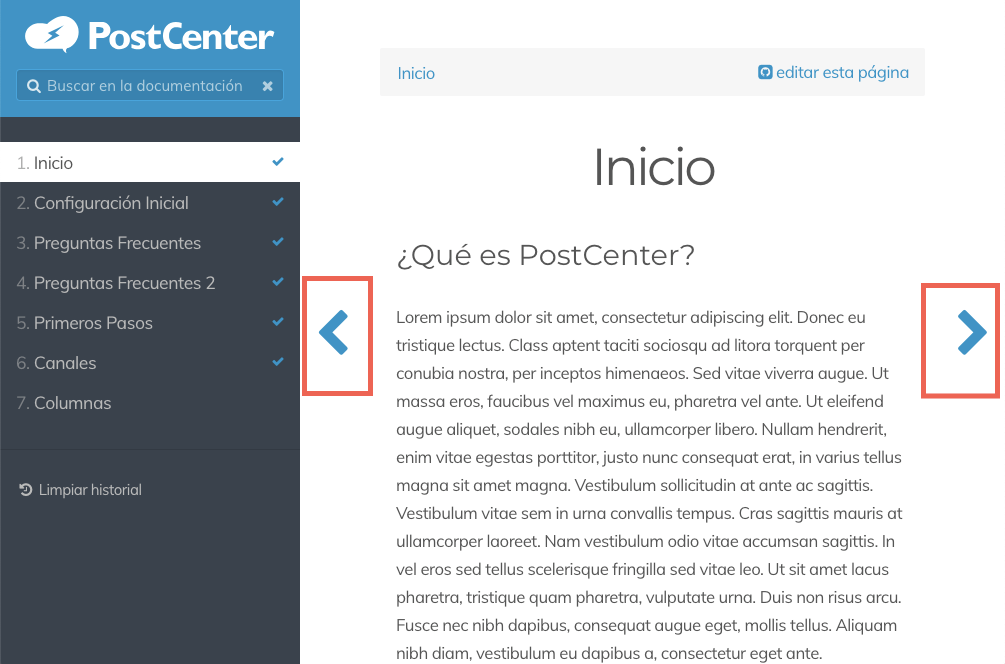
thanks in advance!
Hello!
i have some issues with Learn 2 theme:
thanks in advance!
Hi
In answer to your questions
1 I am using theme inheritance on Learn 2 and the custom css does seem to work. The hardest part is working out which CSS term actualy creates the specific style you want to amend.
Can you supply details of the specific css term you are trying to change.
2.Not sure what you mean by link pages.
I presume you mean that when you create new pages the arrows often do not go to new page, this is particularly bad for index sub pages
I suspect this is down to the way the pages are indexed/cached; for a new page by navigating to them by the index/menu and initially opening the first time that in future the arrow navigation will work. itmefound opening any new sub pages in the index and clicking on them to view the in the navigation arrows then working for that page .
Addendum.
you do of course have a Category assigned in the page options.
This seems to trigger the arrow keys.
Log in to reply.
| Topic | Participants | Replies | Views | Activity |
|---|---|---|---|---|
| 0 | 19 | 10 hours ago | ||
| 3 | 480 | 1 month ago | ||
| 5 | 480 | 2 months ago | ||
| 1 | 460 | 2 months ago | ||
| 1 | 489 | 2 months ago |