Skip to content
Grav 2.0 is officially stable. Read the announcement →

Community guidelines

Please keep discussions civil and on-topic. Repeated violations may lead to a temporary ban.

Themes & Styling

Help with Learn2 theme!

Started by Mads Iversen 6 years ago · 1 replies · 654 views
6 years ago

Hello there!

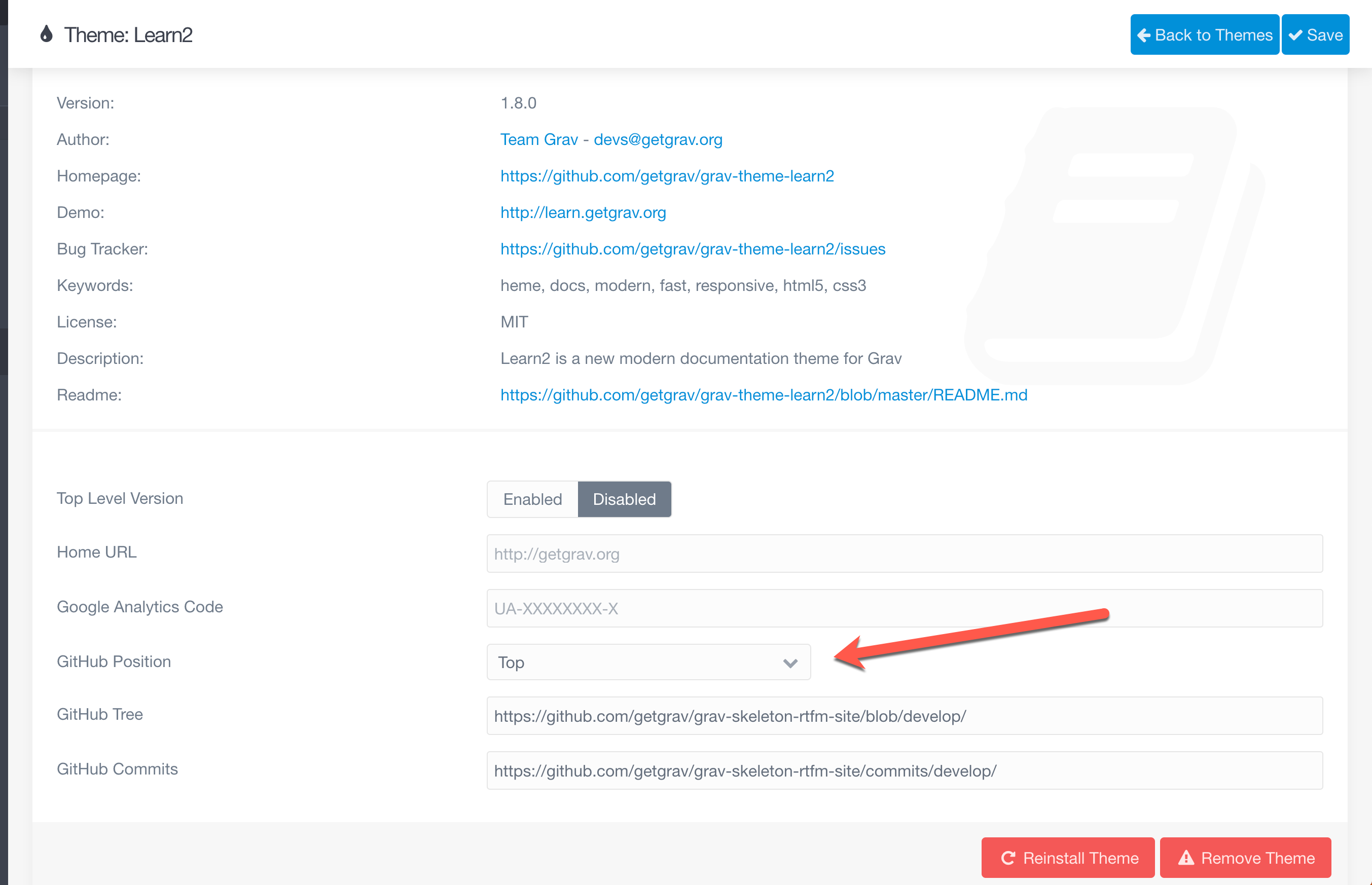
I have the site: madsiv.com and it shows the button "edit this page" on the top, but it will only redirect to a github page, how can i remove the button? And can i remove the arrows as i do not need them?

And also LAST question, can i make the topics drop downs? For example if you only want to know about Game servers it will only show that, and when you click on it again it will close up. Is that possible? 🙂
6 years ago

To remove the "edit this page" link go to the Learn2 theme settings and select "off" for the "GitHub Position" option, here is a screenshot for you:

2020-05-07_08-07-54|690x445

Don't know the answer re: arrows and dropdowns.

Suggested topics

Topic Participants Replies Views Activity
Themes & Styling · by Pedro M, 2 months ago
4 224 2 months ago
Themes & Styling · by Ian, 2 months ago
3 118 2 months ago
Themes & Styling · by Norbert, 2 years ago
11 481 3 months ago
Themes & Styling · by Lukáš Findeis, 3 months ago
0 72 3 months ago
Themes & Styling · by Sebadamus, 4 months ago
5 152 3 months ago