Skip to content
Grav 2.0 is officially stable. Read the announcement →

Community guidelines

Please keep discussions civil and on-topic. Repeated violations may lead to a temporary ban.

Themes & Styling

How to code Scroll bars in Drop down menus?

Started by Rhys 6 years ago · 2 replies · 2386 views
6 years ago

Hey Everyone,

We have a problem with a g5_helium theme on Grav.

The drop-down menus which appear when you hover over the navigation are very long for some of our menus. On short pages the bottom of the menu drops below the bottom of the screen, but the menu has no scroll bars to enable us to access the lower items.

Does anybody have any advice on how to code scroll bars into the drop down menus and where to add it within Grav?

The problem is well described in this page: https://css-tricks.com/long-dropdowns-solution/ but that is from 2009.

Is there a simple way within Grav to fix this problem ?
6 years ago

Hi RhysHowells,

I think you can fix it just through CSS. Give the drop down list container a max-height and set the overflow to auto.

CSS
.dropdown-list{
   max-height: 50px;
   overflow: auto;
}
6 years ago

HI ginofa,

Thanks for your reply and sorry im getting back to you so late on this.

I've added that bit of css code to the following scss location within gravity:

/var/www/smtl/user/themes/g5_helium/scss/helium/sections/_mainnav.scss

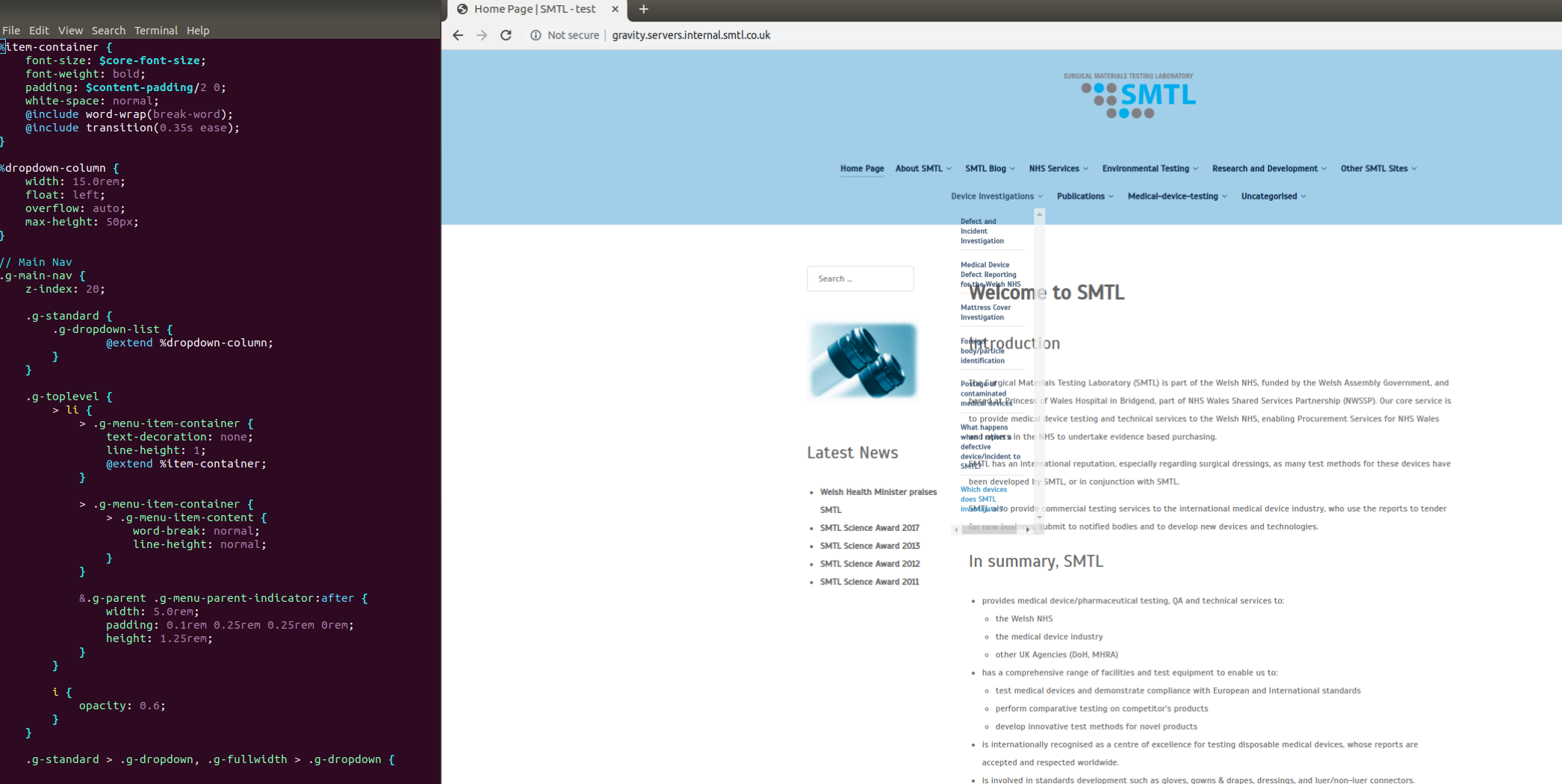
It looks like its added it but its underneath my navigation menu that I already have and you can't access the scroll bar at all - in addition its removed the blue background over the navigation menu dropdown.

I've attached the code with _mainnav.scss and the website.

Forum3|690x346

Suggested topics

Topic Participants Replies Views Activity
Themes & Styling · by Pedro M, 2 months ago
4 196 2 months ago
Themes & Styling · by Ian, 2 months ago
3 92 2 months ago
Themes & Styling · by Norbert, 2 years ago
11 452 3 months ago
Themes & Styling · by Lukáš Findeis, 3 months ago
0 46 3 months ago
Themes & Styling · by Sebadamus, 4 months ago
5 126 3 months ago