Two minor issues:
1) My logo in the left upper corner of my page doesn't redirect to the homepage. What am I doing wrong? (for example from blog: https://travelogy.nl/blog/sunny-days-in-northern-wales)
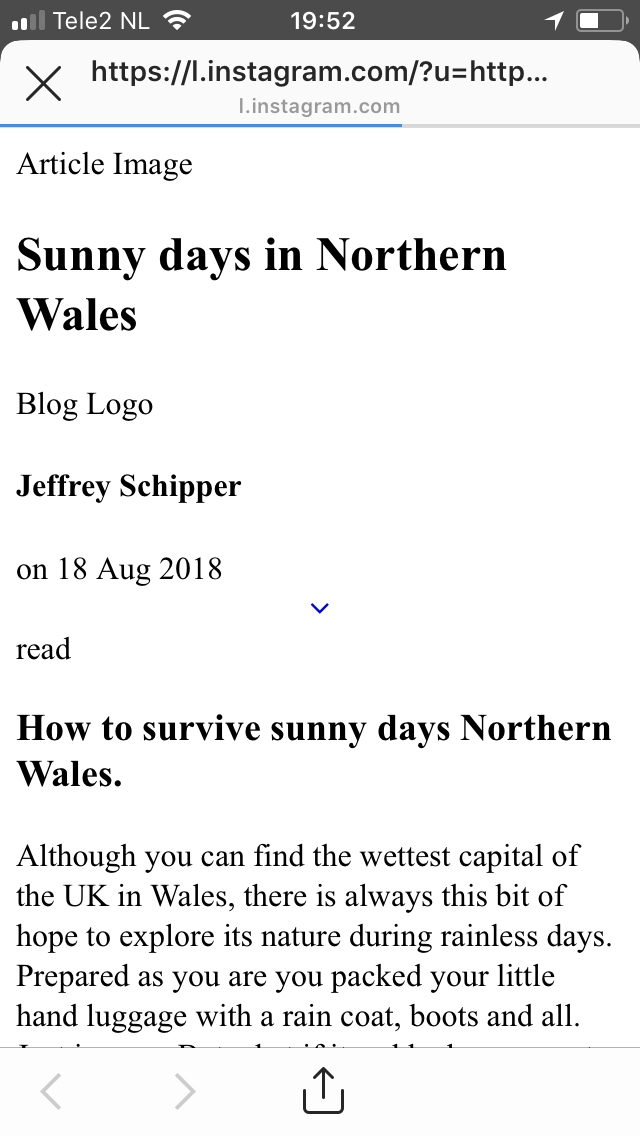
2) Clicking via Instagram bio towards the website results in a very basic website without the styling. Via Macbook it just looks correctly. Also, if I direct go to my website on mobile it shows fine.
@Travelogy Hi Jeffrey, I see you are using theme 'mediator'. This theme is 4 years old, which is also the beginning of Grav. Only a handfull updates/fixes have been applied.
There was already a PR issued to fix the logo problem on Jan. 2016, but it received no response from the developers. I would consider that theme as outdated if not dead.
I would like to suggest you consider moving to one of the more recent themes (eg. Quark), which are based on the latest developments of the Grav and actively maintained.
Thanks for your quick reply! Ah, that is a shame :( I chose Mediator because of its simplicity and clean style. So if I can only solve this issue, I'd still like to use it.
With the topic about the logo redirect you already solved the first issue. Do you have any idea how to solve the second issue and/or what the issue is? If that is not to be solved I guess I need to find an alternative theme.
In case you are not familiar with GitHub: The proposed solution is to replace 'base_url_relative' by 'home.url' in /user/themes/mediator/templates/partials/base.html.twig.
1) When I click on the URL in biography of Instagram on Macbook (Safari) it works.
2) When I type in the URL in the browser on my phone (Safari) it works.
3) When I click on the URL in biography of Instagram on my phone it looks like it has no theme/styling.
The other one is in system/assets/jquery (Error: Syntax error, unrecognized expression: a[href*=#]:not([href=#])). Does this mean it's not in the theme (because it's in system?).
throw new Error("Syntax error, unrecognized expression: " + a)
}, fa.uniqueSort = function(a) {
var b,
d = [],
e = 0,
f = 0;
if (l = !c.detectDuplicates, k = !c.sortStable && a.slice(0), a.sort(B), l) {
while (b = a[f++])
b === a[f] && (e = d.push(f));
while (e--)
a.splice(d[e], 1)
}
Thanks for all your help! I didn’t find a theme with a blog page similar to my current one in Mediator and I really like that style, so when I see a similar theme I’ll Definitely change.