Skip to content
Grav 2.0 is officially stable. Read the announcement →

Community guidelines

Please keep discussions civil and on-topic. Repeated violations may lead to a temporary ban.

Themes & Styling

Multi language image metadata generates error

theme

Started by Marco 6 years ago · 2 replies · 730 views
6 years ago

Hello again, second post here!

I have a problem with multilanguage image metadata:

TWIG
{% extends 'partials/base.html.twig' %}

{% block content %}
    {{ page.content }}

    <ul>
    {% for image in page.media.images %}
    <li>
        <div class="image-surround">
            {{ image.cropResize(300,200).html }}
        </div>
        <div class="image-info">
            <h2>{{ image.meta.title }}</h2>
            <p>{{ image.meta.description }}</p>
        </div>
    </li>
    {% endfor %}
    </ul>

{% endblock %}

this is the gallery.html.twig as per coockbook recipe, awaiting further development of course.

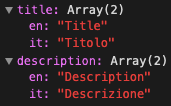
This is my image1.jpg.meta.yaml

YAML
title:
  en: Title
  it: Titolo
description:
  en: Description
  it: Descrizione

This is the error I receive:
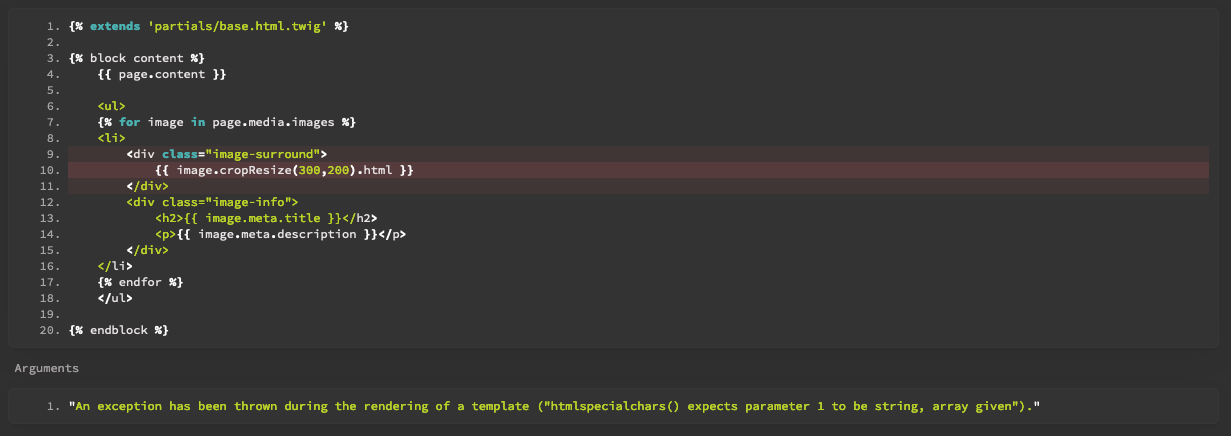
Schermata 2020-07-17 alle 13.55.33|689x244

If I remove the*.meta.yaml file everything gets back to normal!

Using Grav 1.7 RC 14 with an untouched "Pure" theme for testing purposes.

Thanks!
6 years ago

The error indicates that a simple string is required but instead an array is supplied. In this case: { "en": "Title", "it": "Titolo" }

You need to specify which text string to use by being more specific. For the Italian text you would use {{ title.it }}.

To make this dynamic and depending upon the currently active language you could do:

TWIG
{{ attribute(title, grav.language.getLanguage) }}

You might also take a look at Language Logic in Twig Templates if you haven't done so already.

6 years ago

@bleutzinn:
You might also take a look at Language Logic in Twig Templates if you haven’t done so already.

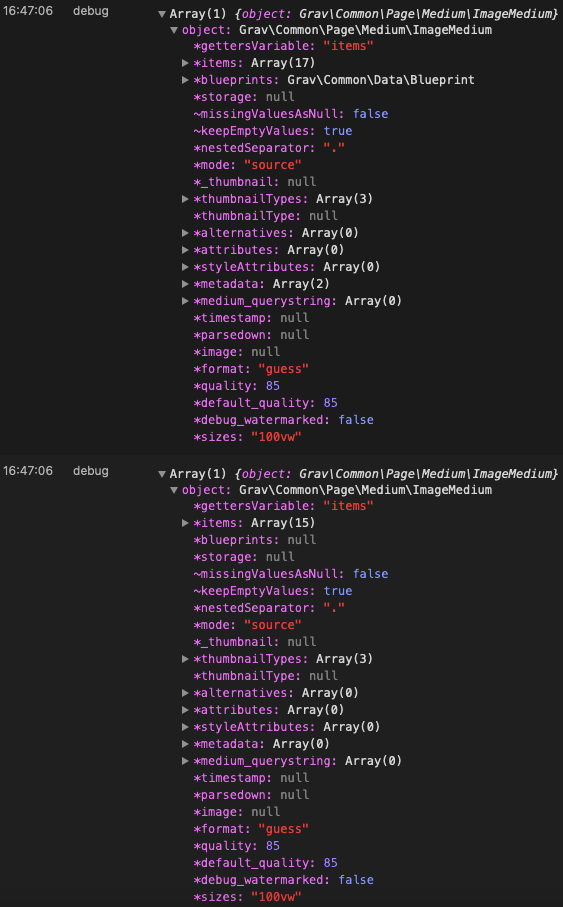
Thank you, I did and yet cannot find a clear solution. I believe the problem resides in how Grav handles the image object, the structure looks like this:

Schermata 2020-07-17 alle 16.47.29|310x500

The first image object has *.meta.yaml side file, the second one hasn't.

Detail of the added data to the array:

Schermata 2020-07-17 alle 16.48.10|171x106

So now the only thing I can think is that Grav, finding two languages, doubles the object into an array, making Twig unable to parse it?

I based my coding on this /forum/general/loop-data-from-yaml-multilingual-t2580 and this https://github.com/getgrav/grav/issues/323

Thank you!

Suggested topics

Topic Participants Replies Views Activity
Themes & Styling · by Pedro M, 2 months ago
4 197 2 months ago
Themes & Styling · by Ian, 2 months ago
3 93 2 months ago
Themes & Styling · by Norbert, 2 years ago
11 454 3 months ago
Themes & Styling · by Lukáš Findeis, 3 months ago
0 47 3 months ago
Themes & Styling · by Sebadamus, 4 months ago
5 127 3 months ago