Skip to content
Grav 2.0 is officially stable. Read the announcement →

Community guidelines

Please keep discussions civil and on-topic. Repeated violations may lead to a temporary ban.

Themes & Styling

Oxygen theme not working right

first-time theme

Solved by Sebadamus View solution

Started by Sebadamus 4 months ago · 5 replies · 122 views
4 months ago

Hi,

I installed https://github.com/kittyfishfrommars/grav-skeleton-oxygen/releases/download/v2.1.12/grav-skeleton-oxygen+admin-v2.1.12.zip
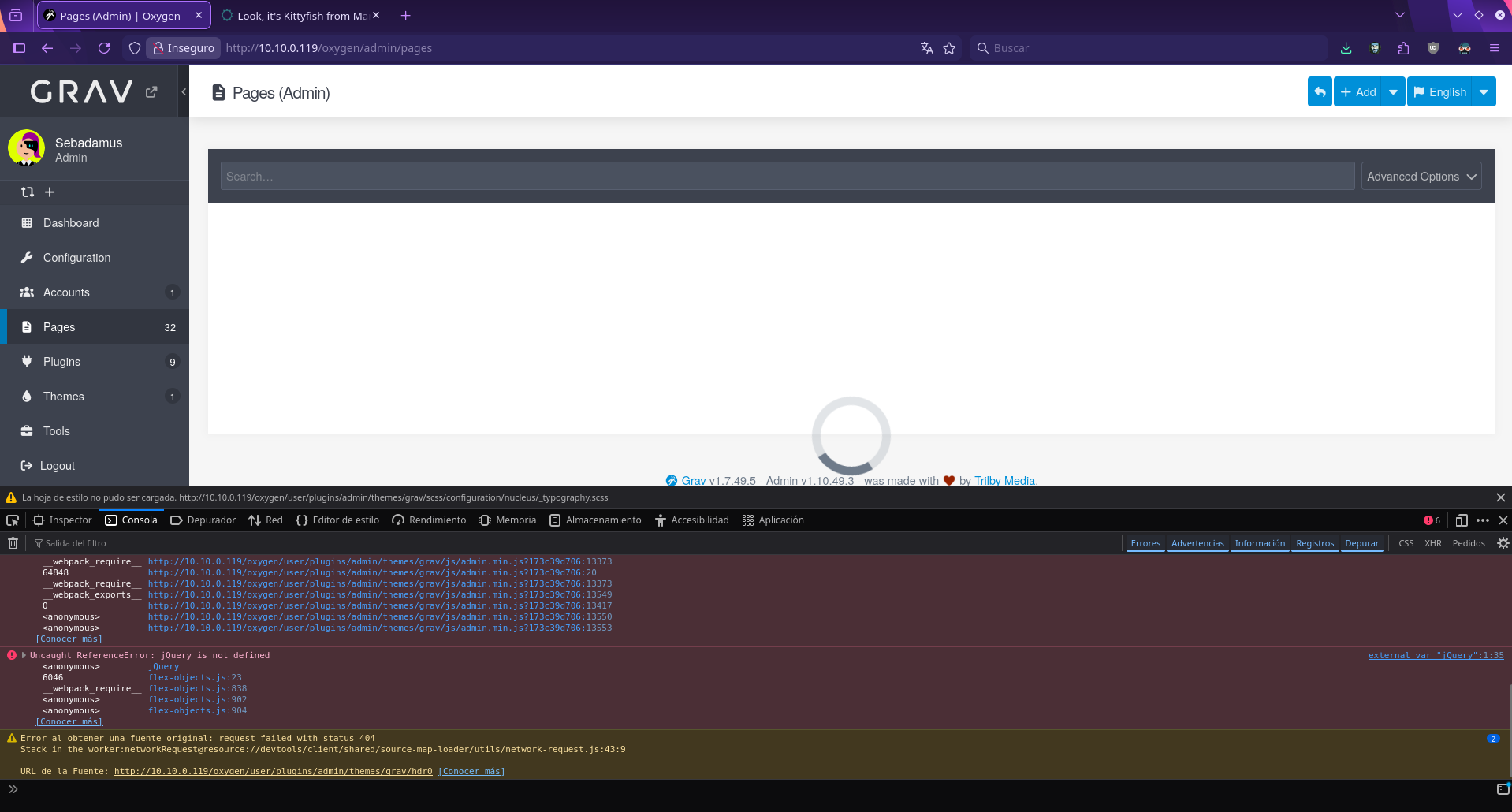
Also, manually installed in a previously grav working default installation, in a different server (one online paid server one at home in a arm64 apache2 php 8.2) and tested with firefox and chromium… everytime I got the same problem.

For i.e. to show it easily, if I access Pages (Admin) it stays like that, loading circle and nothing else is shown. Also if I click “English” (top right of this image) button or other buttons like “Check for Update”, “Clear Cache”, etc does nothing.

What really annoys is that other themes like Deliver, DeliverNext, Future2021, for i.e. works just fine, so there must be something in this theme that I am not doing right.

How can I search for clues?

Thanks!

Screenshot_20260219_233706|690x370

4 months ago

@sebadamus, Created a fresh installation of the Oxygen skeleton from the link you provided. Cannot reproduce the issue, all is working fine.

themes like Deliver, DeliverNext, Future2021, for i.e. works just fine

Btw. in general, themes do not impact Admin. Except maybe the theme's own config page when a blueprint is malformed.

Are you installing these themes in the same installation as the Oxygen skeleton, or in another installation?

According the error, jQuery is missing which hints at an incorrect installation of Grav, since jQuery should be available in /system/assets/jquery/ by default.

Also the folder mentioned in the last line in your screenshot is unexpected: /user/plugins/admin/themes/grav/hdr0

Suggestions:

  • Try a fresh install of Oxygen skeleton in a fresh folder.
  • Or install theme Oxygen in a fresh Grav installation.
👍 1
4 months ago

Thanks very much for your time and response :grinning_face:

I install it several ways, in this thread I did the skeleton install, but I also tried in a separate grav default clean install that will detail at the end (what I wanted was the skeleton version to have example pages to play with)

As far as I read the docs, I know that “skeletons” are a complete working install, so if I extract its content in for i.e /var/www/html oxygen (having /var/html/www working with apache2/php8.3, I think I know this because in /var/www/html/”other-grav-installs” are installed and runs good).

So, if I do it this way, it should work… but not. Have just deleted and re-done the installation, accessed it in “http://localip/oxygen/”, then it asks for admin account creation, done it but later in admin interface same problem 👎 I must surely be doing something wrong with this theme only (cant figure it out :melting_face: )

Here the oxygen theme skeleton zip:

https://github.com/kittyfishfrommars/grav-skeleton-oxygen/releases/download/v2.1.12/grav-skeleton-oxygen+admin-v2.1.12.zip

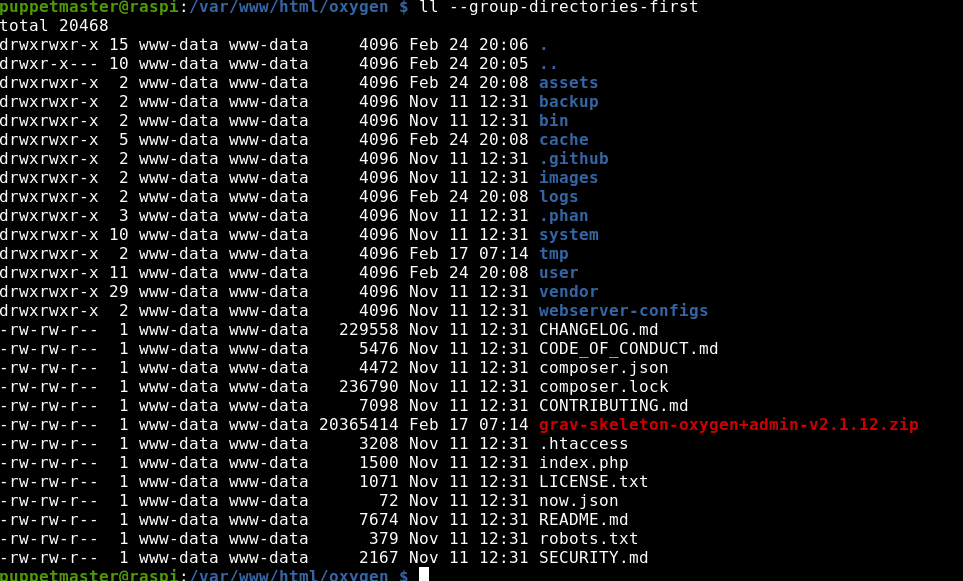
image|639x499

Here my web root and other themes working (notice that in oxygen I set more permissive and recursive the same way)
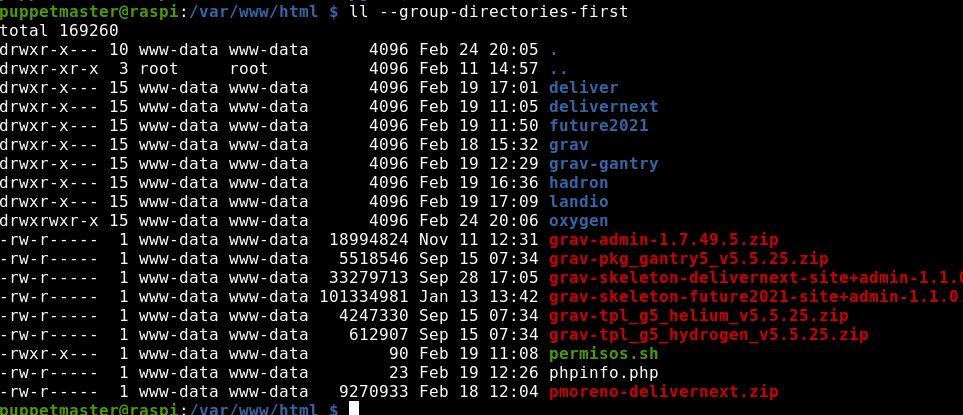
image|690x297

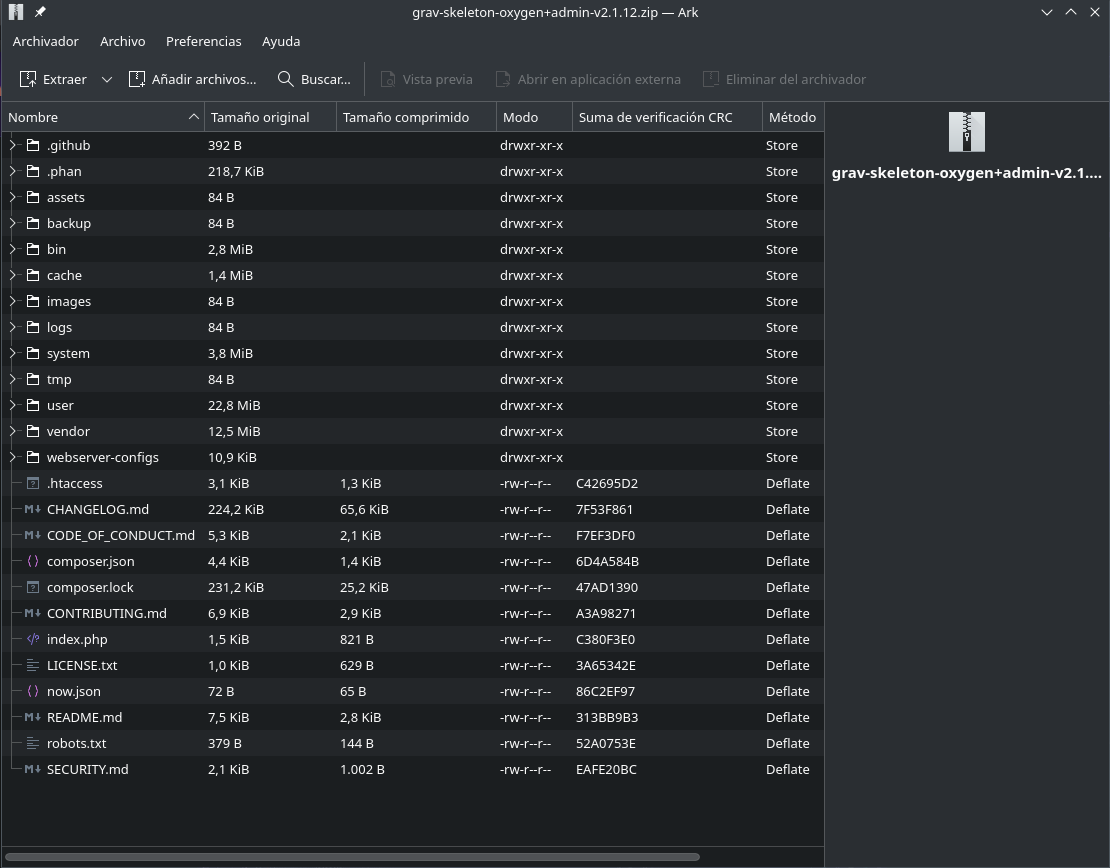
Here the unzipped folder:

image|690x416

jquery seems to be avaiable:

image|690x127

The only way I could make oxygen theme to work is in a default clean Grav v1.7.49.5 - Admin v1.10.49.3 installation, with the admin direct-install option, uploading grav-theme-oxygen-2.1.12.zip (this way everything works but I dont have example pages :smiling_face_with_tear: )

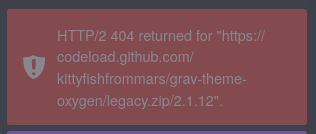
One little detail here 🤔 , if I try to install it from the themes menu, add button, it shows this error and wont install, but this might be something with grav and its themes directory… (?)
image|316x134

Thanks for reading :folded_hands:

4 months ago

@sebadamus, As said, I cannot reproduce the issue and based on your info, I have no idea why it wouldn't work.

Suggestion:

  • Copy the /user/pages/ folder from the zip file of the skeleton and you will have the demo pages.
  • You might also need to look at `/user/config/themes/oxygen.yaml' if any config needs to be set.

By the way... Cross-posting the same questions on multiple channels (this forum and github) is often not appreciated. People on one of the channels will waste their time. You've had your answer on Github and should have notified this forum. See also this post about cross-posting.

👍 2
last edited 02/25/26 by pamtbaau
4 months ago

Thanks, first I post in github (I closed that issue to post here), there they suggest to post here. Thats, why you think it is cross-posting. Will do the pages/copy.

last edited 02/25/26 by Sebadamus
3 months ago Solution

Found the problem, in my bookworm Debian RaspberryPI 5 (ARM64) there seems to be some kind of incompatibility with “something” in my apache2, so… this thread can be deleted. Thanks!🤗

Suggested topics

Topic Participants Replies Views Activity
Themes & Styling · by Pedro M, 2 months ago
4 192 2 months ago
Themes & Styling · by Ian, 2 months ago
3 89 2 months ago
Themes & Styling · by Norbert, 2 years ago
11 447 3 months ago
Themes & Styling · by Lukáš Findeis, 3 months ago
0 42 3 months ago
Themes & Styling · by Baphijmm, 4 months ago
4 78 4 months ago