Skip to content
Grav 2.0 is officially stable. Read the announcement →

Community guidelines

Please keep discussions civil and on-topic. Repeated violations may lead to a temporary ban.

Themes & Styling

Unable to change color of links

Started by Laurent Lefol 8 years ago · 7 replies · 1618 views
8 years ago

Hello,
I am learning how to use GRAV and Gantry5.
Can someone help me on the following issue ?:
I can modify the color of links such as the Facebook or Twitter icons by going to "Link Colors" in the Styles of the appropriate Outline.
But I cannot modifiy the color of other links such internal references to other pages.
As an example, look at http://devgrav.cooplameute.fr/

My expectation was that the link "Participez aux réunions publiques d'information" should be yellow like the Twitter or Facebook icons and Hover color should be red. But as you can see this is not the case.
Can someone explain me why ?

Nota: The link on the example is repeated twice. The second time with the following syntax :

Participez aux réunions publiques d'information

Laurent
8 years ago

hi @laurent

I'm not really aware of Gantry, but as i can see in gantry docs you can customize css :

navigate in the directory structure to ROOT/user/data/gantry5/themes/THEME_DIR/scss and create a file called custom.scss

CSS
#g-header a {
    color: #dce617;
}
#g-header a:hover {
    color: #e0166e;
}

change only in custom.scss because when re-compile change in custom.css will be lost and/or overridden when the custom.scss file recompiles, see here

Maybe a Gantry Guru will have another solution.

Hope that help

8 years ago

hi @dimitrilongo
Thank you for your answer.
So far I tried to avoid writing any css, hoping that Grav and Gantry5 would provide all necessary functionalities without the need to customize by writing code.
If I can't find another solution, I'll use yours.
Best Regards
Laurent

8 years ago

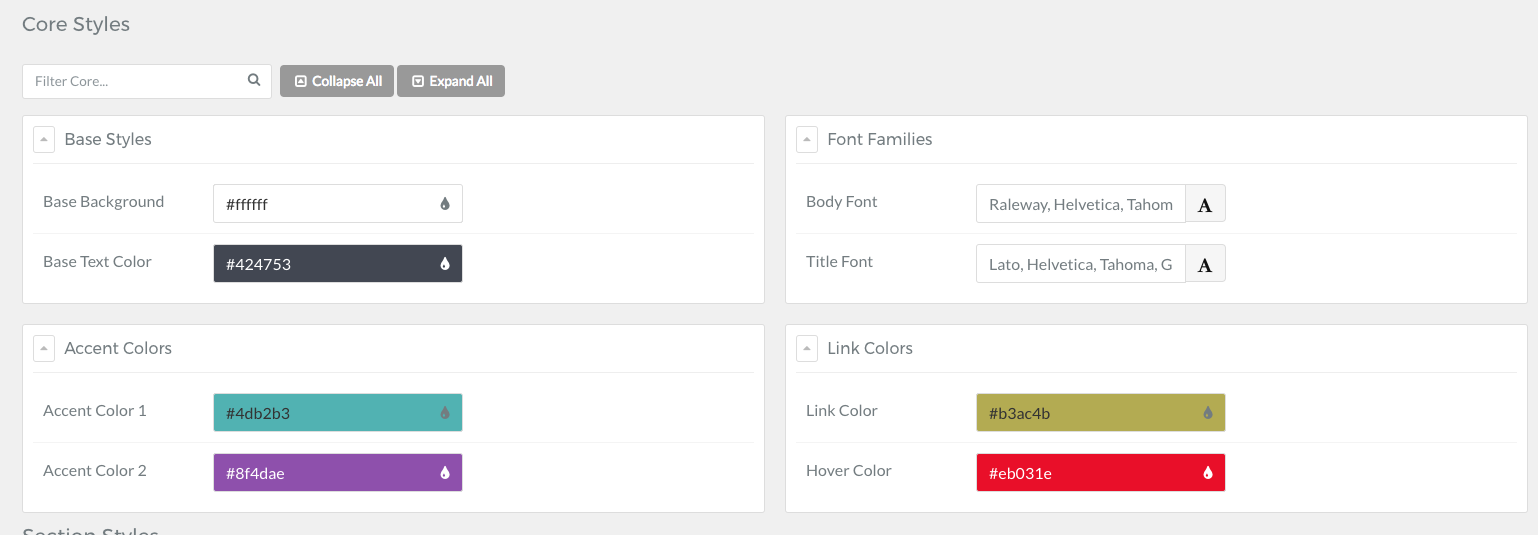
In Gantry Core Style you can modify Link Colors (see screenshot), i test with links in page content, it works, colors changes

02|690x240

8 years ago

@dimitrilongo
Thanks for your reply.
The link colors for my page are shown here and these are effectively the colors that you can see for the Facebook or Twitter icons. But unfortunately it does not apply to the link in page content.

Laurent
Capture%20link|612x500

8 years ago

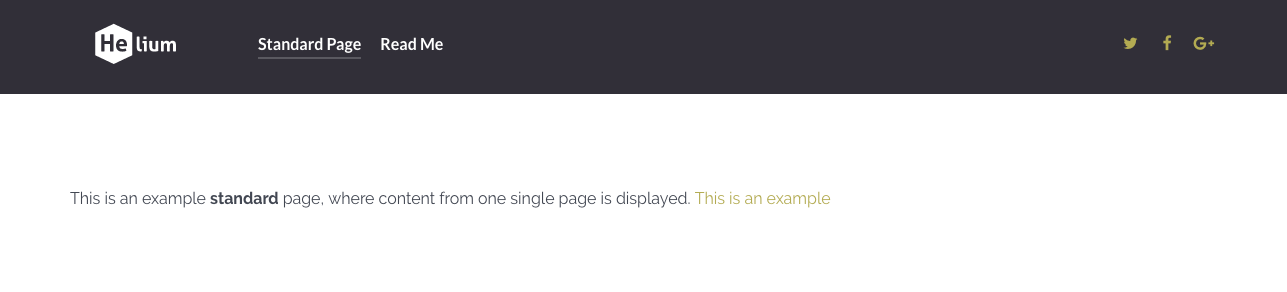
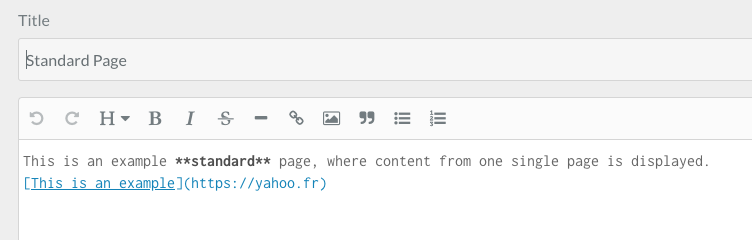
In my Grav Gantry fresh install, the color link in my markdown works (see screenshot)

40|690x156
53|690x220

8 years ago

In Gantry, the button colors are controlled by the Accent Colors, not the Link Colors. If you change the Accent Colors, you will achieve the result you are hoping for. But if you do not want to change your Accent Colors, then you will have to insert a custom.scss file into your project and add the following:

.button {
background: #dce617;
}

.button:hover {
background: #e0166e;
}

8 years ago

@dimitrilongo
Thanks for your reply. It is very useful. I probably changed something during my trials that prevents the links to be colored as I expect. I will search again.
Laurent

Suggested topics

Topic Participants Replies Views Activity
Themes & Styling · by Pedro M, 2 months ago
4 196 2 months ago
Themes & Styling · by Ian, 2 months ago
3 92 2 months ago
Themes & Styling · by Norbert, 2 years ago
11 454 3 months ago
Themes & Styling · by Lukáš Findeis, 3 months ago
0 47 3 months ago
Themes & Styling · by Sebadamus, 4 months ago
5 126 3 months ago