Skip to content
Grav 2.0 is officially stable. Read the announcement →

Community guidelines

Please keep discussions civil and on-topic. Repeated violations may lead to a temporary ban.

Themes & Styling

What is going on in this line of twig code please?

Started by Brad Moore 3 years ago · 5 replies · 430 views
3 years ago

I know this line of Twig code is pulling information from the page front matter, but I am trying to figure out what else it is doing.

TWIG
        <a {% if page.taxonomy.author %}href="{{ blog.url }}/author{{ config.system.param_sep }}{{ author }}" itemprop="url" {% endif %}class="author" aria-label="{{ author }}" rel="nofollow">

This is from the file: blog_item.html.twig - line 52; from the theme Future 2021.

If someone could explain I would appreciate.
3 years ago

@bjaz, Before someone is making the effort to explain things you already understand, would you mind sharing what exactly needs explanation?

3 years ago

@bjaz, This line verifies whether the author taxonomy exists on the site (the taxonomies must be defined previously in the administration). If so, set the href attribute pointing to the previously defined author.
The rest of the attributes (itemprop, aria-label and rel) are used to improve the SEO positioning of the page.

3 years ago

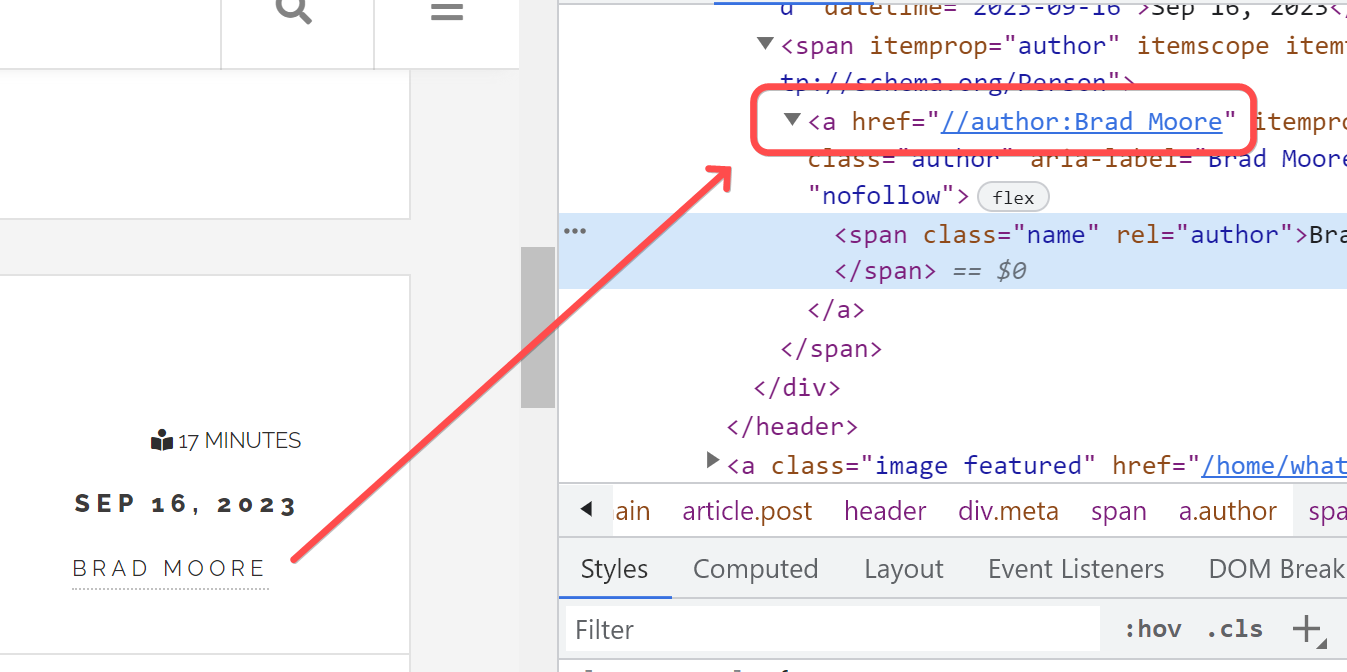
Ok - I think I understand that now. I am trying to figure out what the theme designer must have been intending to do. My guess is to create an author page - but there seems to be some missing parts. I created the taxonomy item and put my name in there. I creates a URL that does not seem to be very helpful.

shot_230916_124651|690x344

Not sure it there is anyone using Future 2021 theme. I would be interested in know how this needs to be configured to produce an author page with posts. Perhaps it is suppose to work with a certain plugin? Maybe Aura Authors. I am going to try that but remember it being a complex plugin to configure.

Thanks

last edited 09/16/23 by Brad Moore
3 years ago

installing Aura Authors does not seem to make much difference. It is broken currently, so it is hard to say whether it would have really helped or not. The author does not seem to be maintaining it.

I just removed the anchor tag since it is producing a link that is unusable.

Thanks everyone for the help.

3 years ago

@bjaz. Have you taken a look at the theme demo page, for how the links to the author of the blog posts work?

Suggested topics

Topic Participants Replies Views Activity
Themes & Styling · by Pedro M, 2 months ago
4 195 2 months ago
Themes & Styling · by Ian, 2 months ago
3 91 2 months ago
Themes & Styling · by Norbert, 2 years ago
11 451 3 months ago
Themes & Styling · by Lukáš Findeis, 3 months ago
0 45 3 months ago
Themes & Styling · by Sebadamus, 4 months ago
5 125 3 months ago