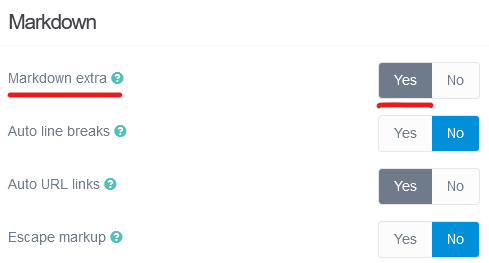
Greetings! I just installed Grav on my web server yesterday in an attempt to make a quick personal web site. I took the advice on the download page and installed v1.8.0-beta.3 - Admin v1.10.48. I tried another theme which looked promising, but decided to stick with Quark. Overall, this has been a great experience; however, I have encountered a couple of quirks. After searching for solutions, I decided to ask a question in the forum.
The first thing I encountered was unexpected behavior with the navigation menu. I created two folders: a primary navigation folder and then subfolders for content links.
However, when I click on the folder entries, the browser goes to a blank page.
I attempted to disable routing for the "pages" related to the folder entries; however, doing that just causes the browser to go to the first page contained within the folder instead of doing nothing. So, as an example, I have the following menu structure: Primary Folder -> Secondary Folder -> 01 - First Page | 02 - Second Page | 03 - Third Page. Clicking on Secondary Folder goes to 01 - First Page. Clicking on Primary Folder goes to the Secondary Folder page.
When I searched this problem, I found a few related forum posts which at first seemed promising. This is one: https://github.com/getgrav/grav-theme-antimatter/issues/103.
However, when I opened the file user/themes/quark/templates/partials/navigation.html.twig, its contents were completely different from what was described:
{% import 'macros/macros.html.twig' as macros %}

<ul {{ tree ? 'class="tree"' : '' }}>
    {{ macros.nav_loop(pages) }}
</ul>
There is no
<a href="{{ p.url }}">
to modify. I considered just adding it in there, but I wasn't sure that would have the desired effect.
Additionally, I added a markdown table on one page. Within the admin portal editor's preview, the table appeared to be formatted adequately. However, when I visited the page in another browser, the table had no formatting at all. I also searched for some solutions to this problem, but I wasn't able to find anything that worked. This post, in particular, looked promising: /forum/support/add-striped-hover-tables-without-wrapping-tables-in-div-tags-quark-theme-t1070.
Unfortunately, wrapping the table in the same, or similar, <div> tag didn't do anything but cause the <div> tag text to appear on the page.
Are there some relatively simple solutions to these problems, or should I just use a different theme other than Quark?
I apologize if this has already been addressed elsewhere. It seemed like most of the discussions related to these problems were at least four years old.
Thanks for indulging the questions of a Grav newbie!