How do I get the datepicker used by the date field in a form to format the dates in an international manner. In particular, I need yyyy-mm-dd (or php y-m-d).
However, the datepicker provides the US format at all times. That is the default placeholder is mm/dd/yyyy.
I have read in this Forum that the underlying magic is the jQuery datepicker, but what is the best practice for providing the customisation in form.md. For example, I would like to start the years for the opening calendar 40 years ago (this site is to cater for seniors).
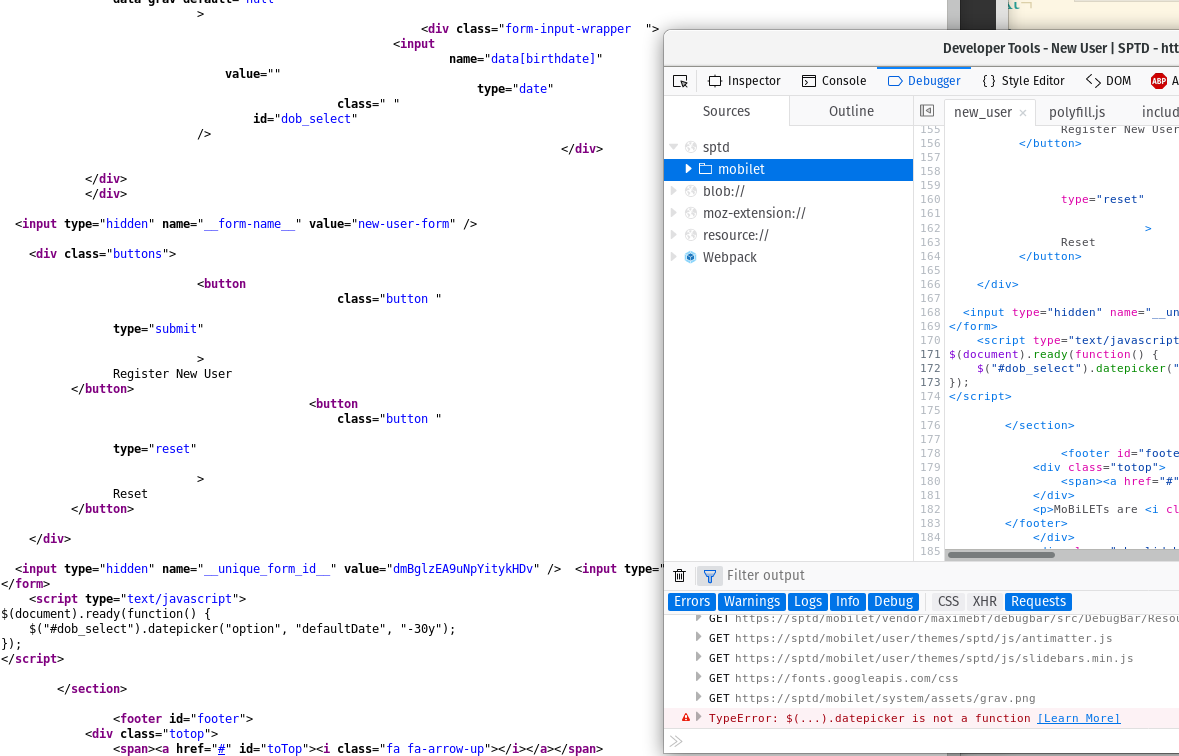
I looked for the jQuery plugin in the page source for the page, but it doesn't appear anywhere, so I'm not sure how to hook into it.
In the form I have:
date: "y-m-d"
form:
  name: new-user-form
  fields:
    - name: name
      label: Name
      placeholder: Client Name
      autofocus: on
      type: text
      validate:
        required: true
    - name: dob
      label: 'Date of Birth'
      type: date
       validate:
        required: true
        min: "1938-01-01"
        max: "2000-12-31"
This testing was on Ubuntu 17.10 server. Grav and all plugins most uptodate.