I am trying to remove the default content editor field that shows up on each module view in the admin panel; as I do not need it in every module and seems to cause confusion.
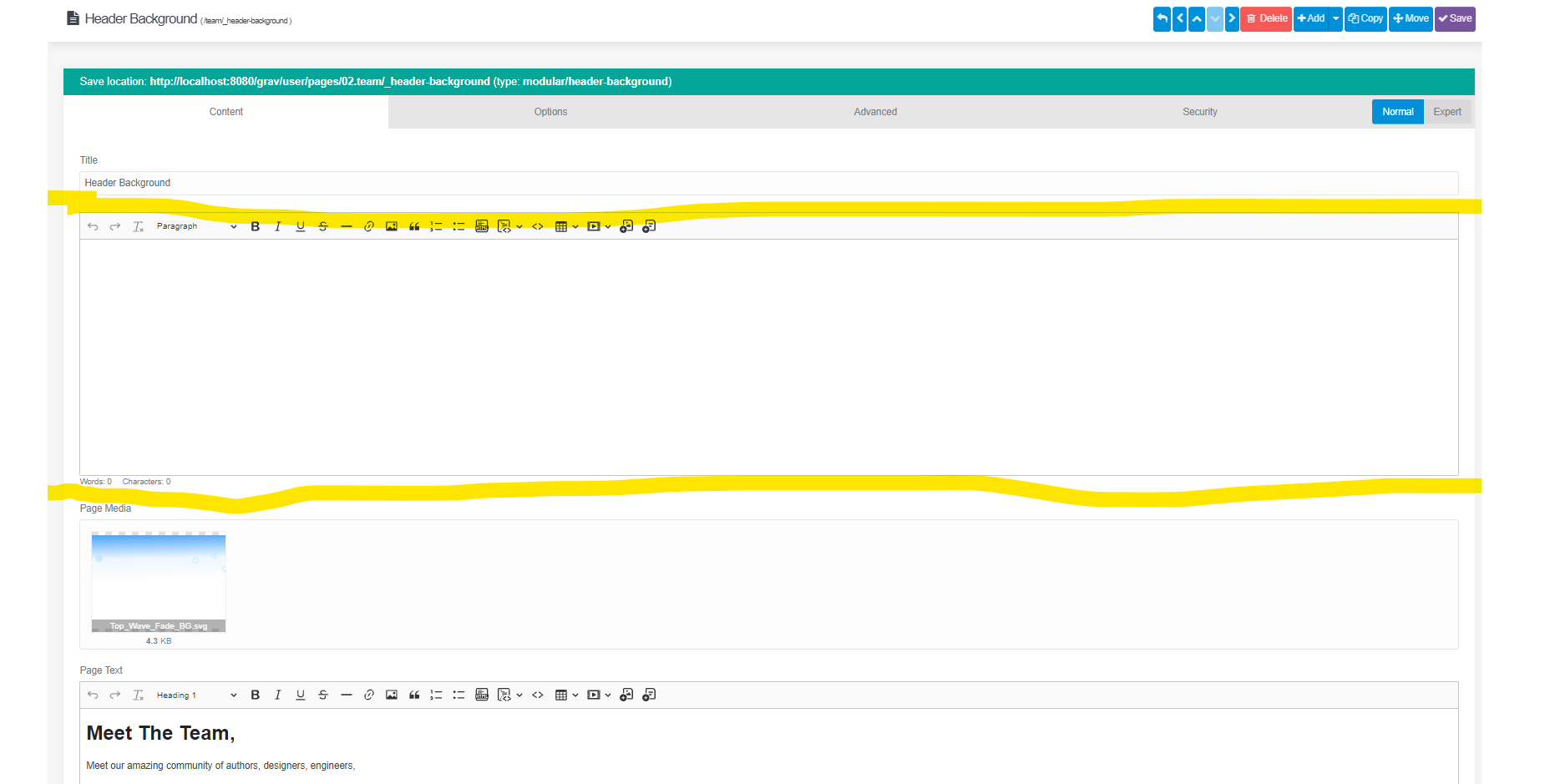
I'd love to remove it in my yaml blueprint somehow;
YAML
title: 'Text With Background'
'@extends':
    type: default

form:
  fields:
    tabs:
      type: tabs
      active: 1
      fields:
        content:
          fields:
            header.header_background_text:
              type: markdown
              label: 'Page Text'
              help: 'Optional, For if you want bold text at the top of the page'
            header.header_background_image:
              type: filepicker
              folder: '@self'
              preview_images: true
              label: 'Hero Background Image'
              help: 'This is the background image; its height is dynamic. But its width will always stretch across the entire page'
              accept:
                - .png
                - .jpg
                - .svg
            header.text_position:
              type: radio
              label: 'Text Position'
              help: 'Position The Text on the Page'
              default: center
              options:
                  left: Left
                  center: Center
                  right: Right