Skip to content
Grav 2.0 is officially stable. Read the announcement →

Community guidelines

Please keep discussions civil and on-topic. Repeated violations may lead to a temporary ban.

Support

Easiest way to modify a theme

Started by Hans Wurst 7 years ago · 4 replies · 898 views
7 years ago

Dear community,

I want to use grav for an education project and finally got it working, as I had issues with grav's usage of rewrite rules.

Now, I want to modifiy some basic aspects of a theme (font/background color). What is the easiest way to do this? The docs only give some info on changing the antimatter theme, plus it looks very complicated and I do not have time to dive into this. Is there a theme/plugin which lets you change those basic things easily?

Thanks in advance for your answers.
7 years ago

Generally, a lot of themes will let you edit a css/custom.css-file that persists across versions. For anything beyond that, it's recommended to create a child-theme. With a command or two in the terminal, it will only take a 0.2-1 minute to fill out the few questions it asks you about the child-theme before you have it working.

7 years ago

Thanks for your answer and excuse my late response.

I bascially need to modify three things:

  1. The font has to be changed to Verdana
  2. The background color has to be changed.
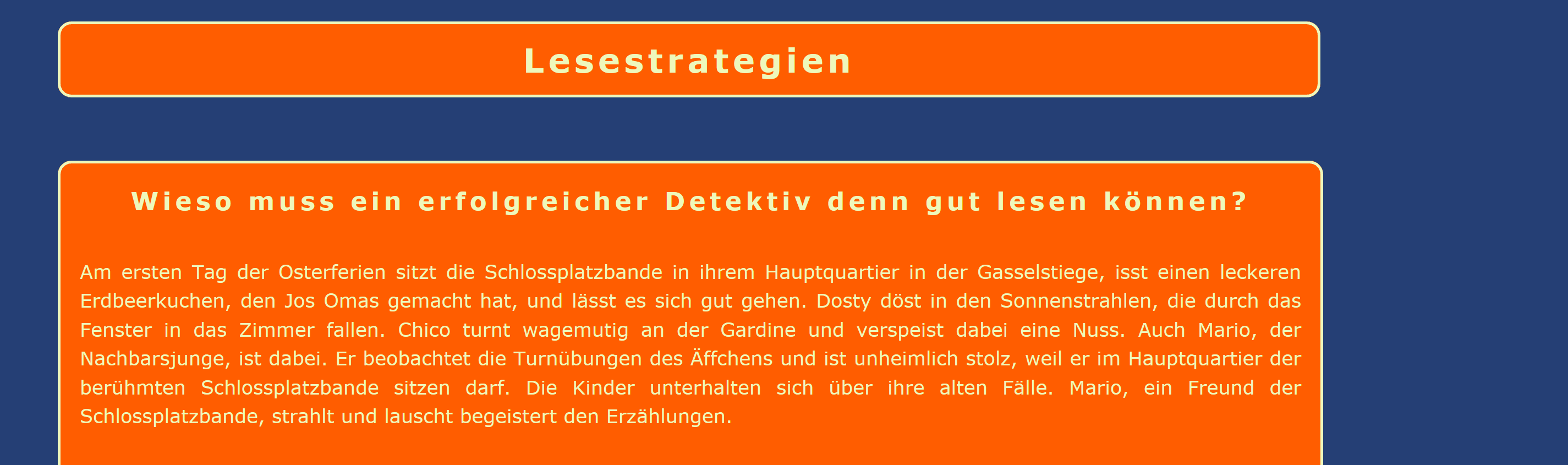
  3. Text appears in text frames with a filling color and border color

Here is a screenshot of the current layout:

grav|690x204

Can this be done with custom css or a child theme?

7 years ago

I see that no one has responded to your last post, so maybe I can help. I've made similar font-family and colour changes to a Grav theme using the custom.css option suggested by @OleVik. It works very well but if you change basic elements such as h1 or p, you might find the changes reflected elsewhere. For example, in menus, sidebars, etc. You might need to do some CSS tweaking to focus on just the parts you want to modify. Good luck!

7 years ago

Thanks for your answers, but the option which finally worked best for me was the installation of Gantry. After having installed it, I could do most of the changes I wanted to have in the admin panel. The font had to be added manually, but it worked as well.

Suggested topics

Topic Participants Replies Views Activity
Support · by Thomas, 1 week ago
2 53 9 hours ago
Support · by Anna, 3 days ago
2 59 12 hours ago
Support · by Justin Young, 13 hours ago
1 30 13 hours ago
Support · by Duc , 1 week ago
2 65 5 days ago
Support · by Colin Hume, 1 week ago
2 56 5 days ago