Skip to content
Grav 2.0 is officially stable. Read the announcement →

Community guidelines

Please keep discussions civil and on-topic. Repeated violations may lead to a temporary ban.

Support

FreshDesk plugin kills website

Solved by Matt View solution

Started by Matt 8 years ago · 16 replies · 1472 views
8 years ago

Hi,

I'm using Antimatter and i've recently installed FreshDesk plugin. However, it immediately kills my website and i can only see white pages. I've tried restarting the website host, but that didn't work.

Removing the plugin folder resolves this. Also, this has happened before for other plugins.

Please help

8 years ago

Could you provide more details? :) I see no errors in my installed version, what other plugins are these that you had the same issue with?

8 years ago

Hi

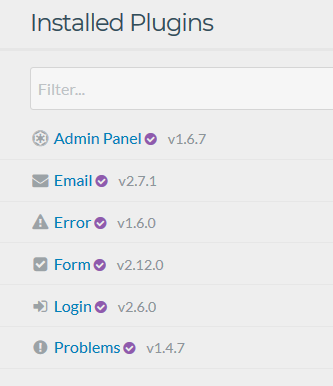
I've just tried a fresh install of the one page skeleton + admin installed. I installed FreshDesk then the screen went white. No errors. It's the same for the main screen and the admin.

image|333x386

It's a shame! Looking forward to that plugin!!

8 years ago

I cannot reproduce this at all, tried with multiple setups, multiple skeletons, none broke :taco:
What setup are you installing this on?

8 years ago

I've got this set-up on an Windows 2012 R2 server using IIS.

8 years ago

Hope this can be of any help to you :
/forum/archive/please-run-bin-grav-install-i-cannot-get-it-to-work-iis-8-on-w2012r2-srv-t2440

8 years ago

Hi - Gitbash works fine for me. Although, i usually install plugins via the admin portal?

8 years ago

So the install of the freshdesk plugin was a success installing through gitbash? I'm too unfamiliar with windows servers to say if it's cause of that, that you're not able to install it.. But my guess is, it is, cause on linux/mac I haven't had any issues

8 years ago

Yeah, it installs fine. Then i get an instant blank white page after i refresh it.

I'll keep trying.

8 years ago

Maybe there is a php.log / error.log which can show you the direction. ;-)

8 years ago

@chris_jung:
error.log

Can't find any logs for it 😦

It's just so weird. As soon as i remove Freshdesk from plugins folder, my website comes back to life immediately

8 years ago

When i remove freshdesk.php from the folder, the page loads. What in there is not compatible with my php settings?

I'm using IIS and i've installed PHP 7.1.7 via web platform installer. I've got 40 plugins working fine. Website performance is excellent.

8 years ago

Okay,

let's make some educated guesses:

Does admin still work?

Then move https://github.com/benface/grav-plugin-freshdesk/blob/master/freshdesk.php#L41 the the beginning of the function and check if it still does.

Perhaps https://github.com/benface/grav-plugin-freshdesk/blob/master/freshdesk.php#L6 may be the problem also, since the other uses should be pretty much the same in other plugins.

Besides: You should really find out how to get the PHP logs in this Environment. Since I'm 100% Linux, I can't really help you on that.

8 years ago

Hi,

Thanks for trying to help.

Admin does not work when enabled.

Apologies, i've taken a look at the highlighted lines, but i'm not sure what i do next? i've tried commenting them out to see if it loads the page, but it still doesn't.

I will try get the php logs working and copy them in here.

8 years ago Solution

I've managed to get it working. I had PHP 7.1 and 5.6 installed at the same time and the FastCGI was running from the 5.6 directory. Uninstalling that and making sure it runs under 7.1 fixed it. Well, it doesn't turn the whole website into a white page, but need to actually test the plugin later.

HOWEVER, since doing that, i've now lost my right handside scroll bar. /forum/support/unable-to-upgrade-to-grav-current-version-im-missing-the-right-hand-scrollbar-t2633

I fixed this previously by reverting back and then re-installing the latest version. Is this a bug or just an issue affecting my environment? It was never an issue before..

Also, since that my dashboard never fully loads

image|690x265

👍 1
8 years ago

Reverted back to older version and then re-upgraded. Fixed the problem. Not sure if this is a bug though.

Suggested topics

Topic Participants Replies Views Activity
Support · by Thomas, 1 week ago
2 51 8 hours ago
Support · by Anna, 2 days ago
2 58 10 hours ago
Support · by Justin Young, 11 hours ago
1 30 11 hours ago
Support · by Duc , 1 week ago
2 63 5 days ago
Support · by Colin Hume, 1 week ago
2 55 5 days ago