Skip to content
Grav 2.0 is officially stable. Read the announcement →
Support

How to setup backups in admin2?

admin

Solved by BenLaKnet View solution

Started by BenLaKnet 3 weeks ago · 15 replies · 345 views
3 weeks ago

In the Grav admin v1.7.53, we could modify the backup settings. I can't find that feature in Admin 2.

I had problems with user rules for using admin2, is this another issue for my admin.yaml?

access:

site:

TXT
login: true

admin:

YAML
login: true

super: true

api:

YAML
login: true

super: true
last edited 06/30/26 by BenLaKnet
3 weeks ago

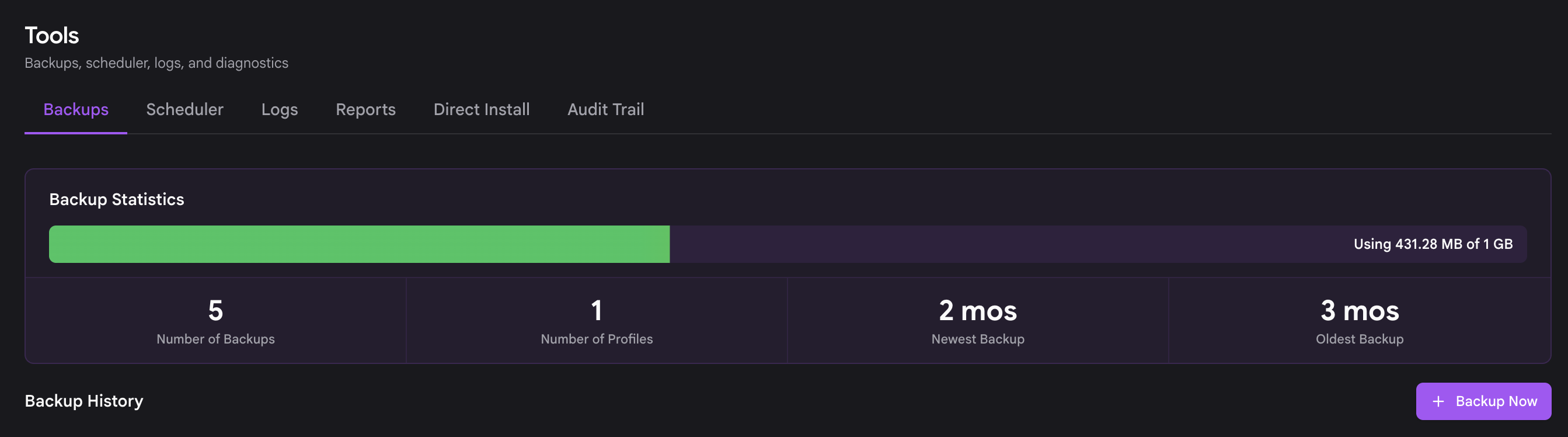
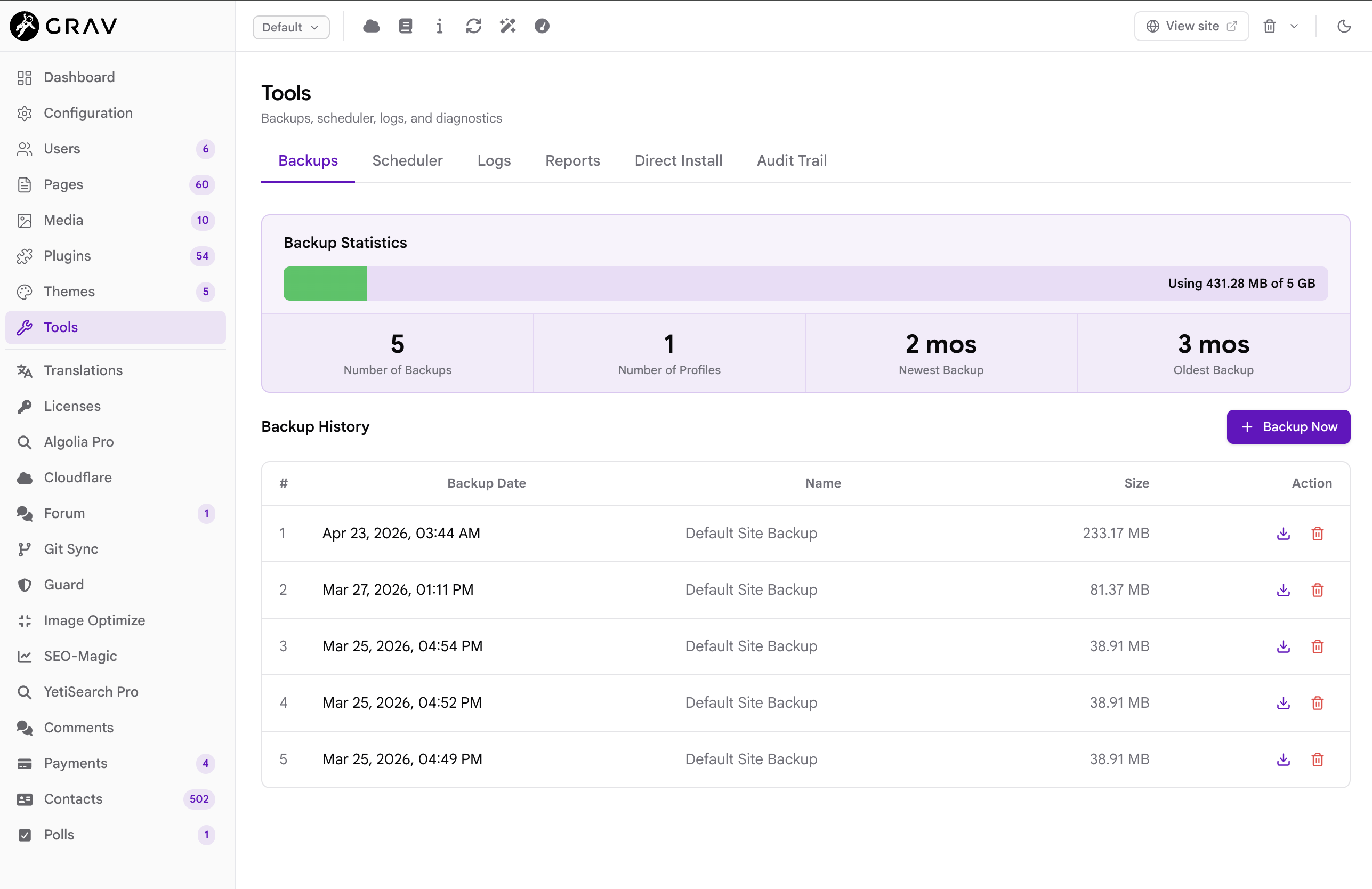
Under the Tools, you can find the backups just like in admin-classic:

CleanShot 2026-06-29 at 21.02.472x.png

And under scheduler to set it up as a job:

CleanShot 2026-06-29 at 21.04.022x.png

👍 1
3 weeks ago

Many thanks for your answer.

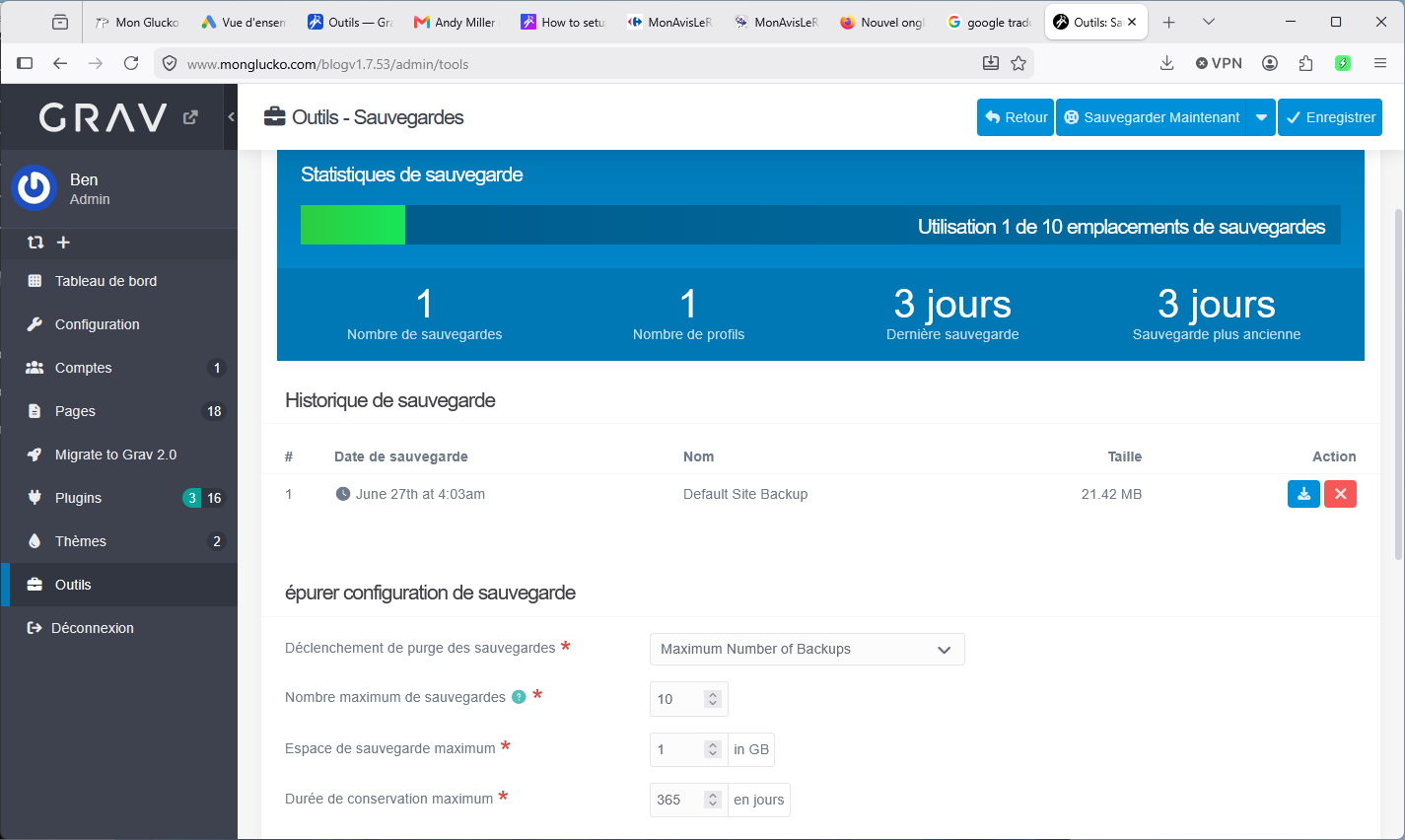
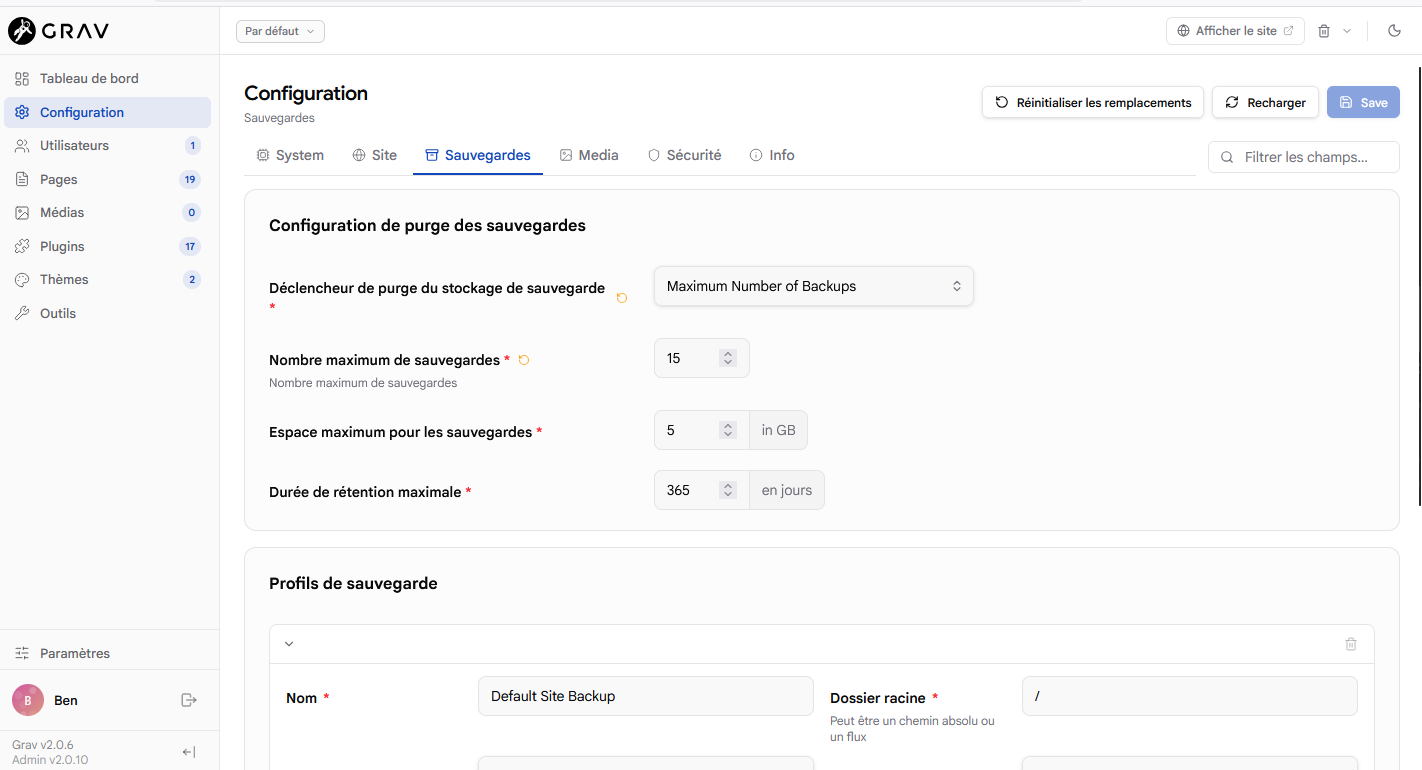
I do not want to make a cron job, I would like to know how to adjust the number of backups, just like in the previous version.
If that isn't available yet, I can wait.
Or is there an issue with my admin permissions?

sauvegardeconfig.png

last edited 06/30/26 by BenLaKnet
3 weeks ago

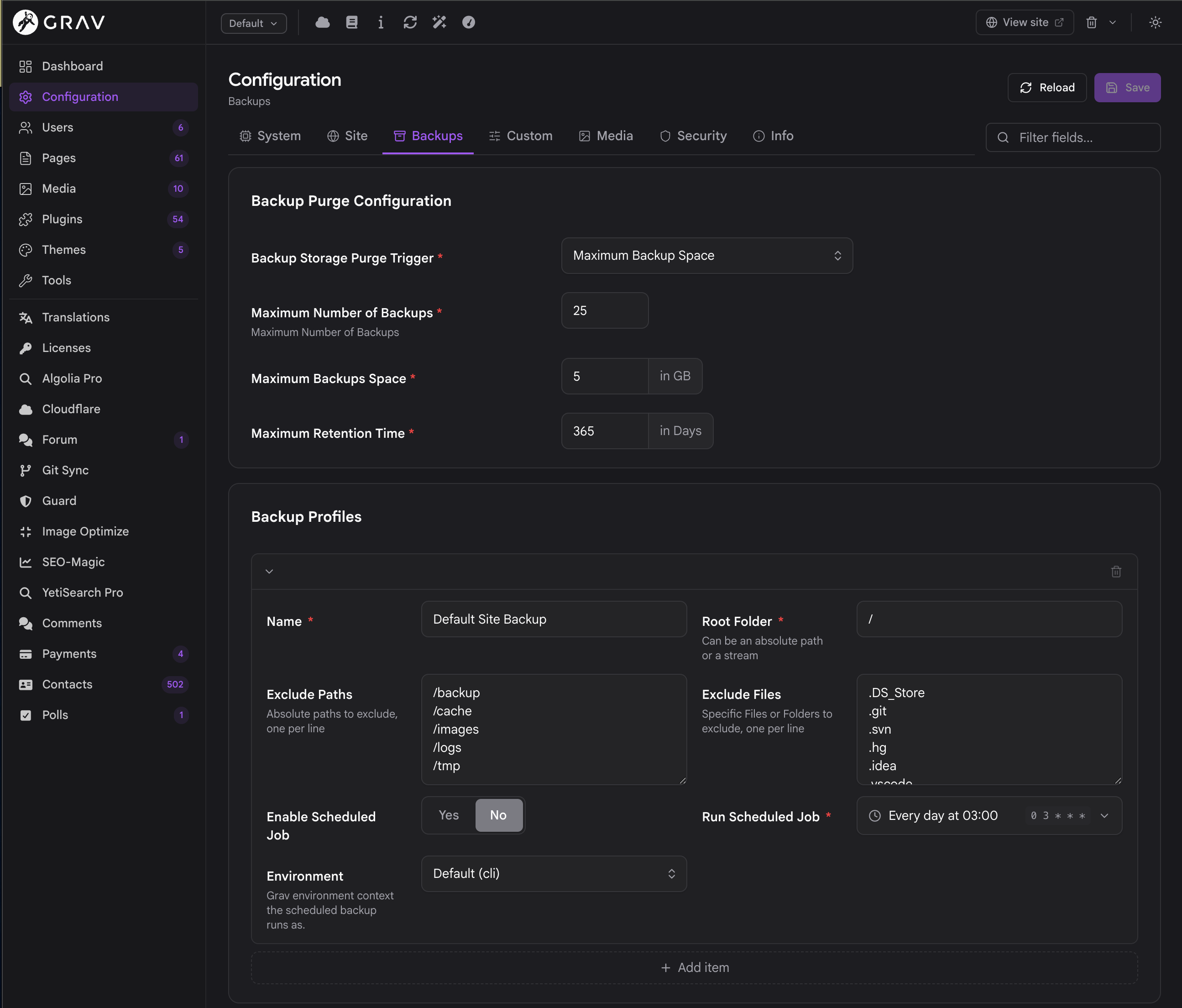
yes this was removed from the tools -> backup, and was missing in the main config. This has been added to the main configuration section for next release of admin2.

👍 1
3 weeks ago

Should be available now in the latest Grav2/API/Admin2 updates.

👍 1
3 weeks ago

I just updated to 2.0.10 and I don't see that part.

(Grav 2.0.6)

3 weeks ago

CleanShot 2026-06-30 at 20.58.532x.png

👍 1
3 weeks ago

No problem. You found a genuine thing I completely missed when rewriting the admin!

😄 1
3 weeks ago

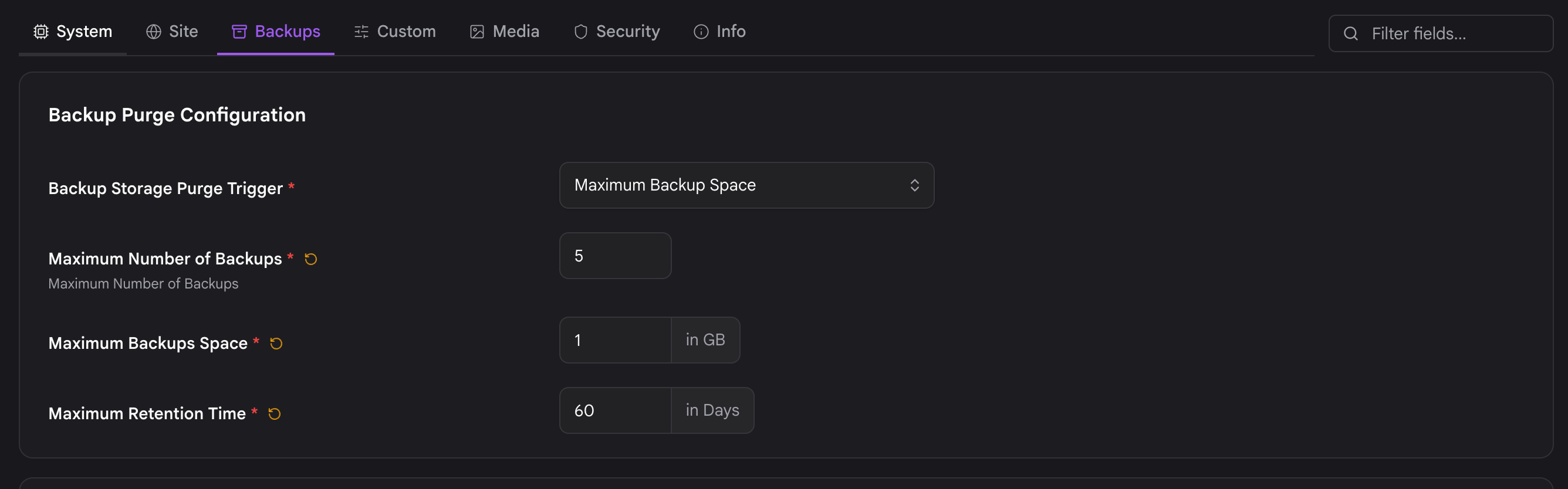
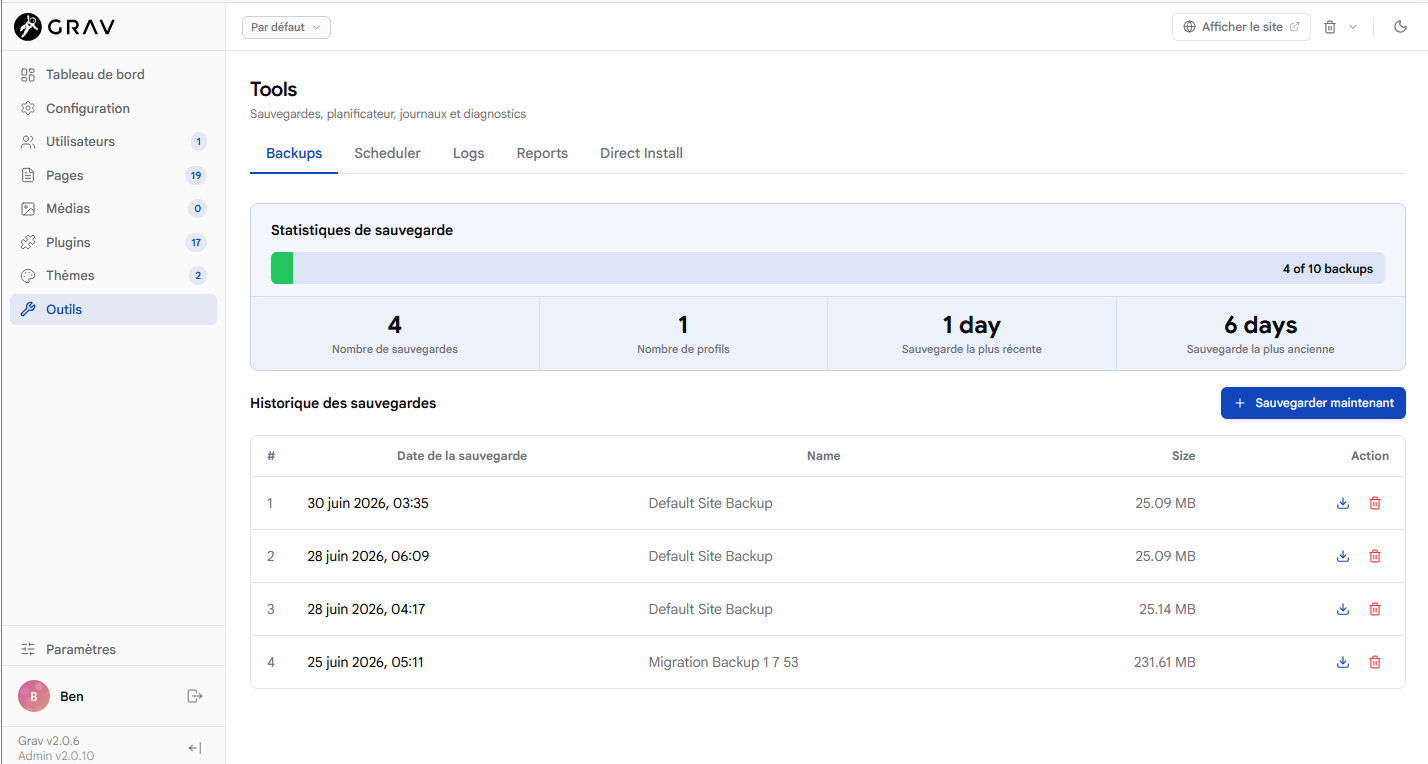
When I update the values, it doesn't interact with "tools" part.

3 weeks ago

hmm.. will investigate

3 weeks ago

CleanShot 2026-06-30 at 21.23.372x.png

CleanShot 2026-06-30 at 21.23.532x.png

That looks like it's syncronized.. although i'm not seeing the 'backup' job added to the scheduler.. i'm looking at that now.. What are you not seeing syncing up?
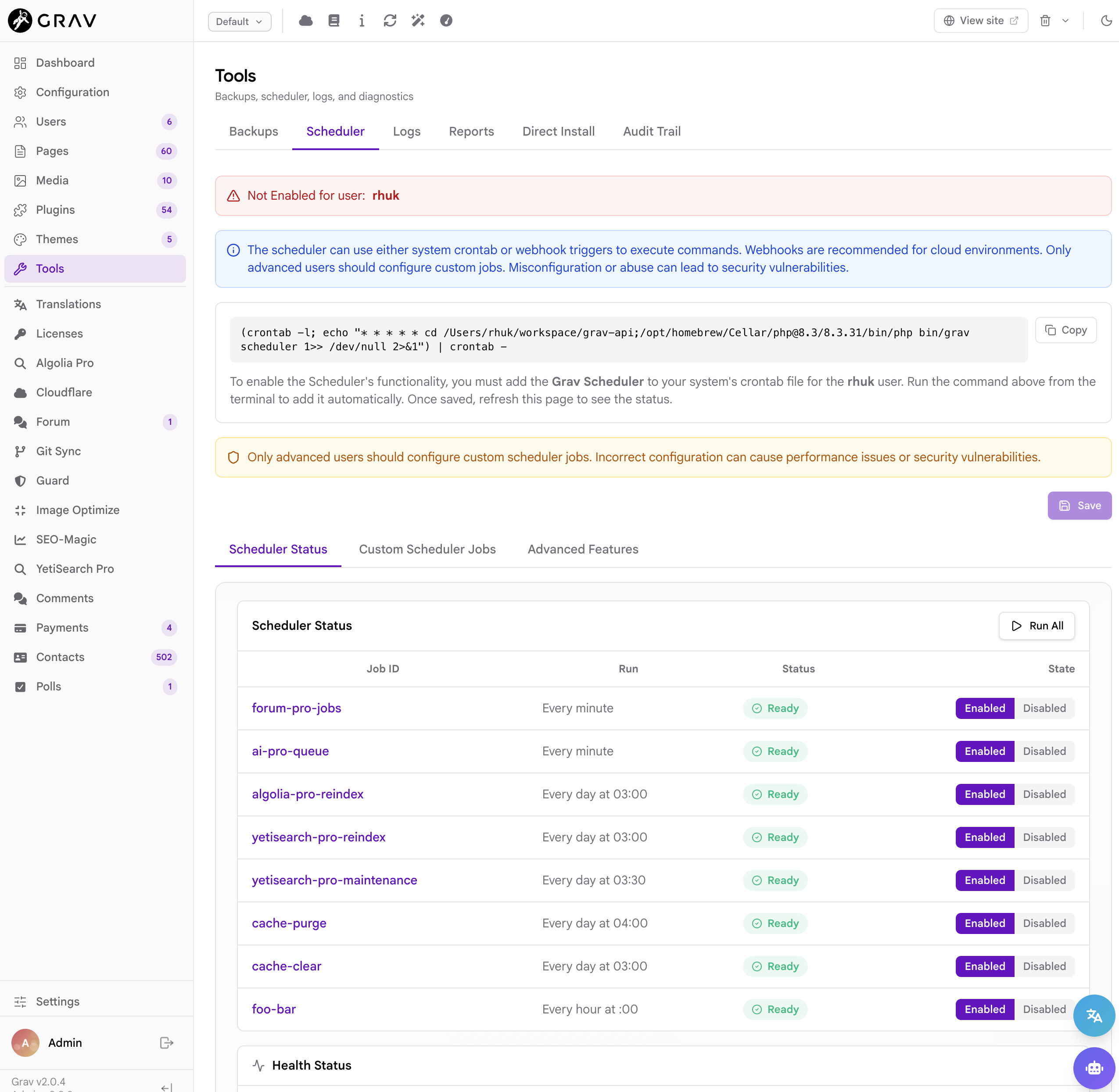
3 weeks ago

File is correctly updated: blog/user/config/backup.yaml

but I do not know why it is not corresponding with "tools".

sauvegardeconfig2.pngsauvegardeoutils.png

last edited 07/01/26 by BenLaKnet
3 weeks ago

Strange, for me it totally syncs.. Make sure your backup settings are saved though.

3 weeks ago Solution

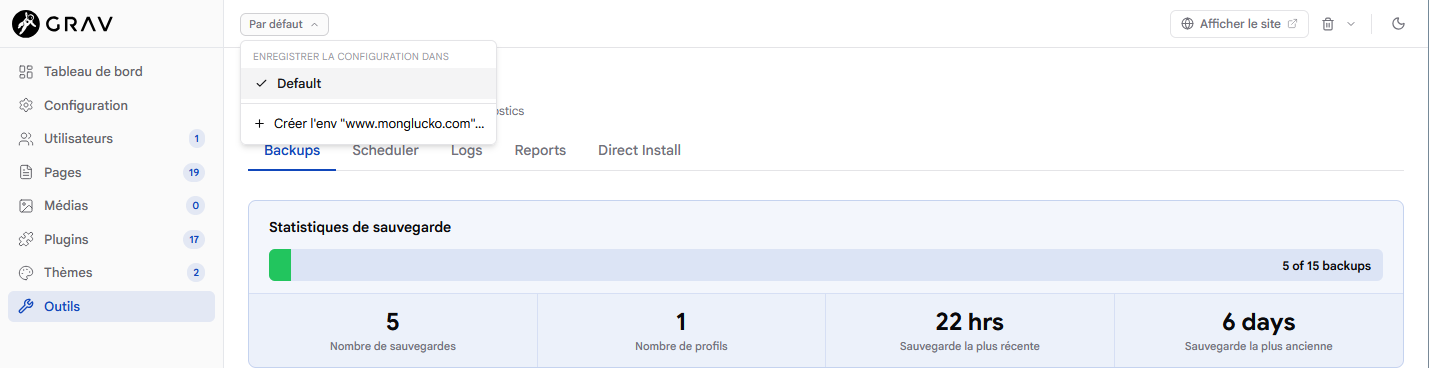
@rhuk , I found old configuration with dev ip and my site name url in "enregistrer la configuration dans".

I deleted this folders and it is running very well:

sauvegarde_environnement.png

👍 1

Suggested topics

Topic Participants Replies Views Activity
Support · by Anna, 8 hours ago
1 16 3 hours ago
Support · by TomW, 5 hours ago
1 20 5 hours ago
Support · by Anna, 3 days ago
7 95 8 hours ago
Support · by Anna, 3 days ago
5 102 8 hours ago
Support · by stuart young, 3 days ago
2 72 2 days ago