New to Grav but familiar with HTML/CSS/JS.
Tried insert an image into the page:
TXT

The image displays correctly but also displayed as the background image of that particular page, which is not my intention.
Any hints?
Solved by pamtbaau View solution
New to Grav but familiar with HTML/CSS/JS.
Tried insert an image into the page:

The image displays correctly but also displayed as the background image of that particular page, which is not my intention.
Any hints?
@taylorren, That's quite odd...
No answers, only questions:
Thanks for the reply. Answers below:
See a screenshot below.
Source code inspection, 2 occurences of the referenced jpg file:
    <section id="blog-hero" class="section modular-hero hero " style="background-image: url('/user/pages/03.rsywxmmj/avatar.jpg');">
    ...
    <p><img alt="我的照片" src="[/user/pages/03.rsywxmmj/avatar.jpg](http://wiki/user/pages/03.rsywxmmj/avatar.jpg)" /></p>
The <p>...</p> corresponds to my page content but the section part is auto generated, I believe!
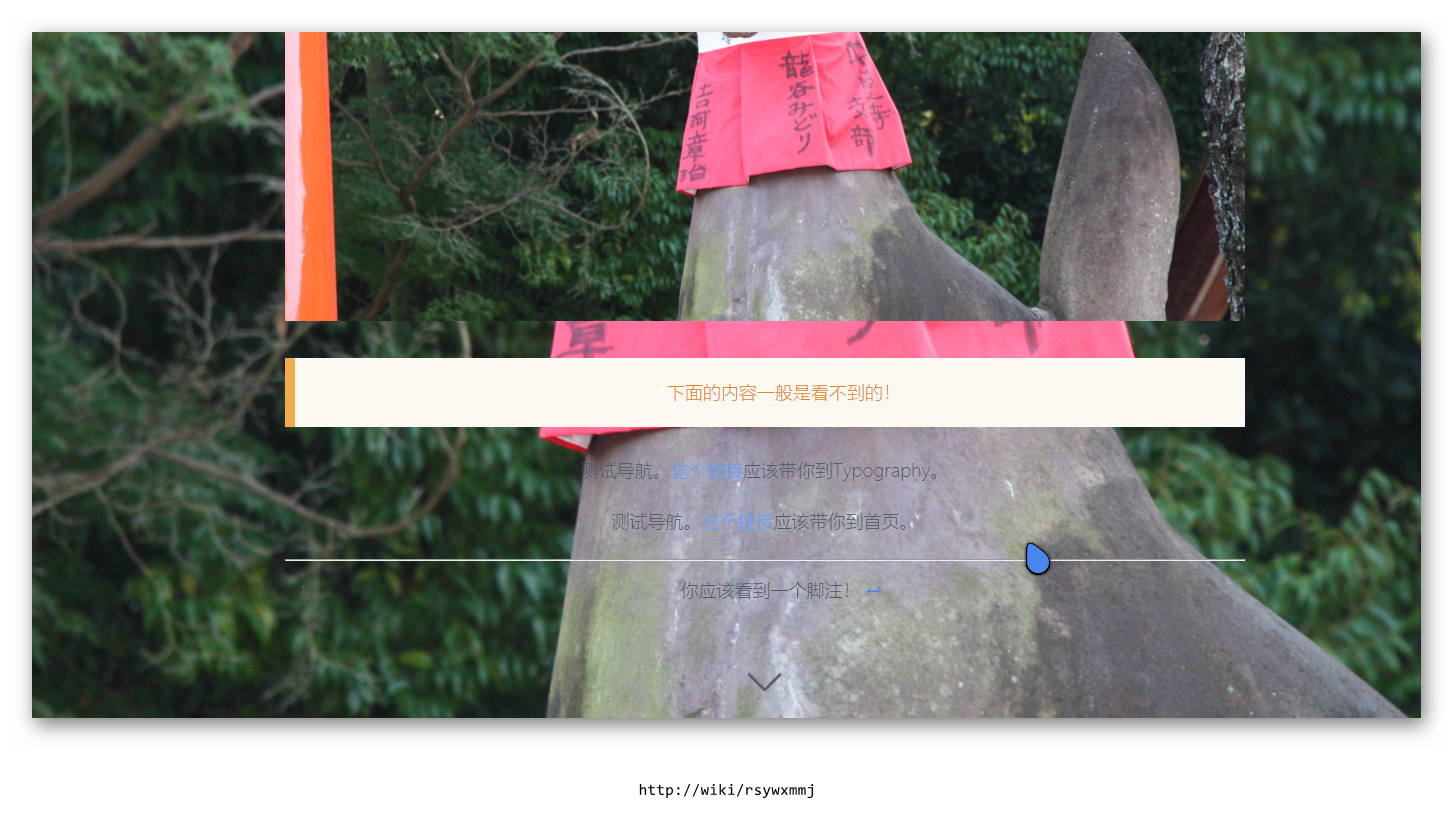
I see the problem now. The configuration of that theme says:
If you did not specify a Hero image, it will use the first image found in the page folder... So I guess this question should be addressed to the author on how to disable it.
@taylorren, No need to ask the devs, this can be done by yourself. Overriding templates is a common practice in Grav to adapt the layout to ones own needs.
{% set blog_image = page.media.images[page.header.hero_image] %}
{% if blog_image %}
{% include 'partials/hero.html.twig' with {id: 'blog-hero', content: page.content, hero_image: blog_image} %}
{% endif %}
Hope this helps...
NB. If it works, you might want to close the issue on github.
Thanks. I can do that. Close this one.
Log in to reply.
| Topic | Participants | Replies | Views | Activity |
|---|---|---|---|---|
| 6 | 143 | 18 hours ago | ||
| 2 | 101 | 3 days ago | ||
| 0 | 53 | 3 days ago | ||
| 2 | 94 | 3 days ago | ||
| 1 | 144 | 4 days ago |