Skip to content
Grav 2.0 is officially stable. Read the announcement →

Community guidelines

Please keep discussions civil and on-topic. Repeated violations may lead to a temporary ban.

Support

Lost image after filtering

Started by Stanislav 9 years ago · 2 replies · 680 views
9 years ago

Hi. Has a parent page Sites. It contains child pages site_item (no modular). When loading the parent page everything is fine
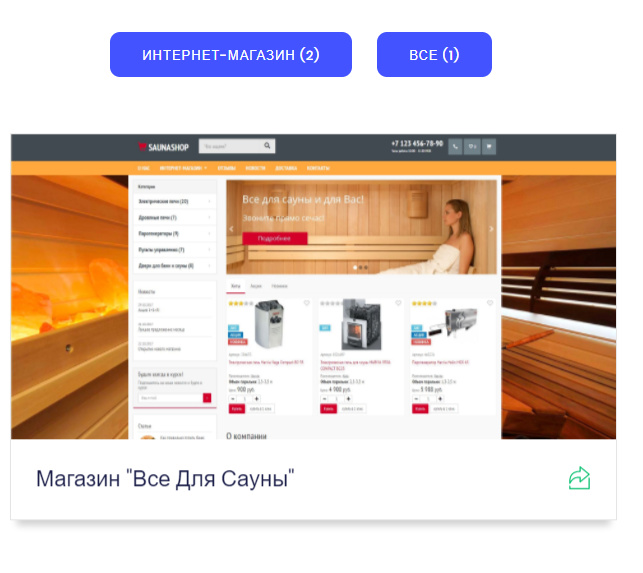
3792732221|561x500

But after filtering by category (top button), filtration occurs, but missing images.
2749284|648x433
As you can see, the title of the picture is visible (small letters).
Ie link in the html code there, but the kart is not being rendered!
Why is this possible?
Below is my code. Very long suffered, to display images from child pages added using blueprints.

TWIG
                  {% for p in page.collection %}
                    <div class="collection-item-2 w-dyn-item w-col w-col-4">
                      <a class="project-wrapper style-2 add-shadow w-inline-block" href="{{ p.url }}">
                       <div>

                    {% for thumb_image in p.header.content.thumb %}
                          <img src="{{ thumb_image.path }}" alt="{{ p.title }}" title="{{ p.title }}">
                    {% endfor %}

                    </div>
                    <div class="project-content">
                      <h5 class="project-type"></h5>
                      <h3 class="project-title">{{ p.title }}</h3>
                    </div>
                    <div class="arrow-bottom uper"></div>
                  </a>
                </div>
              {% endfor %}

Tried to get a picture adaptive, but does not work:

TWIG
                    {% for thumb_image in p.header.content.thumb %}
                      {{ p.media[thumb_image.name].derivatives(500,1600,300).sizes('(max-width: 479px) 87vw, (max-width: 767px) 92vw, (max-width: 991px) 94vw, 86vw').html(page.title, page.title) }}
                    {% endfor %}

{{ dump(thumb_image) }}

TXT
array:4 [
"name" =&gt; "sauna1-thumb.jpg"
"type" =&gt; "image/jpeg"
"size" =&gt; 198944
"path" =&gt; "user/themes/my/images/content/sauna1-thumb.jpg"
]
last edited 12/19/17 by Stanislav
9 years ago

As I understand it, the goal is to get the parent page the data from .yaml child pages.
In this case, you need to bring thumbnail pictures from the field:

YAML
        header.content.thumb:
          type: file
          label: Превью
          destination: 'theme@:/images/content'
          accept:
            - image/*

And to do it right. If at all possible? I see a lot of limitations in Grav, regarding the use of content on other pages.

9 years ago

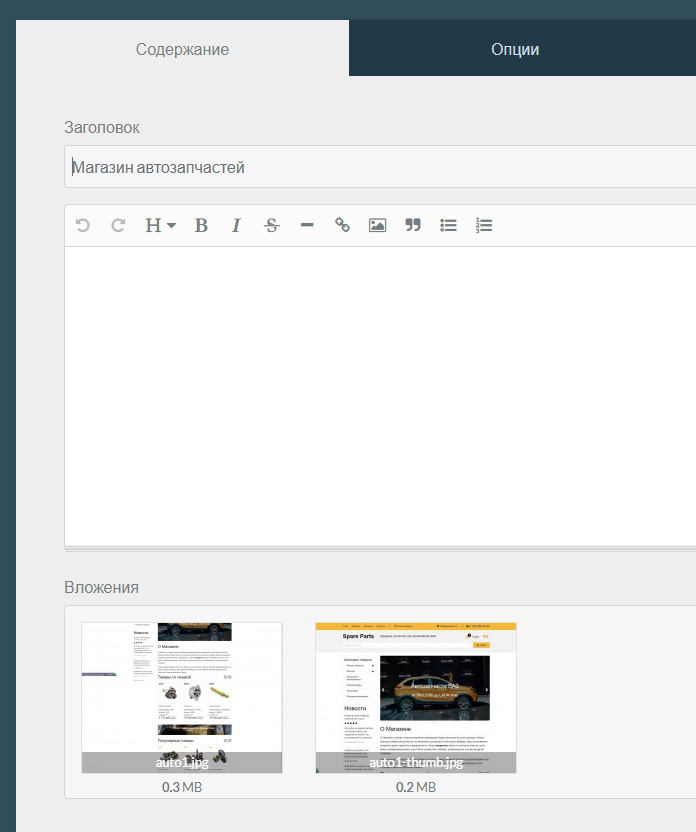
So solved the problem. If the images of the blueprints can not be a taxonomy, you need to use the main field for the images:
380298745|418x500

In this case, the first image is the main image, the second is the thumbnail.
Code output thumbnail images from the child page like this:

TWIG
                  {% for p in page.collection %}
                   <div class="collection-item-2 w-dyn-item w-col w-col-4">
                     <a class="project-wrapper style-2 add-shadow w-inline-block" href="{{ p.url }}">
                    <div>
                    {% for image in p.media.images[1:] %}

                        {{ image.derivatives(500,1600,300).sizes('(max-width: 479px) 91vw, (max-width: 767px) 95vw, (max-width: 991px) 47vw, 30vw)').html(page.title, page.title) }}

                    {% endfor %}

                    </div>
                    <div class="project-content">
                      <h5 class="project-type"></h5>
                      <h3 class="project-title">{{ p.title }}</h3>
                    </div>
                    <div class="arrow-bottom uper"></div>
                  </a>
                </div>
              {% endfor %}

Code output the main picture to show on a child page after clicking the link:

TWIG
          {% for image_full in page.media.images[:1] %}

             {{ image_full.derivatives(500,1600,300).sizes('(max-width: 479px) 87vw, (max-width: 767px) 92vw, (max-width: 991px) 94vw, 86vw').html(page.title, page.title) }}

          {% endfor %}

And filtering works and the code is simple. But I'm still not satisfied with the output images from custom fields. Anyone have any thoughts on this?

Suggested topics

Topic Participants Replies Views Activity
Support · by Thomas, 1 week ago
2 53 9 hours ago
Support · by Anna, 3 days ago
2 59 12 hours ago
Support · by Justin Young, 13 hours ago
1 30 13 hours ago
Support · by Duc , 1 week ago
2 65 5 days ago
Support · by Colin Hume, 1 week ago
2 56 5 days ago