Skip to content
Grav 2.0 is officially stable. Read the announcement →

Community guidelines

Please keep discussions civil and on-topic. Repeated violations may lead to a temporary ban.

Support

Quark Theme: I can't change the desktop language

Solved by pamtbaau View solution

Started by Iñigo 5 years ago · 4 replies · 516 views
5 years ago

I have tried everything, and I cannot change the language to Spanish, within my Desktop...
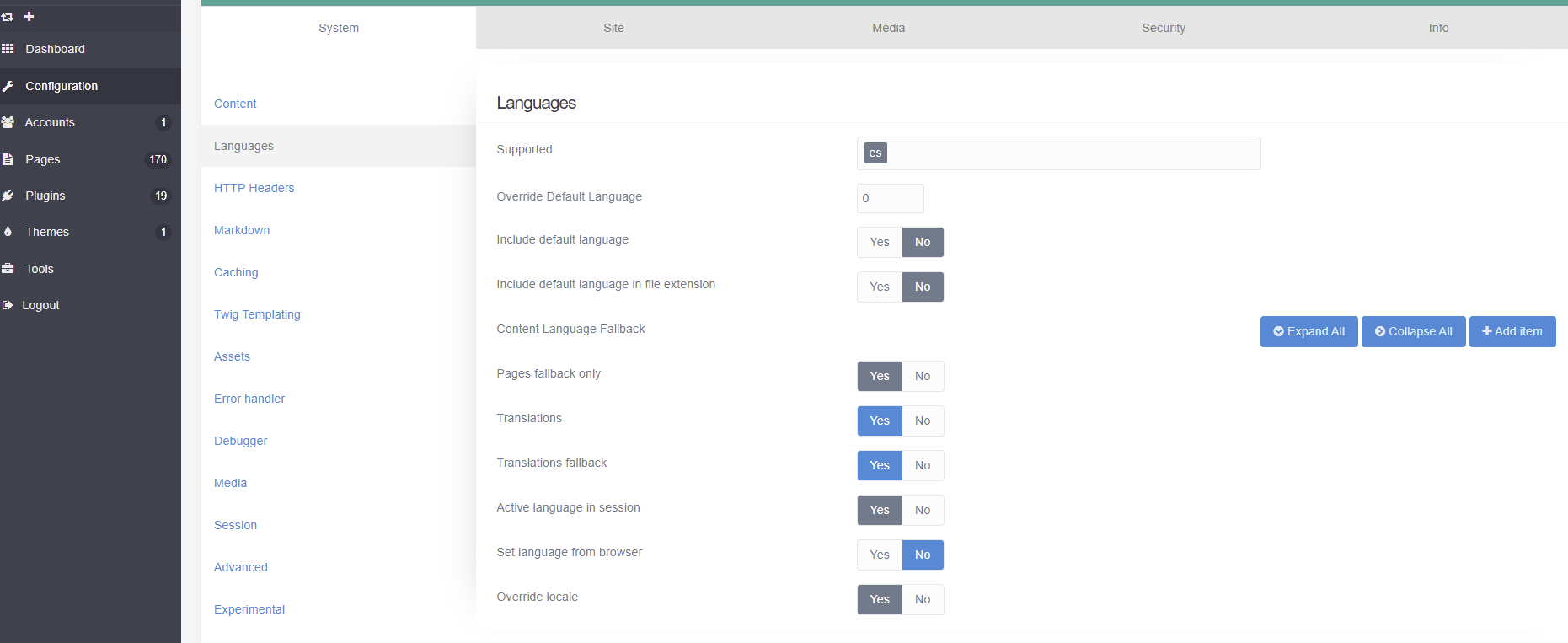
1|690x282

Esta es mi configuración dentro de user\config\system.yaml

languages:
supported:

  • es
    default_lang: false
    include_default_lang: false
    include_default_lang_file_extension: false
    translations: true
    translations_fallback: true
    session_store_active: true
    http_accept_language: false
    override_locale: true
    pages_fallback_only: true
    What am I doing wrong?

Thank you

5 years ago

@montty, Please be advised that the lingua franca on this forum is English. You might consider updating your question accordingly allowing everyone to read it.

I cannot change the language to Spanish, within my Desktop…

What does Desktop mean? Do you perhaps mean the language of the UI of plugin Admin?

Please also embed code snippets (system.yaml) properly inside triple backticks (```). We cannot see now if there is any formatting issue with the snippet you show.

<pre>

YAML
languages:
   supported:
      - es

</pre>

YAML
languages:
  supported:
    - es
5 years ago

Sorry I thought I had written it all in English...

I mean change the language of the Dashboard.

I have tried with the settings above, but it won't let me.

Then inside my system.yaml file...

I have the following configured:

languages:
supported:

  • es
    default_lang: false
    include_default_lang: false
    include_default_lang_file_extension: false
    translations: true
    translations_fallback: true
    session_store_active: true
    http_accept_language: false
    override_locale: true
    pages_fallback_only: true

I don't know what parameter is wrong...

Let's see if you can help me...

Thank you very much!

5 years ago Solution

@montty, Again, please don't use the blockquote option, but embed code snippets using triple backticks (```)....

The settings in system.yaml:languages are for multilingual Grav and not for Admin.
The language for the UI of Admin should be set in Admin at the config of the User. Click on the username in the upper left corner and then choose the desired language.

5 years ago

Thank you so much for everything!

And sorry for putting blockquote. Next time I'll put it right! ☺️

Suggested topics

Topic Participants Replies Views Activity
Support · by Thomas, 1 week ago
2 52 8 hours ago
Support · by Anna, 3 days ago
2 59 11 hours ago
Support · by Justin Young, 12 hours ago
1 30 12 hours ago
Support · by Duc , 1 week ago
2 65 5 days ago
Support · by Colin Hume, 1 week ago
2 56 5 days ago