Skip to content
Grav 2.0 is officially stable. Read the announcement →

Community guidelines

Please keep discussions civil and on-topic. Repeated violations may lead to a temporary ban.

Support

Route rewrite aliases

Solved by Spam Hater View solution

Started by Junillon 5 years ago · 5 replies · 757 views
5 years ago

Hi all

I'm actually stucked on a rewrite problem.
here is my problem :
RewriteRule ^fr-blog-(.)-article-(.).htm$ fr?blog=$1&article=$2 [QSA]

Basically, I though that I could insert it in .htaccess witch is in fact the right place.
But...
After enabled tracing in apache rewrite, I can see the rule passe correctly and then all other rules from grav, transform it and I finally loose mine.
I tryed different place in .ht, I copy/past the result from the log directly in url to ensure it was correct, and it was.

So I guess I could not use short url rewriting wit mod_rewrite. And then, I found route, aliases etc. config in the .md.
But I confess, I did not manage to make it work :( I did not even understand how I could transform my wich in routes/default/canonical/aliases and so on... (reading the doc of course)

If anybody has a little idea or even better, some examples (! 😋 ) I take it 😃
Thanks in advance

5 years ago

Hi @Francois
Will try and help you out if I can .

So you want your link of

Which then links to the grav page of
http://localhost.dev/blog/1/article/2/

Two ways of doing this will be through routes or redirects.

I have tested the routes way
Dont worry about the .htacess, you better off doing adding a route / redirect to the users site.yaml file, which is done by editing the

TXT
/user
└── /config
       |──/site.yaml

adding the line

TXT
routes:
   /fr.blog-(.)-article-(.).htm: 'blog/$1/article/$2'

Will take your link of http://localhost.dev/fr.blog-2-article-1.htm to display the logical page of http://localhost.dev/blog/2/article/1/ and displays the page item.md as a item.html.twig format

This would then use the below structure (even though it did feel messy when I was creating / testing it)

I used the default.md to capture if someone who tries to access directly by using part of the url.

Your page / folder layout would be something like this

TXT
/user
└── /pages
       |──/03.blog
           ├── blog
           ├── blog/ default.md
                    |── /1/
                    |── /article/ default.md
                         |── /1/ item.md
                         |    ├── /2/ item.md
                         |── /2/
                         ├── /article/ default.md
                               |── /1/ item.md
                               |── /2/ item.md

I am sure there is a better way (in organisation and structurally) but it will get you going.
You will have to work out, how you want to trap errors / partial links, but you can add a whole set of routes, basically following grav regex expression engine.

You do need to consider the impact on SEO with a structure like this, but if it is to replica an existing site and the presence is already doing well, then it will be a (of many) solutions

HTH
image|690x373

last edited 05/19/21 by Spam Hater
5 years ago

OK ! thanks a lot for answering.

Actually, I did not manage to make it work with your example, but... you gave me clues, and that's a lot.
Now I've to dig into debug and I'll come back later to give my solution (because I'm sure I'll find it now !)
thanks again !

5 years ago

maybe start of with a simplier example to get working

create your blog section in your pages section 99.blog
create a page with a default item, to give you a result if you request a blog of the menu http://localhost.dev/blog/

Then create a couple of subfolder under the 99.blog in the pages
call it 1
...
/user/pages/99.blog/1/default.md
/user/pages/99.blog/2/default.md
...

you page can just have a bit of content to say article 1 or article 2 repsectively

Test if you can access http://localhost.dev/blog/ and http://localhost.dev/blog/1/ and http://localhost/blog/2/

if so then add a test route in the /users/config/site.yaml file
...
routes:
/testing-(.).htm: '/blog/$1'
...

then you can test with the route of http://localhost.dev/testing-1.htm and http://localhost.dev/testing-2.htm

This should display each article. I can if I have still got the example I set up and zip the files for you to play with. I will set it up to work with quark theme, or do you a custom theme, so I can use the blog correct templates.

Hope that will speed up thing with an working example.
:)

👍 1
5 years ago Solution

@Francois Well that was a bit more trouble than it was worth lol

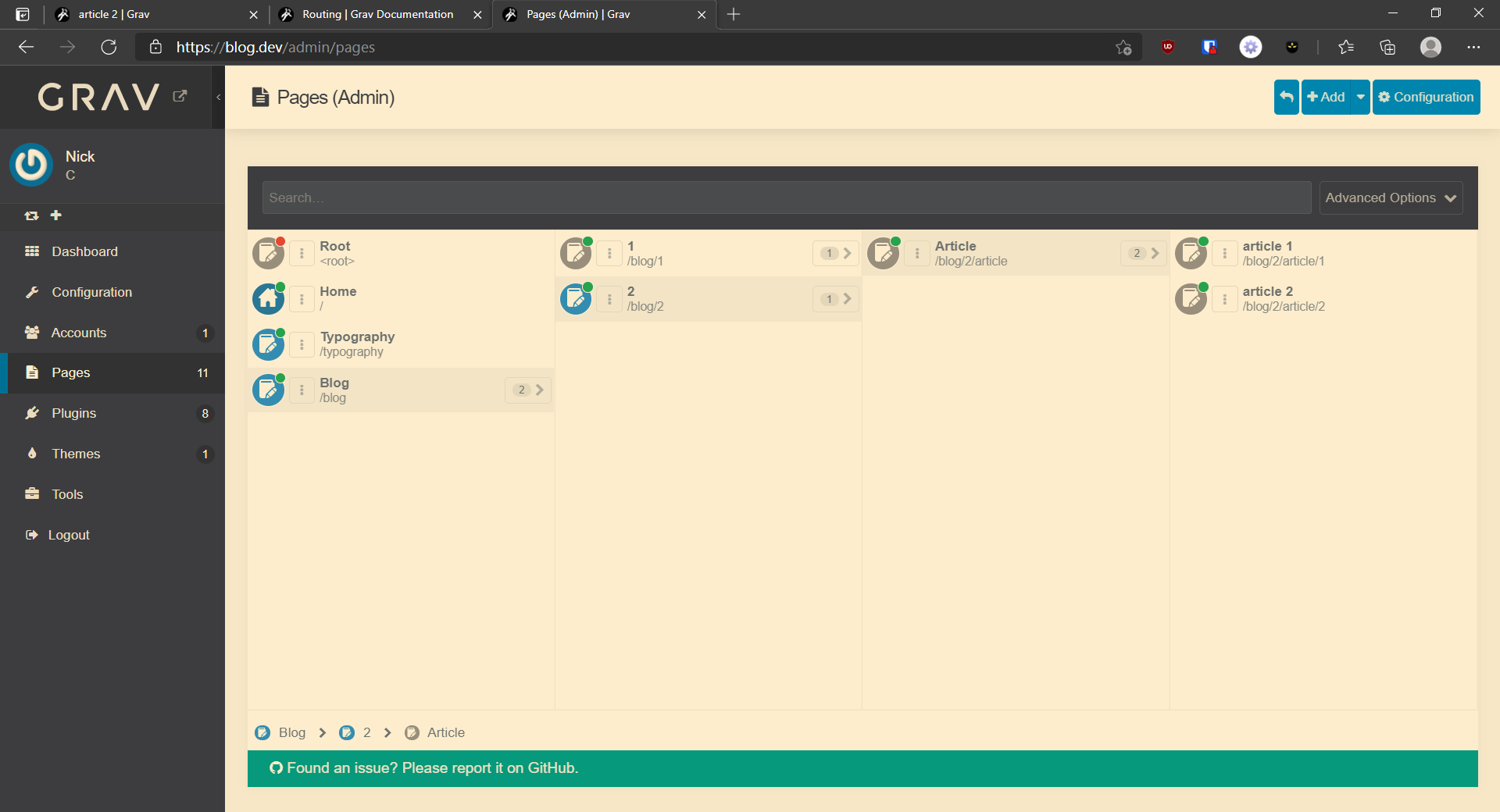
I have had to eat my own hat, due to originally creating the article and the previous answer using non-gui admin, I kind of broke grav, due to the structure.

After a bit of a chat with Ricardo, we found that grav doesnt like it when you name a folder with a number ie 1...2....etc

You can manually create the text files, but the GUI / admin page editor wont allow you to edit them or save due to it the foldername being a number.

Also folders which use a number prefix enabled are limtted to 99 per directory
To overcome this you need to prefix a directory with a alphacharacters and then your numbering system so directory 1, needs to be blog-1 , blog-2 etc

So the finally lay was like this

TWIG
\---user
    +---config
    |       site.yaml
    |       
    +---pages
    |   +---99.blog
    |   |   |   blog.md
    |   |   |   
    |   |   +---blog-1
    |   |   |   |   blog.md
    |   |   |   |   
    |   |   |   +---article-1
    |   |   |   |       item.md
    |   |   |   |       
    |   |   |   +---article-2
    |   |   |   |       item.md
    |   |   |   |       
    |   |   |   +---article-3
    |   |   |   |       item.md
    |   |   |   |       
    |   |   |   \---article-4
    |   |   |           item.md
    |   |   |           
    |   |   +---blog-2
    |   |   |   |   blog.md
    |   |   |   |   
    |   |   |   +---article-1
    |   |   |   |       item.md
    |   |   |   |       
    |   |   |   +---article-2
    |   |   |   |       default.md
    |   |   |   |       item.md
    |   |   |   |       
    |   |   |   +---article-3
    |   |   |   |       default.md
    |   |   |   |       item.md
    |   |   |   |       
    |   |   |   \---article-4
    |   |   |           item.md
    |   |   |           
    |   |   \---blog-3
    |   |       |   blog.md
    |   |       |   mountain.jpg
    |   |       |   
    |   |       +---classic-modern-architecture
    |   |       |       item.md
    |   |       |       unsplash-luca-bravo.jpg
    |   |       |       
    |   |       +---daring-fireball-link
    |   |       |       item.md
    |   |       |       
    |   |       +---focus-and-blur
    |   |       |       item.md
    |   |       |       unsplash-focus.jpg
    |   |       |       
    |   |       +---hero-classes
    |   |       |       item.md
    |   |       |       unsplash-overcast-mountains.jpg
    |   |       |       
    |   |       +---london-at-night
    |   |       |       item.md
    |   |       |       unsplash-london-night.jpg
    |   |       |       unsplash-xbrunel-johnson.jpg
    |   |       |       
    |   |       +---random-thoughts
    |   |       |       item.md
    |   |       |       
    |   |       +---text-typography
    |   |       |       item.md
    |   |       |       unsplash-text.jpg
    |   |       |       
    |   |       \---the-urban-jungle
    |   |               item.md
    |   |               unsplash-sidney-perry.jpg
    |   |               
    |   \---modules
    |       |   default.md
    |       |   
    |       \---sidebar
    |               default.md
    \---themes
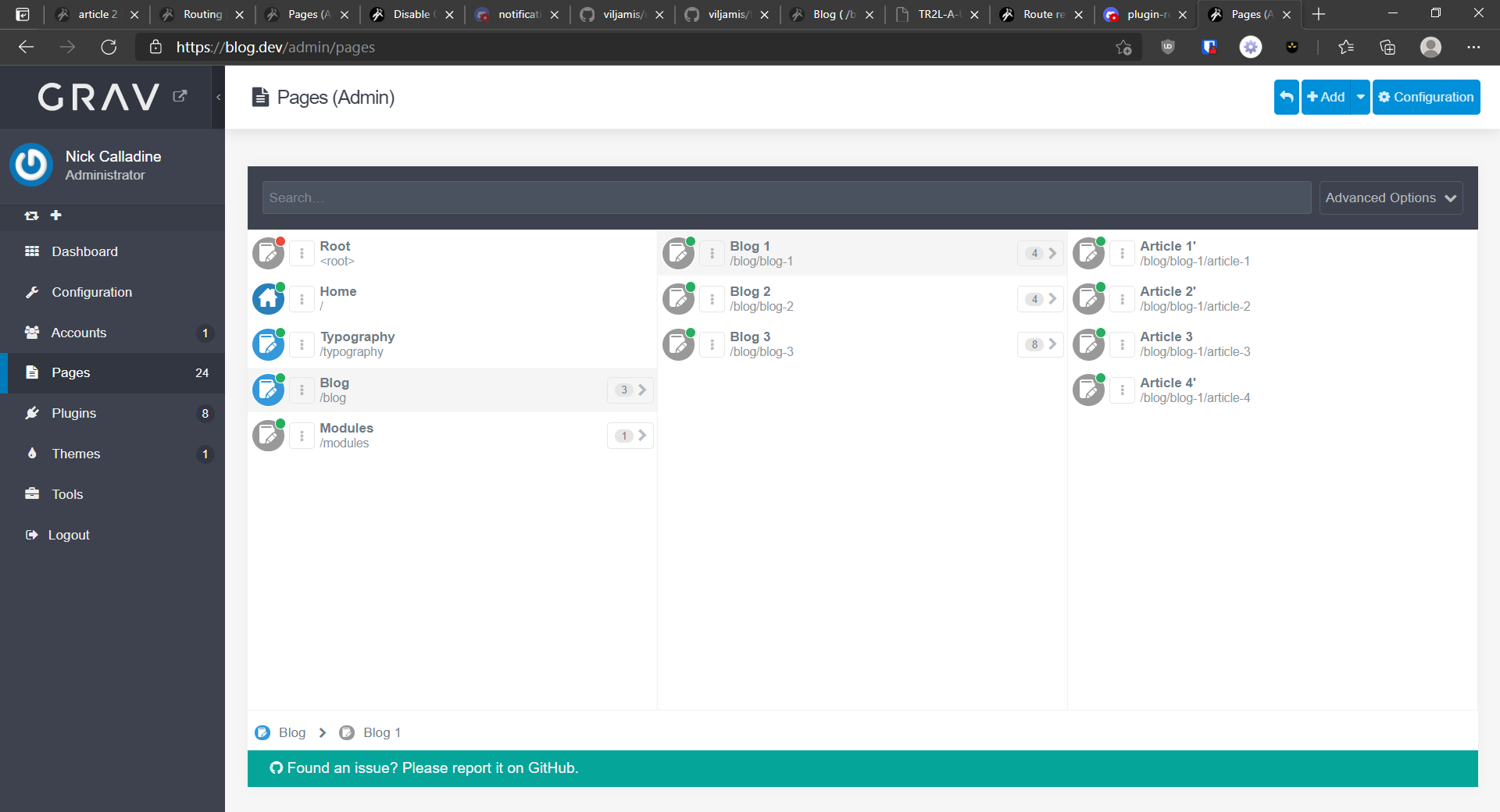
image|690x373

You can download an example of this, including the quark theme with the blog blueprint page added

https://github.com/spamhater-grav/gravblog-support

The direct way of accessing the blog way without any routing is

http://domain/blog/blog-(number)/article-(number)
so
http://domain/blog/blog-2/article-3

then adding to the site.yaml
...
*routes: /blog-(.)-article-(.): 'blog/blog-$1/article-$2'
...
so it can be accessed
http://domain/fr.blog-blog-1/article-4.htm**

The github link is designed for a fresh install of grav (to be downloaded and installed) then extract the /users directory on top of the grav default grav folder.

So then you can play with it. That was good fun, learnt about a few limitations of creating a blog, so you dont have to lol
last edited 05/19/21 by Spam Hater
5 years ago

I try and I try... :) of course with a very simple one.
Actually my site is fully working. (fijibooks.com for promotion 😆 )
so I can test an easy way.
And ... I finally did it ! Thanks to you 😋

After some different way, I finally run into the one I wanted
redirects:
'/blog-(.)-article-(.).htm': /$1/$2

the very last strange thing, is that it only works with redirects not routes.
This doesn't really bother me, but just for my personal experience, I'll keep searching a little 🙂

anyway thanks again !

👍 1

Suggested topics

Topic Participants Replies Views Activity
Support · by Thomas, 1 week ago
2 53 11 hours ago
Support · by Anna, 3 days ago
2 60 13 hours ago
Support · by Justin Young, 14 hours ago
1 30 14 hours ago
Support · by Duc , 1 week ago
2 65 5 days ago
Support · by Colin Hume, 1 week ago
2 56 5 days ago