Skip to content
Grav 2.0 is officially stable. Read the announcement →

Community guidelines

Please keep discussions civil and on-topic. Repeated violations may lead to a temporary ban.

Support

Taxonomy searches give no results

Started by Mark Hanford 8 years ago · 5 replies · 694 views
8 years ago

I have a new site I've recently started using Grav v1.5.0-beta.2 with. I'm using a custom theme that is just a few changes and inherits the Quark theme.

My site.yaml has the default taxonomies set for category and tag:

YAML
taxonomies:
  - category
  - tag

I have a bunch of "item" pages that have some taxonomy front-matter:

YAML
---
taxonomy:
    category:
        - Woodworking
    tag:
        - toys
        - boats
---

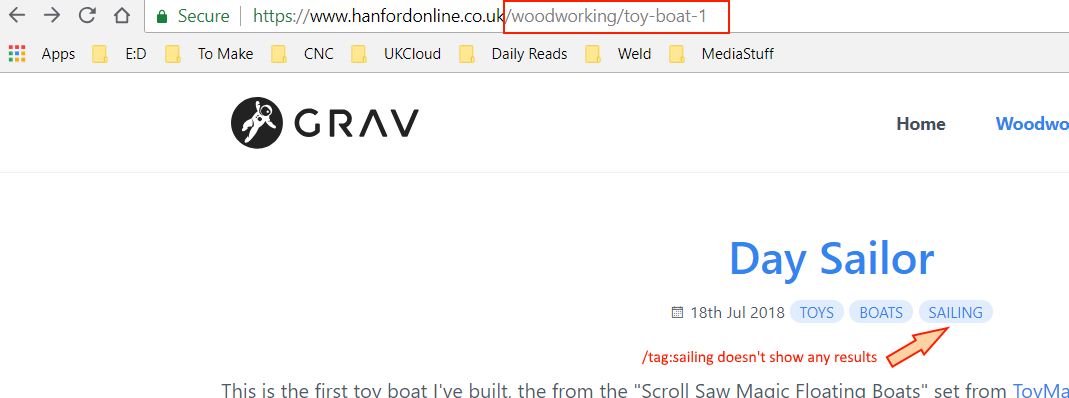
But when I click on any of the tags in the pages, which take me to URLs such as "/tag:toys", I always get zero results.

If I use the links on blog pages in the sidebar, I see that the URL is restricted to the category they are in, so "/woodworking/tag:boats", and that seems to work.

How can I get the tag URLs to work across the whole site?

Working:
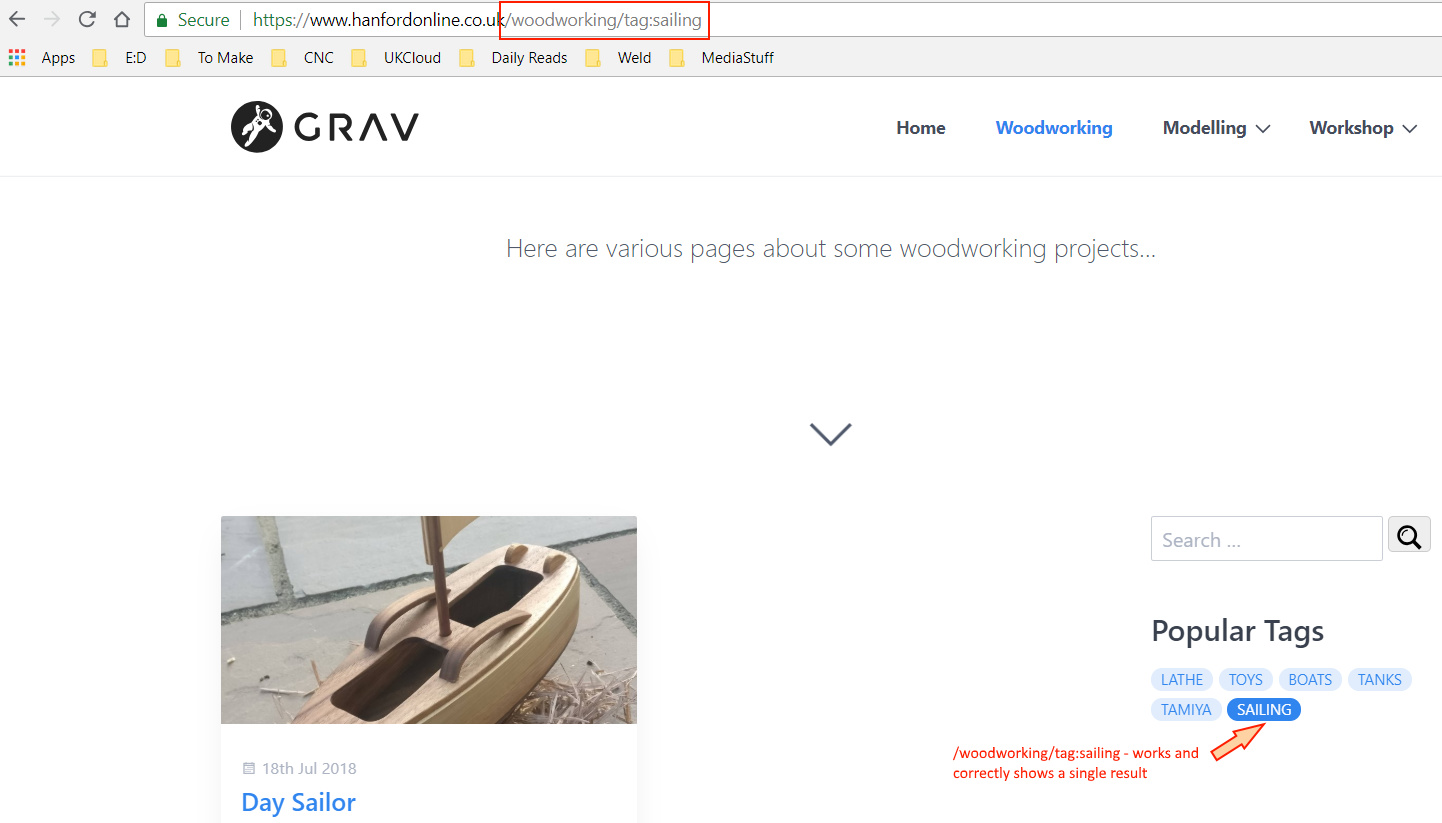
working|690x393

Not working:
broken|690x256

My site hierarchy is as follows. It's not a classic blog, so there isn't just a single chronological stream of posts. I'm trying to create a personal notes site.

TXT
.
├── 01.home
│   └── default.md
├── 02.woodworking
│   ├── blog.md
│   ├── toy-boat-1
│   │   └── item.md
│   └── toy-boat-2
│       └── item.md
├── 03.modelling
│   ├── 01.chieftain
│   │   └── item.md
│   └── blog.md
└── 04.workshop
    ├── 01.wood-tools
    │   ├── blog.md
    │   ├── lathe-tools
    │   │   └── item.md
    │   └── mini-lathe
    │       └── item.md
    ├── 02.wishlist
    │   ├── 01.chip-extraction
    │   │   └── item.md
    │   ├── 02.sharpening
    │   │   └── item.md
    │   └── blog.md
    └── blog.md

(http://www.hanfordonline.co.uk)

last edited 07/18/18 by Mark Hanford
8 years ago

@Cylindric I haven't worked with blogs yet, but did some investigation.

Theme Quark needs the variable ‘blog-page’ to point to the correct blog page.
To fix the issue mentioned above, copy 'user/themes/quark/quark.yaml' to 'user/config/themes/quark.yaml' and set ‘blog-page’ to ‘/woodworking’

Unfortunately, this only fixes the issue you mentioned. You are also using the 'blog' template on other pages. And their items will all be pointing to '/woodworking'.

Maybe the plugin relatedpages can help with that.

last edited 07/19/18 by pamtbaau
8 years ago

Thanks for looking into it. I suspect I might be making some wrong assumptions from the start, so I'll have another look at the template.

Basically I'm not really creating a blog, but a general info site with various categories - woodworking, metalworking, tools, etc, so maybe blog isn't the right thing to be looking for.

Unless maybe I can create a root "/blog" with the various categories under that, and then hide the root /blog.

8 years ago

@Cylindric Just had to have a second look...

The multiple blogs issue can be 'worked around' by using the following:

  • Override Quarks partial template 'taxonomy.html.twig'
    in 'user/themes/mytheme/templates/partials/blog/taxonomy.html.twig'
  • Add the following to the top:
    {% set blog = page.parent.template == 'blog' ? page.parent : blog %}
8 years ago

I don't think that's made much difference. I think I'll have to go back a step and see if what I'm trying to do is actually the "Grav Way", because if I'm fighting it this much I'm probably doing something wrong. Thanks for having a look though :)

FYI the git repo is at https://bitbucket.org/cylindric/grav/src/release-hanford/

I might have a look at some less "blog focused" templates.

8 years ago

I'm having a very similar issue with taxonomy search and filtering. I too have a multilayered site. Mine is church recorded sermons series. So I have a /media page that lists the series. Then /media/series_name where the messages in that series are listed with playback and download.

The taxonomylist plugin at the /media level collects the tags from all series and recursively from all messages, which seems to be it's default behavior. If I click a tag that is on a series it will show the result but if I click a tag that's on a message no results display even though it knows the tag is there.

So in short, in collects tags from children and descendants but it will only display the results of immediate children. If I go down a level (/media/series) the filtering works for the messages within that series but nowhere else.

Suggested topics

Topic Participants Replies Views Activity
Support · by Thomas, 1 week ago
2 52 9 hours ago
Support · by Anna, 3 days ago
2 59 11 hours ago
Support · by Justin Young, 12 hours ago
1 30 12 hours ago
Support · by Duc , 1 week ago
2 65 5 days ago
Support · by Colin Hume, 1 week ago
2 56 5 days ago