I'm using the Gavtastic Blog skeleton, but I have a post which includes an image at the start of the content of the post. How do I configure the blog listing page to never show the images from the content of the post? (Preferably through an actual page/template change so I don't have to manually use the summary frontmatter)
Solved: See @bleutzinn's post below and my subsequent explainer
Gaining some more knowledge of Twig is inevitable I think in order to use Grav's full possibilities regarding content processing.
If the image is included in the page content markdown then you would need to parse the markdown and remove the part which holds the image. You may want to check out the section about the Regex Replace Function in the Grav documentation.
That looks like the perfect page to start, and I think I can get if with that reference. Must have just passed over the "Themes" section of Grav Learn. Thank you! I've got experience with HTML/PHP/Markdown but my CMS experience is from Wordpress. I am absolutely loving Grav so far, just taken a bit of time to get used to how everything loads (and of course the intersection of Twig and Markdown)
Do you know of any decent editors with Twig highlighting support? Notepad++ and Atom don't seem to have it. I'll have to look if Visual Studio Code does, haven't tried that yet.
Ah! I've figured it out! Just for future reference for anyone looking at this post later on, in blog-list-item.html.twig under templates/partials, I changed the following lines
to
<div class="card-body">
{% if page.summary != page.content %}
{{ page.summary()|regex_replace('/<img.>/','') }}
{% else %}
{{ page.content()|regex_replace('/<img.>/','') }}
{% endif %}
</div>
The page.content and page.summary variables return the HTML markup of the page in question and then the |regex_replace() filters the markup per the regex expression provided. Doing page.summary and page.content makes sure that no matter if an image is in the defined summary or an implicit summary is taken, it won't show up in a page listing. Isn't Twig great?
Thanks @bleutzinn for the link, pointed me exactly where to go.
Also as a side note, not sure if it made a huge difference, but I had to turn off caching and gzip when testing to get it to work.
Great to see the replace works for you. Also thanks for your explanation of the solution.
Turning off caching site wide can be a real downside. You can try having site wide caching on and disable caching on a per page basis for example in all pages that use the template with your regex replace code.
See how to use frontmatter variables like Cache Enable and Expires for that purpose.
Regarding your quest for a good editor which syntax highlights Twig templates, yes, Visual Studio Code recognises a Twig file as "HTML (Twig)" and highlights the code very nicely.
@bleutzinn I had turned off caching in the context of testing if my RegEx was actually doing what it needed, because Ctrl+F5 to refresh Chrome wasn't enough to actually check those changes. I turned it back on after I had it working and all seems well for now.
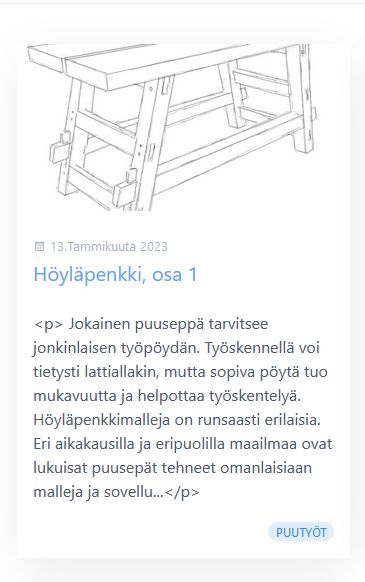
@mikselli, That's because Grav 1.7.+ auto escapes html elements. Which means <p> becomes <p> which becomes visible in the browser as literal <p>. This is a security measure to prevent injected code to be executed.
However, when being sure the data is save, one can prevent the auto-escape by using filter | raw.
The code shown above has removed the |raw filter from the original code when adding the regex_replace. That will work for Grav 1.6.+ but not for Grav 1.7.+. The following code should be used: