Skip to content
Grav 2.0 is officially stable. Read the announcement →

Community guidelines

Please keep discussions civil and on-topic. Repeated violations may lead to a temporary ban.

Content & Markdown

Linebreak within fences not working on page but in preview mode

Solved by Stephan Raue View solution

Started by Stephan Raue 5 years ago · 12 replies · 753 views
5 years ago

Hi,

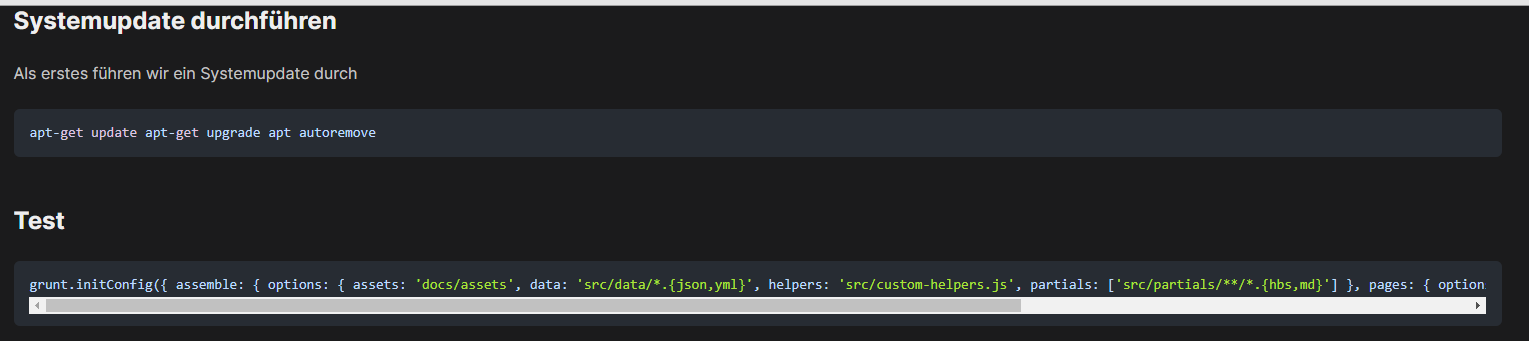
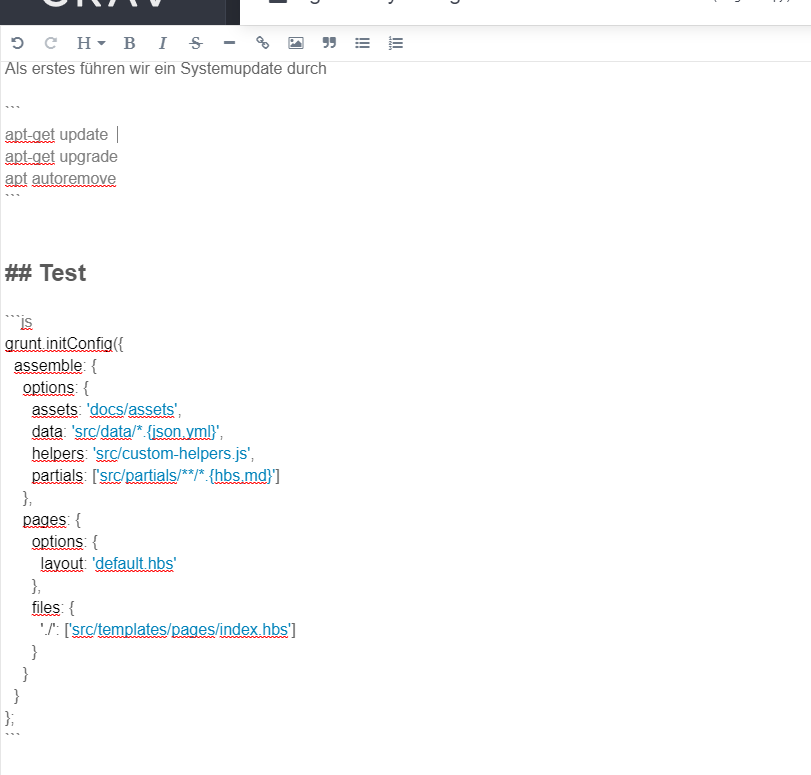
i am unable to add linebreaks within fences with grav v1.7.18.

It shows in the preview mode from editor but not on page. Tried with different Themes like Typhoon (licensed), Antimatter and Quark. I tried also with adding two spaces after every line...

If its important, i run grav with builtin symfony webserver.

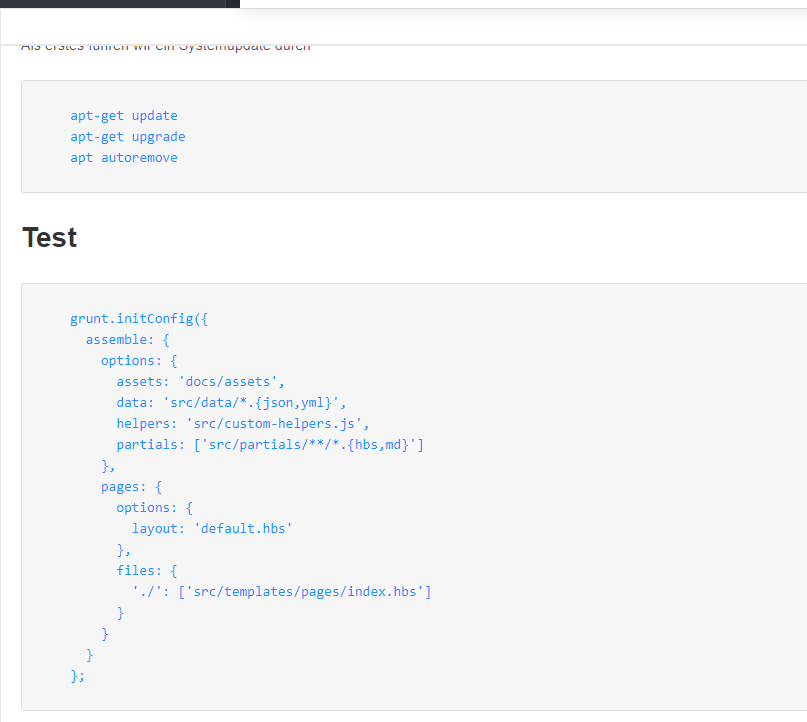
Sample:

Edit Mode
Screenshot 2021-08-22 174753|523x500

greetings

Stephan

5 years ago

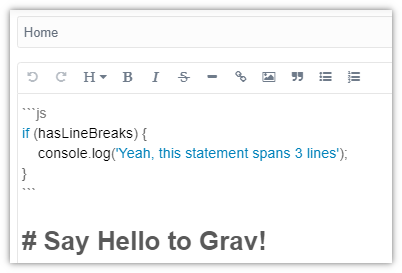
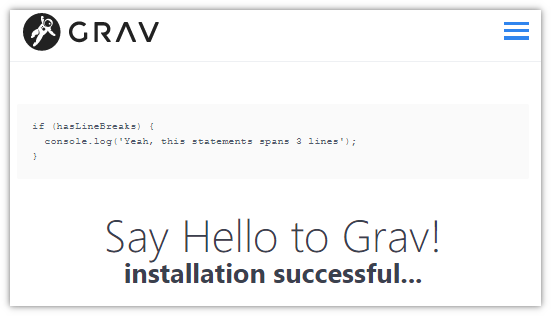
@sraue, I'm afraid I cannot reproduce the issue using the following:

  • Windows 10/WSL + Apache

  • Fresh install of Grav 1.7.18 + Admin

  • Content of page 'Home' in Admin
    Untitled|402x273

  • Result in browser (Chrome)
    Untitled|551x316

5 years ago

@pamtbaau thanks for the test.

I installed Nginx and switched the webserver. but the problem is the same...

5 years ago

@sraue, I've never heard that a webserver changes the HTML generated by a CMS... Except maybe zipping the HTML.

  • What's the resulting HTML generated by the fenced code blocks?
5 years ago

the resulting HTML looks like

HTML
</header> <section id="body" class=""> <pre><code>apt-get update apt-get upgrade apt autoremove </code></pre> <h2>Test</h2> <pre><code>grunt.initConfig({ assemble: { options: { assets: 'docs/assets', data: 'src/data/*.{json,yml}', helpers: 'src/custom-helpers.js', partials: ['src/partials/**/*.{hbs,md}'] }, pages: { options: { layout: 'default.hbs' }, files: { './': ['src/templates/pages/index.hbs'] } } } };</code></pre> <h1>Say Hello to Grav!</h1>

whats odd too if i look at the HTML code, the whole page is only one line HTML code, is this normal?

5 years ago

@sraue,

According to the docs on MDN:

In the case of HTML, whitespace is largely ignored — whitespace in between words is treated as a single character, and whitespace at the start and end of elements and outside elements is ignored.

Except... inside <pre><code> blocks.

The <pre> HTML element represents preformatted text which is to be presented exactly as written in the HTML file. The text is typically rendered using a non-proportional, or "monospaced, font. Whitespace inside this element is displayed as written.

A single line of HTML code should therefor not present any issues, except for preformatted code blocks.

  • What is the css for code showing in the developer console of the browser? Some values like 'initial', 'normal', no-wrap' will ignore newlines.
  • Are you using a HTML minifier of some sort?
last edited 08/23/21 by pamtbaau
5 years ago Solution

@pamtbaau

Thanks for the help, i looked in the css files but not found anything you mentioned...

but i installed a new grav setup, this time from a tar.gz tarball and there it works. The old install was a setup from zip... not sure if it has anything todo with this... but for now it seems to work with the new setup...

5 years ago

oh... and btw, the HTML output if looking at the sources is now formated too and not a big single line without linebreaks like in the old setup... 🤔

5 years ago

@sraue, Would you mind sharing the download urls for the zip and the tar.gz?

5 years ago

@pamtbaau

i used in my first (not working) install:
*1. https://getgrav.org/download/core/grav-admin/1.7.18 from getgrav . org / downloads

in my second (working) testinstall:
*2. https://github.com/getgrav/grav/archive/refs/tags/1.7.18.tar.gz

on a third install i reinstalled grav from *1. again via the zip file and fresh, and there it is working now too...

so i think it has todo with plugins or themes i have tried in the meantime? i can try to install the plugins and themes like in my first install to reproduce the issue... if i can i will report back.

2 years ago

I had the same issue as you describe, and found it was related to " Automagic Images v1.0.5" plugin. I changed to a different plugin, "Resize Images v0.2.2".
Suggested topics

Topic Participants Replies Views Activity
Content & Markdown · by Jochen, 8 months ago
6 94 8 months ago
Content & Markdown · by Ton Haarmans, 1 year ago
10 184 1 year ago
Content & Markdown · by Jan L'Am, 1 year ago
4 146 1 year ago
Content & Markdown · by Leonardo, 1 year ago
3 60 1 year ago
Content & Markdown · by belthasar, 1 year ago
4 254 1 year ago