I just added to my user/config/system.yaml a new supported language (french) but when i change the language in my "pages" tab it keeps showing only the spanish language pages.
I cannot change the language inside, the only page that seemed to work in french was "Systèmes de formation".
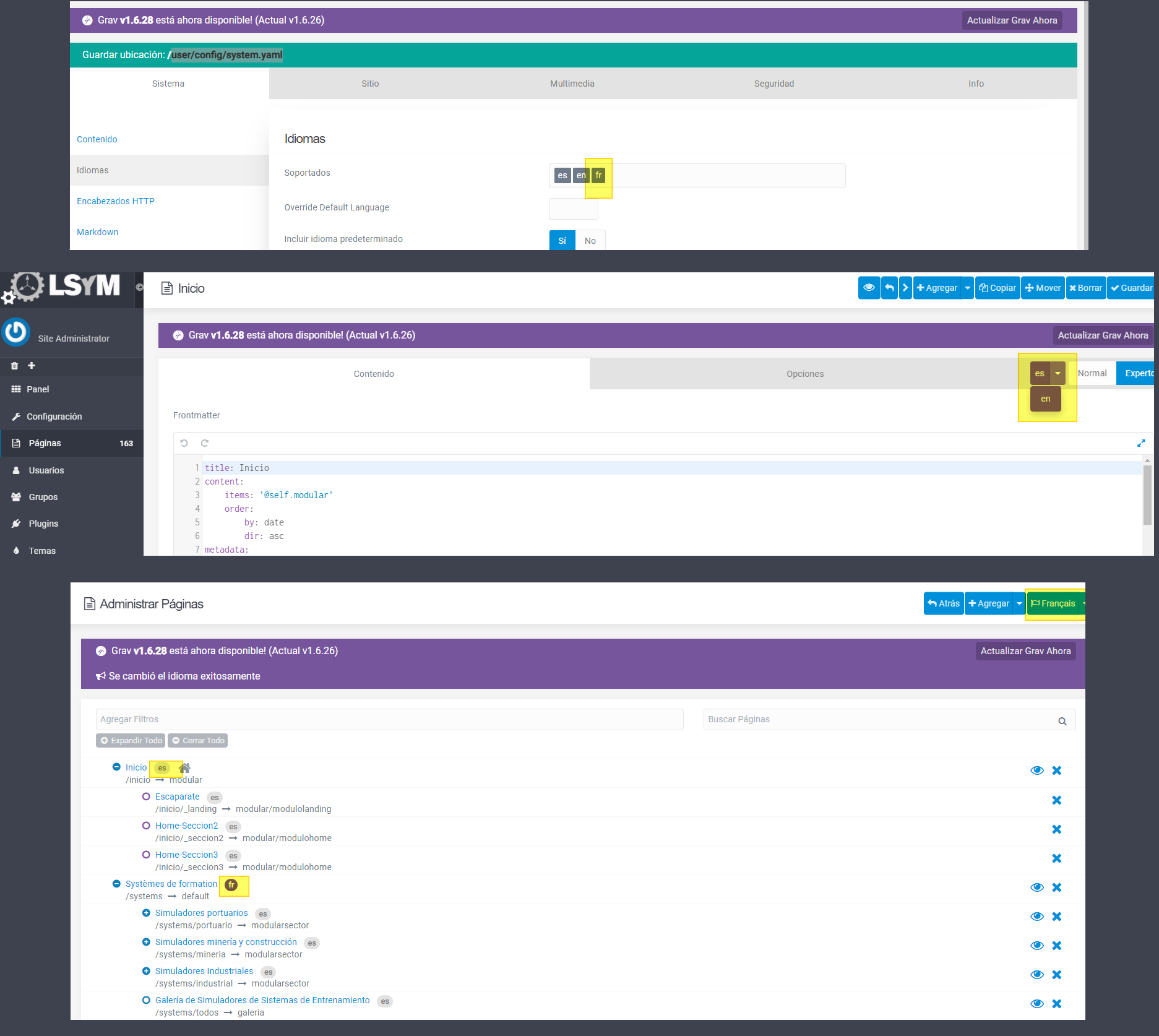
Any clue?
Solved by Daniel Wrightson View solution
There is a way in admin, but I always end up doing it outside the admin, usually within visual code. I just duplicate the page, save it as page.it.md instead of page.dk.md (or whatever) then translate what needs translating. It's quick enough.
I would like to know about the admin way. I'm afraid I cannot access the directory to create a new "page.fr.md".
Can I solve the issue just using the grav manager?
Thanks in advance.
Sorry, I can't find it. I've tried a few times when I've had some spare time but no luck.
The must be a way!
At the end I did it the way you said, outside admin.
I duplicated all the files and renamed them to the language I needed (page.fr.md).
I found this way quite tedious, since I had to duplicate around 100 pages.
I would not like to do this again in the future in case I had to add a new language.
Grav probably provides a better way of doing this but I don't know how.
Thanks for your help!
Cheers. I'm going to have to generate a pile of danish pages soon - I'll let you know if I finally manage to work it out : )
Log in to reply.
Suggested topics
| Topic | Participants | Replies | Views | Activity |
|---|---|---|---|---|
| 4 | 111 | 3 days ago | ||
| 2 | 99 | 5 days ago | ||
| 5 | 341 | 1 week ago | ||
| 5 | 540 | 1 week ago | ||
| 6 | 334 | 3 weeks ago |