The problem
Hey guys! I'm working on a website for an association, and I have a few small enough flex-objects which are related to each other, that's why I would like to group them under the same page.
Let me give you an example: there is a flex-object to select in which days/times the association will be closed for special events (and people cannot book that day), and there is a flex-object to set the regular schedule (at which times the association is normally open) and I'd like to put them together in the same page.
Example solution
I'd like to do the same thing that already happens with user-accounts and user-groups, which are flex-objects grouped in the same page (picture below for reference)
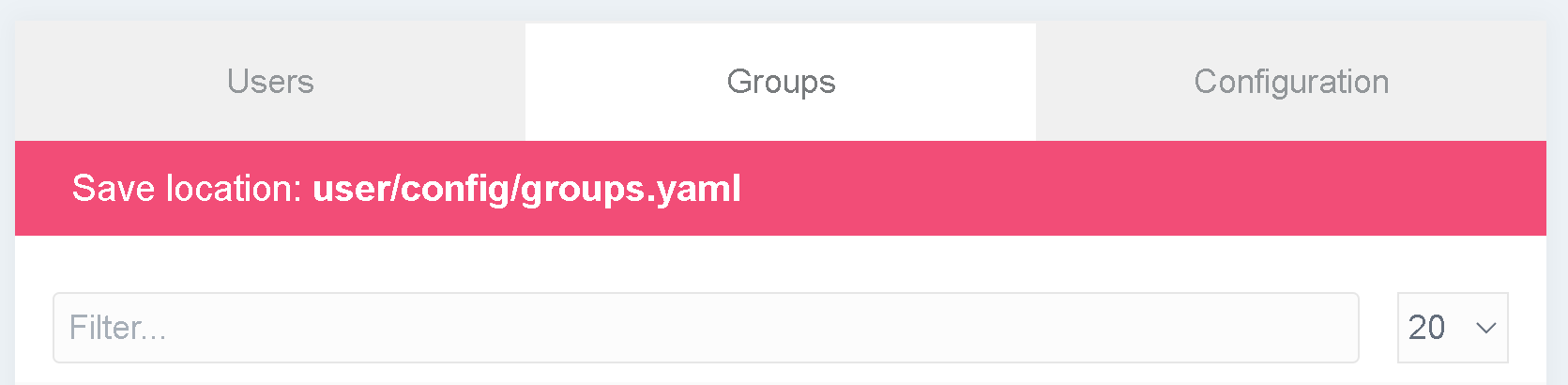
What I've tried to do
I tried to look up how the .yaml file for user-accounts and user-groups is made, but there isn't much information inside it:
title: User Accounts (Admin)
description: ...
type: flex-objects

extends@:
    type: user-accounts
    context: blueprints://flex
I still don't understand which file is being extended here? I tried to look up the structure, and my guess is that I should add to my theme's templates a folder called ./admin/{name-of-flex-objects-grouping} with the necessary .html.twig files. My other question is: can I solve it with some trick in the .yaml configuration of the flex objects? I see there's a config.admin.router attribute, but I'm not sure how to work with it, and how work with actions (I tried to look at the documentation, but I didn't understand much Flex Objects Config Admin - router)
I think I almost figured it out, but I'm making this post anyway, in case someone already has the solution, or in future someone wants to do something similar 😀